
ToolPotion
AI Advisor
Submit a Tool (Free)

Causal AI Canvas

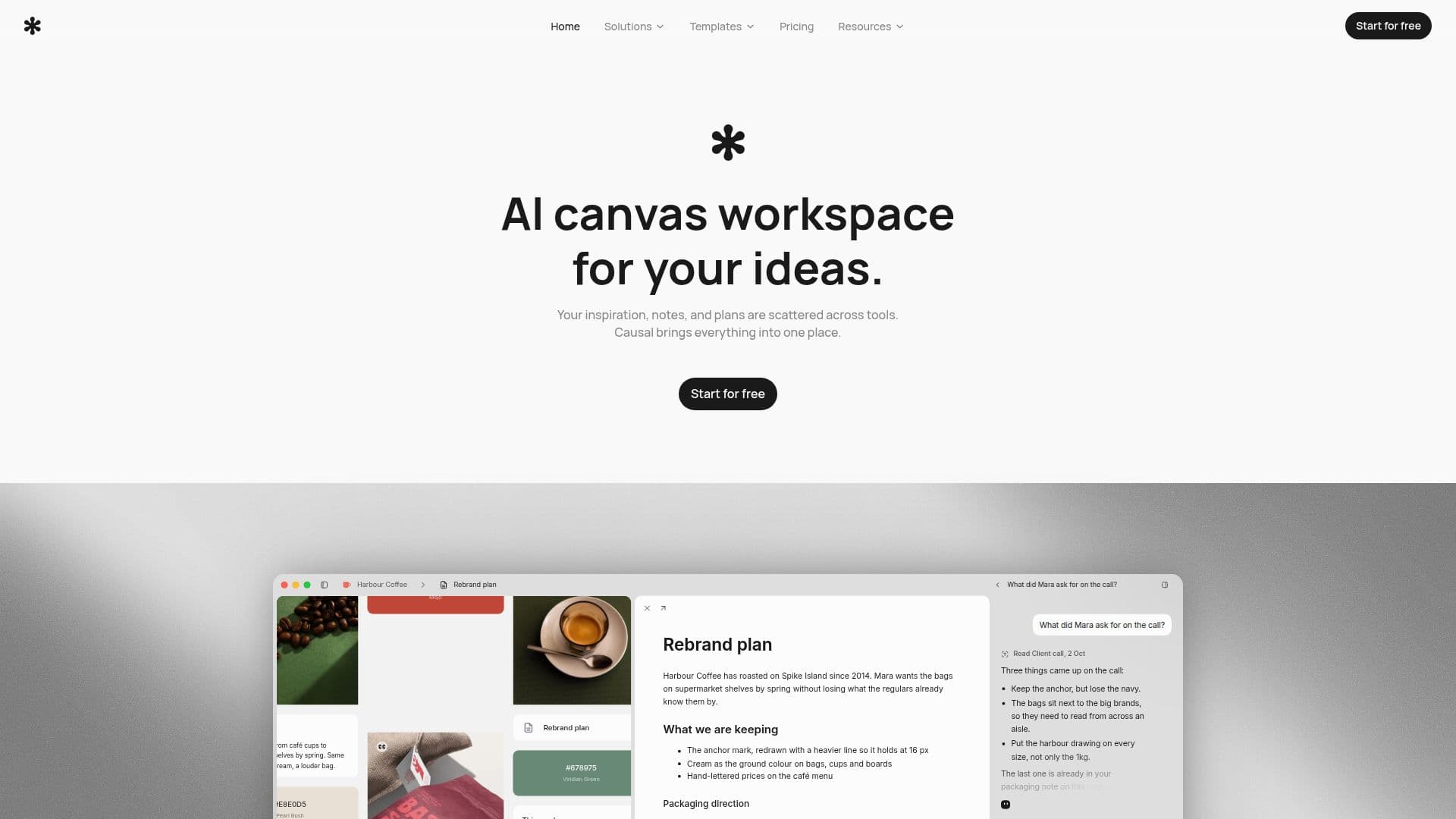
Causal AI Canvas is an infinite spatial workspace designed for creative projects, allowing users to organize moodboards, notes, files, and links visually. It features an AI agent that reads the entire board to assist with planning and idea generation. Available for free on Mac, it provides a flexible environment for creatives to plan before execution.

Visit Website
Share
Causal AI Canvas screenshot

Causal AI Canvas offers an infinite spatial workspace where users can arrange notes, files, images, and links on a canvas, mirroring their conceptual thinking. Unlike traditional folder-based systems, Causal allows the layout itself to serve as the organization, preserving causal relationships between ideas and fostering new ones. This approach provides complete freedom in planning, making it ideal for creatives who prioritize planning before execution.

Read More

The platform differentiates itself from tools like Notion or Obsidian by offering a rich canvas that stores various content types without imposing rigid page structures. It supports dropping in files up to 20 MB each, including PDFs, Word documents, Adobe files, markdown, spreadsheets, images, and video, all viewable fullscreen within the app with real previews. Markdown files and CSVs can even be edited directly in place.

Causal supports both quick notes placed directly on the canvas for flexible thoughts and longer documents that open into a dedicated full-page editor. Both formats share rich formatting options, including headings, lists, checkboxes, quotes, code blocks, highlights, images, and links. Users can start with a blank canvas or choose from a variety of templates for different creative workflows, such as app development, website design, branding, storyboarding, and research.

Collaboration is facilitated through shareable read-only links, allowing others to view a canvas and its nested canvases without needing an account. For structuring the canvas, users can create collections to organize nodes into columns, use nested canvases for specific topics, or park items in an unsorted tray. The platform also includes an AI agent that can read the entire board, enhancing the planning process.

Causal offers a free plan that doesn't expire and requires no credit card, providing 100 notes, images, and links, 10 files, 5 widgets, and 50 AI requests per month, with all canvas features unlocked. A Pro plan is available for £8/month (billed yearly) or £10/month (billed monthly), which lifts these limits for more extensive use. A free Mac desktop app is available and keeps itself updated, though there is no phone app currently.

  • CategoryDesign & Creative
  • Pricing ModelFreemium
  • DeploymentCloud
  • PlatformsMac

  • Infinite AI Canvas for visual project planning

  • Spatial workspace for notes, files, images, and links

  • AI agent that reads the entire board

  • Rich text editor for notes and full-page documents

  • Support for various file types with in-app previews

  • Direct editing of Markdown and CSV files

  • Shareable read-only canvas links

  • Collections for organizing nodes into columns

  • Nested canvases for hierarchical organization

  • Unsorted tray for temporary storage of items

  • Pre-built templates for creative workflows

  • Free Mac desktop application

  • Generous free plan with AI requests

  • Pro plan for increased limits and features

  • MCP connection for agent collaboration

  1. Start a Project: Open Causal and choose a blank canvas or select from various templates for your creative work.

  2. Add Content: Drag and drop notes, files, images, and links onto the infinite canvas.

  3. Organize Visually: Arrange content spatially to reflect conceptual relationships, using collections or nested canvases for structure.

  4. Utilize AI Agent: Leverage the AI agent to read your entire board and assist with planning and idea generation.

  5. Edit Documents: Write quick notes directly on the canvas or open a dedicated full-page editor for longer documents.

  6. Share Your Work: Generate a read-only link to share your canvas with collaborators, who can view it without an account.

  7. Manage Files: Upload various file types up to 20 MB, with in-app previews and direct editing for Markdown and CSVs.

  • Creative Project Planning
  • Idea Generation & Organization
  • Content Strategy Mapping
  • Brand Research & Development
  • App & Website Design
  • Document & File Management
  • Collaborative Brainstorming
  • Workflow Visualization
  • Agentic Collaboration

Causal AI Canvas Reviews

Loading...

Popular AI Tools Like Causal AI Canvas

Walling

AI Apps

Walling is a visual medium for organizing and presenting ideas. Build beautiful pages to consolidate notes, images, videos, files, and links. AI features generate content, images,…

AI Note-Taking Apps

Ranked #48 in AI Note-Taking Apps

View Tool

AI Apps

Visual medium for organizing and presenting ideas. Build beautiful pages to consolidate notes, images, videos, files, and links. AI features generate content, images,…Walling is a visual medium for organizing and presenting ideas. Build beautiful pages to consolidate notes, images, videos, files, and links. AI features generate content, images,…

AI Note-Taking Apps
Ranked #48 in AI Note-Taking Apps

Drawsy AI

AI Apps

Drawsy AI transforms chaotic ideas into structured visual workspaces, integrating a canvas, project context, and working software in one platform. It helps users organize and…

AI Project Management
View Tool

AI Apps

Transforms chaotic ideas into structured visual workspaces, integrating a canvas, project context, and working software in one platform. It helps users organize and…Drawsy AI transforms chaotic ideas into structured visual workspaces, integrating a canvas, project context, and working software in one platform. It helps users organize and…

AI Project Management
See the Top 250 AI Apps

Storyflow is an AI visual workspace designed for creative teams, enabling them to build kanbans, mindmaps, and storyboards from a single prompt. It fosters collaboration and…

AI Project Management

Ranked #41 in AI Project Management

View Tool

AI visual workspace designed for creative teams, enabling them to build kanbans, mindmaps, and storyboards from a single prompt. It fosters collaboration and…Storyflow is an AI visual workspace designed for creative teams, enabling them to build kanbans, mindmaps, and storyboards from a single prompt. It fosters collaboration and…

AI Project Management
Ranked #41 in AI Project Management

FLORA is an AI-powered canvas for creative teams, offering a unified workspace to generate, edit, and produce visuals. It integrates over 50 AI models, enabling rapid ideation,…

Image Generation & EditingMarketing & Creative Agencies

Ranked #23 in Image Generation & Editing

View Tool

AI-powered canvas for creative teams, offering a unified workspace to generate, edit, and produce visuals. It integrates over 50 AI models, enabling rapid ideation,…FLORA is an AI-powered canvas for creative teams, offering a unified workspace to generate, edit, and produce visuals. It integrates over 50 AI models, enabling rapid ideation,…

Image Generation & EditingMarketing & Creative Agencies
Ranked #23 in Image Generation & Editing

Creativly Agent is an AI-powered creative workspace that transforms briefs into campaign-ready assets. It integrates with popular tools and supports collaborative workflows on an…

AI Graphic Design ToolsMarketing & Creative Agencies

Ranked #75 in AI Copywriting Tools

View Tool

AI-powered creative workspace that transforms briefs into campaign-ready assets. It integrates with popular tools and supports collaborative workflows on an…Creativly Agent is an AI-powered creative workspace that transforms briefs into campaign-ready assets. It integrates with popular tools and supports collaborative workflows on an…

AI Graphic Design ToolsMarketing & Creative Agencies
Ranked #75 in AI Copywriting Tools

Draft Canvas is a local-first tool for creating visual stories of software architecture. It features intelligent shapes, depth exploration, and a coding agent for collaborative…

Design & Creative

Ranked #226 in AI Graphic Design Tools

View Tool

Local-first tool for creating visual stories of software architecture. It features intelligent shapes, depth exploration, and a coding agent for collaborative…Draft Canvas is a local-first tool for creating visual stories of software architecture. It features intelligent shapes, depth exploration, and a coding agent for collaborative…

Design & Creative
Ranked #226 in AI Graphic Design Tools

Napkin AI

AI Apps

Napkin AI is a visual communication platform that transforms text into flowcharts, mind maps, infographics, and more. It requires no design skills, making it easy for anyone to…

AI Graphic Design Tools

Ranked #151 in AI Apps

View Tool

AI Apps

Visual communication platform that transforms text into flowcharts, mind maps, infographics, and more. It requires no design skills, making it easy for anyone to…Napkin AI is a visual communication platform that transforms text into flowcharts, mind maps, infographics, and more. It requires no design skills, making it easy for anyone to…

FeaturedAI Graphic Design Tools
Ranked #151 in AI Apps

Scraps

AI Apps

Scraps is an AI-native ideation sketchbook and smart canvas that lets creative thinkers capture fleeting ideas as text, voice, photos, and sketches, then surfaces connections…

AI Note-Taking Apps

Ranked #82 in AI Note-Taking Apps

View Tool

AI Apps

AI-native ideation sketchbook and smart canvas that lets creative thinkers capture fleeting ideas as text, voice, photos, and sketches, then surfaces connections…Scraps is an AI-native ideation sketchbook and smart canvas that lets creative thinkers capture fleeting ideas as text, voice, photos, and sketches, then surfaces connections…

AI Note-Taking Apps
Ranked #82 in AI Note-Taking Apps
1 of 8