
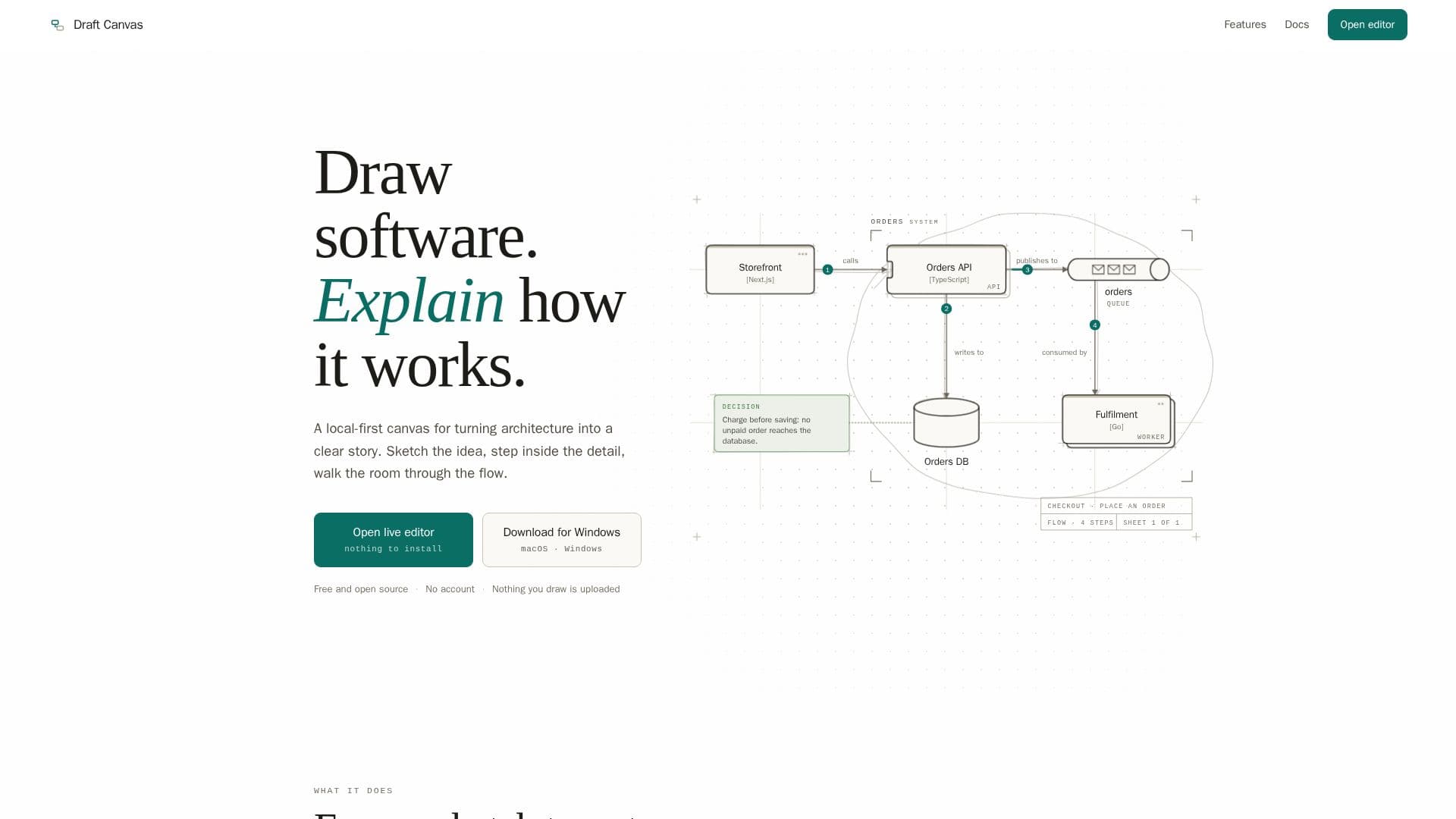
Description
Draft Canvas is a versatile tool designed to transform software architecture into clear visual stories. It offers a local-first canvas that allows users to create diagrams that are both detailed and easy to understand. The platform supports intelligent shapes that recognize their roles, enabling users to explore depth and present flows effectively. One of the standout features of Draft Canvas is its coding agent, which collaborates with users to draw diagrams, making the process more interactive and efficient.
Read More
The tool is accessible both in-browser and as a desktop application, ensuring flexibility for users who prefer different working environments. Notably, Draft Canvas does not require an account, and nothing drawn is uploaded, emphasizing privacy and local data handling. This makes it an excellent choice for developers and teams who prioritize data security.
Draft Canvas is free and open source, allowing users to self-host if desired. The desktop version is available for Windows and macOS, with installation options via Homebrew for Mac users. Although the installers are not code-signed, guidance is provided to navigate initial security warnings on macOS and Windows.
The platform's documentation is comprehensive, covering everything from getting started to advanced features like AI agent integration and self-hosting. Users can draw, present, and export diagrams, with guides available for shapes, connectors, flows, and more. Draft Canvas is particularly useful for software developers, architects, and teams looking to visualize complex systems and collaborate on architectural designs.
- CategoryDesign & Creative
- Pricing ModelFree
- DeploymentLocal, Browser
- PlatformsWindows, macOS
Draft Canvas's Core Features
Local-first canvas
Intelligent shapes
Depth exploration
Coding agent collaboration
Browser and desktop access
No account required
Free and open source
Self-hosting option
How to use Draft Canvas?
Open: Access the tool in your browser or desktop
Configure: Set up AI agents in the desktop app
Draw: Use intelligent shapes to create diagrams
Collaborate: Work with the coding agent to enhance diagrams
Draft Canvas's Use Cases
- Software Architecture Visualization
- Collaborative Diagramming
- Privacy-Focused Design
- Cross-Platform Access
- Open Source Development