Description
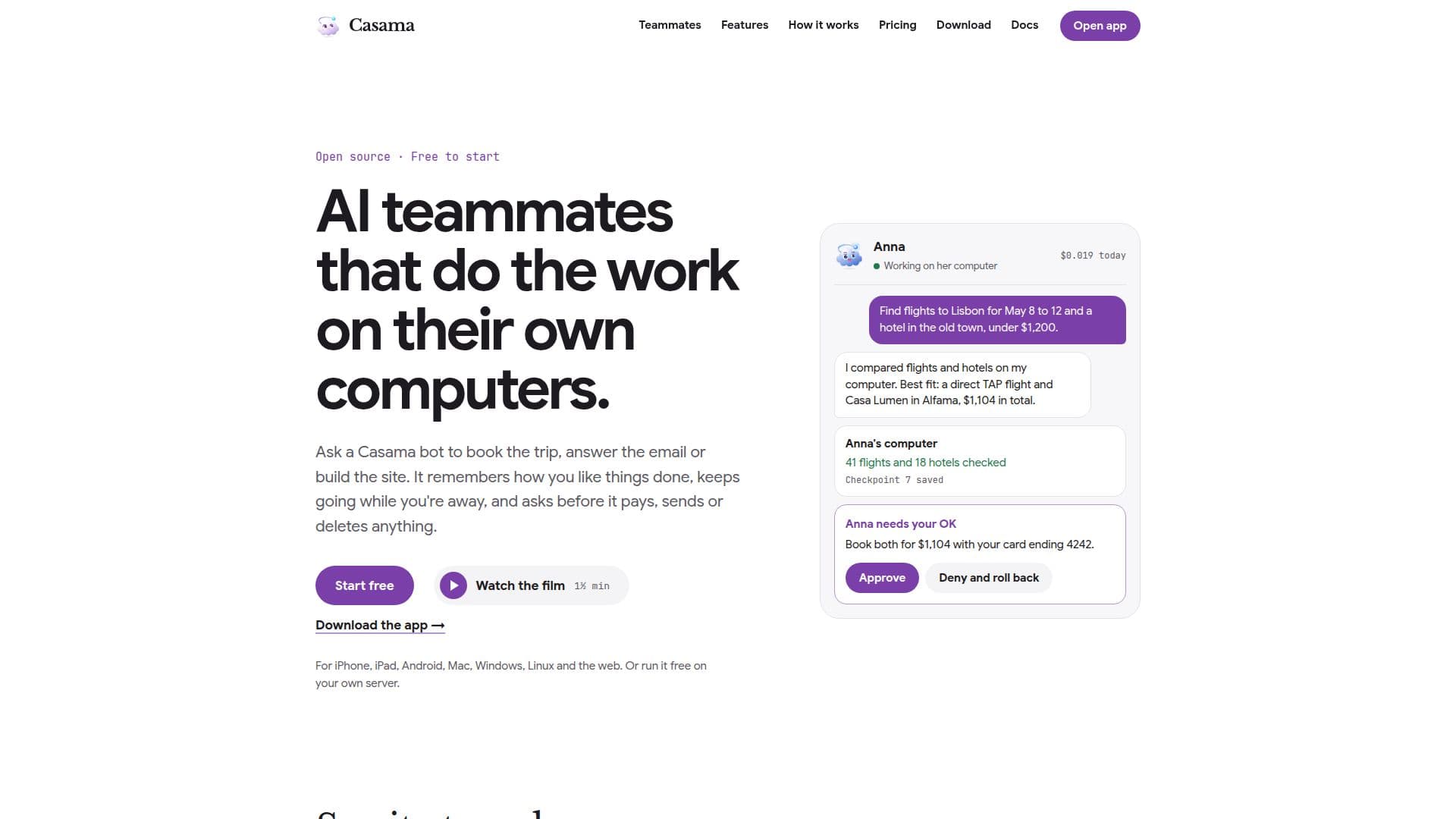
Casama offers open-source AI teammates, referred to as bots, designed to perform real work on their own virtual computers. Each bot is equipped with a sandboxed Linux machine, allowing it to browse the web, fill out forms, write files, and run code independently. These AI assistants are built with memory, enabling them to remember user preferences and past work, and can operate on schedules or in response to specific triggers.
Read More
A key feature of Casama is its emphasis on safety and user control. Bots are programmed to ask for approval before executing any risky actions, such as sending emails, making payments, booking services, or deleting data. Before such steps, the bot's computer state is saved as a checkpoint, allowing users to roll back actions if needed. Users can define autonomy settings for each bot, ranging from asking before every action to acting on its own for most tasks, with payments always requiring explicit approval.
Casama is highly versatile in its deployment and model support. Users can opt for Casama Cloud, a hosted service that includes a free plan and various paid tiers, where Casama manages AI models. Alternatively, the application is open-source under the AGPL-3.0 license, allowing users to self-host it for free on their own servers (Linux, Mac, or even a home server via Docker). Self-hosting provides unlimited users and bots, and allows integration with various AI model providers like Anthropic, OpenAI, Google Gemini, xAI, OpenRouter, or even local models via Ollama.
The platform supports a wide range of use cases, from personal assistance, email management, and scheduling to customer support, research, coding, sales, bookkeeping, and social media management. Bots can work collaboratively in group chats, hand off tasks to each other, and store all generated content in a centralized Library. Casama is accessible across multiple platforms, including iPhone, iPad, Android, Mac, Windows, Linux, and the web, ensuring users can interact with their bots from any device. It also offers Casama Link for secure remote access to self-hosted servers from mobile devices without complex network configurations.
Pricing for Casama Cloud includes a free plan with monthly credits, bots, and computer hours. Paid plans (Plus, Pro, Max) offer increased credits, bots, computer hours, storage, and seats, with options for monthly or annual billing. Credits on Casama Cloud function as dollars and cover AI model usage, cloud computer time, live calls, and other metered services. Self-hosted instances incur no Casama-specific costs, as users pay their chosen AI model providers directly. The platform also includes features like bot-specific budgets to control spending and robust data security measures, ensuring user data privacy and preventing AI models from accessing sensitive information like passwords.
- CategoryAI Agent Builders
- Pricing ModelFreemium
- DeploymentCloud, Self-hosted
- PlatformsWeb, iOS, Android, Mac, Windows, Linux
Casama's Core Features
Open-source AI teammates with sandboxed computers
Asks for approval before risky actions (payments, sending, deleting)
Durable runs with memory and scheduled routines
Self-hosting option with any AI model (Anthropic, OpenAI, Google Gemini, xAI, OpenRouter, Ollama)
Casama Cloud hosted service with free and paid plans
Cross-platform apps for iPhone, iPad, Android, Mac, Windows, Linux, and web
Group chats for collaborative work between humans and bots
Customizable bot roles, tools, and budgets
Integration with popular apps like Gmail, Calendar, Slack, Notion, WhatsApp
Live monitoring and control of bot's computer
Checkpoint saving before destructive actions for rollbacks
Data privacy: no data used for AI model training or ads
Open HTTP API, CLI, and SDKs for building custom skills and plugins
Casama Link for secure mobile access to self-hosted servers
Budget controls per bot and per run to manage costs
How to use Casama?
Sign Up: Create an account on Casama Cloud using Google or Apple, or install the open-source version on your server.
Create a Bot: Give each bot a specific job, role, and tools, such as a personal assistant or customer support agent.
Define Autonomy: Set each bot's autonomy level to control when it asks for approval before taking actions.
Connect Apps: Integrate Casama with your existing tools like Gmail, Calendar, Slack, or Notion.
Assign Tasks: Ask your bot to perform tasks via chat, voice, or email, such as booking a trip or drafting an email.
Monitor & Approve: Watch your bot's progress live and approve or deny risky steps from your phone or computer.
Manage Costs: Set budgets for individual bots and runs to control spending on AI models and cloud computer time.
Casama's Use Cases
- Personal Assistant
- Customer Support
- Research & Briefing
- Email Management
- Scheduling Meetings
- Coding & Development
- Sales & Outreach
- Bookkeeping & Expenses
- Social Media Management
- Travel Planning