
Description
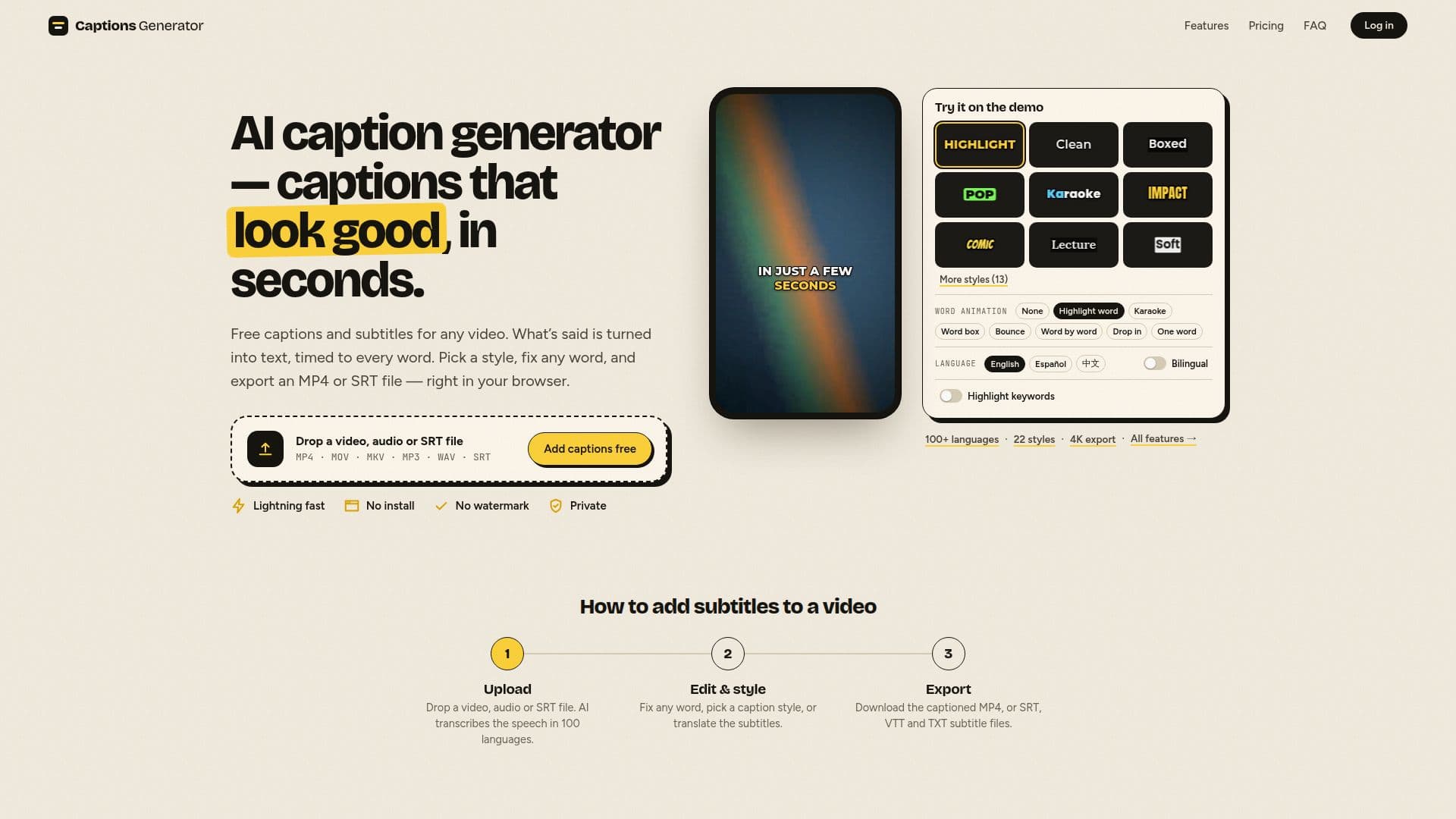
Captions Generator is an online platform designed to simplify the process of adding captions and subtitles to videos. It offers a free plan that allows users to caption and edit videos up to 90 minutes long without any watermark. The tool supports automatic transcription in over 100 languages, making it accessible to a global audience. Users can choose from 8 free caption styles and export their videos in MP4 format up to 1080p, or download subtitle files in SRT, VTT, and TXT formats.
Read More
The platform also provides a Pro plan, which includes additional features such as unlimited captions, exports up to 4K, and access to 22 caption styles with word animations like karaoke and word highlight. Pro users can also benefit from bilingual captions, AI keyword highlights, custom fonts, and saved styles. The Pro plan is priced at $9.99 per month or $59 per year, offering a cost-effective solution for creators who need more advanced features.
Captions Generator ensures user privacy by processing videos directly in the browser, with only the audio track sent for transcription. This means that videos never leave the user's device, providing peace of mind for those concerned about data security. The tool is particularly useful for content creators on platforms like TikTok, Instagram Reels, and YouTube Shorts, as it supports various video formats and ensures captions are displayed correctly across different platforms.
Overall, Captions Generator is a versatile and user-friendly tool that caters to both casual users and professional content creators. Its combination of free and Pro features makes it a valuable resource for anyone looking to enhance their videos with captions and subtitles.
- CategoryAI Subtitles & Dubbing
- Pricing ModelFreemium
- DeploymentCloud
- PlatformsWeb
Captions Generator's Core Features
Free captioning with no watermark
Supports over 100 languages
Exports in MP4, SRT, VTT, and TXT formats
8 free caption styles
Pro plan with 22 styles and animations
Bilingual captions in Pro
AI keyword highlights in Pro
Custom fonts and saved styles in Pro
How to use Captions Generator?
Upload: Drop a video, audio, or SRT file
Edit & Style: Fix words and pick a style
Export: Download captioned MP4 or subtitle files
Translate: Convert subtitles into 100+ languages
Captions Generator's Use Cases
- Social Media Videos
- Educational Content
- Marketing Videos
- Accessibility
- International Reach