
Description
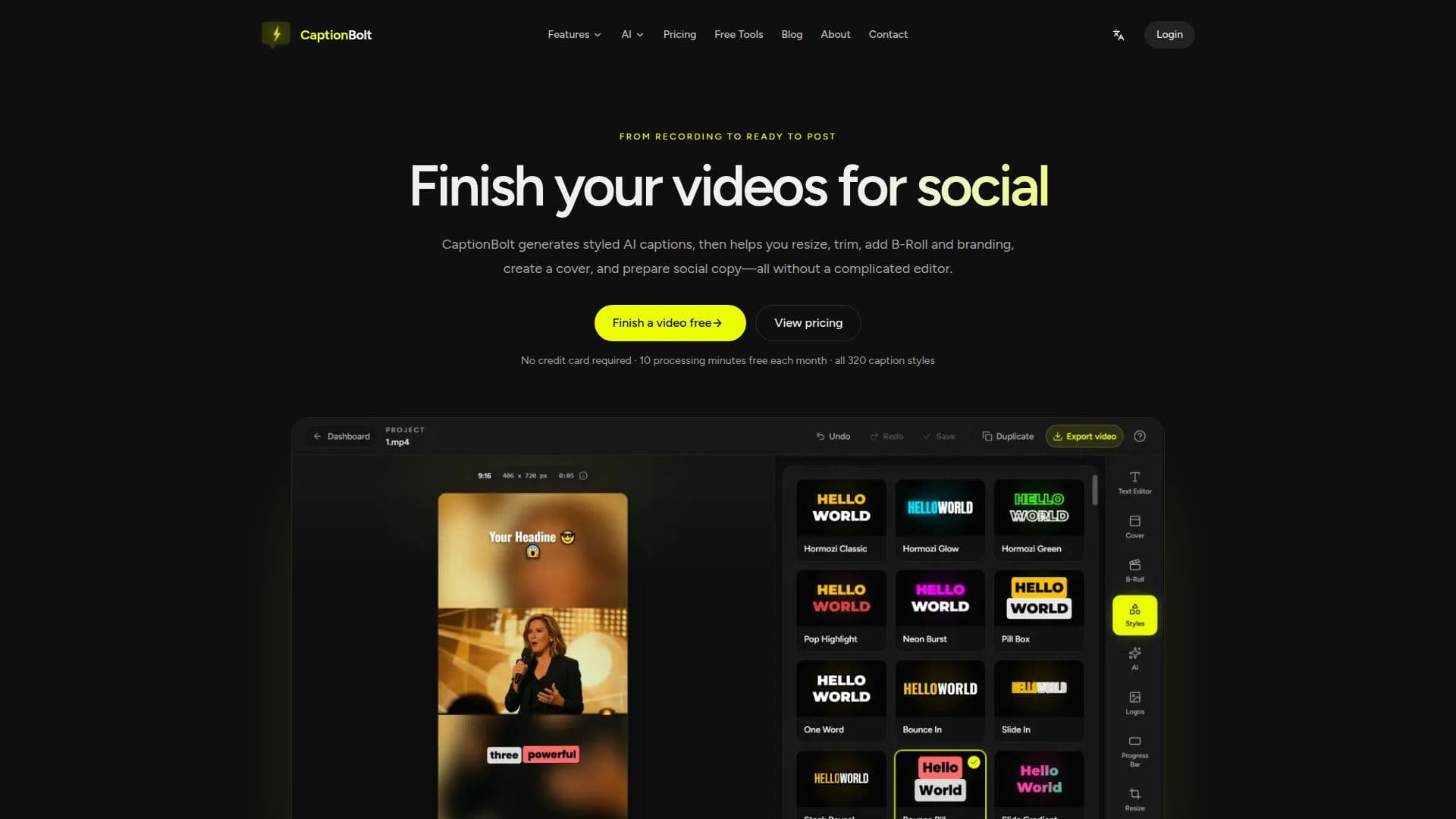
CaptionBolt is an AI caption generator and video finishing tool built for the work that starts after filming. It turns recorded talking-head footage into publish-ready social videos through a focused, caption-first workflow, without requiring a traditional timeline-based editor.
Read More
After you upload a video, CaptionBolt transcribes the speech, times every line, and applies one of 320 caption styles across six searchable families. Every caption stays editable, so you can review the transcript, import SRT, split or merge lines, remove pauses or filler words, and fine-tune typography, color, motion, placement, and emphasis. The source framing is preserved by default, and you can resize to 9:16, 1:1, 4:5, or 16:9 with crop, blurred, or solid backgrounds, plus optional manual trimming.
Beyond captions, CaptionBolt adds finishing tools in the same workspace: generate an editable Cover from 20 templates and six headline tones, add transcript-matched Smart B-Roll from Pexels or your own media, apply a Logo and Progress Bar, and save reusable Video Templates to keep videos on-brand. It can also draft editable social posts, titles, and hashtags for TikTok, Instagram Reels, and YouTube Shorts, without posting to any account. A separate Transcript workspace handles podcast, interview, and long-form recording transcription into editable, downloadable text.
CaptionBolt is designed for creators, coaches, educators, marketers, social managers, freelancers, and small teams who publish often. It deliberately skips multi-track timelines, automatic viral-clip selection, speaker-tracked reframing, and AI video generation or avatars. The Free plan includes 10 processing minutes per month, all 320 caption styles, the full finishing toolkit, and MP4/TXT exports up to 1080p with a watermark; paid plans add more minutes, longer uploads, watermark-free exports up to 4K, and additional subtitle formats.
- CategoryAI Subtitles & Dubbing
- Pricing ModelFreemium
- DeploymentCloud
- PlatformsWeb
CaptionBolt's Core Features
AI caption generation with transcription and per-line timing
320 editable caption styles across six searchable families with full type and motion controls
Original framing by default plus resize to 9:16, 1:1, 4:5, or 16:9 with crop, blur, or solid backgrounds
Optional manual trim and filler/pause cleanup
Cover generator with 20 templates and editable headlines in six tones
Smart B-Roll from transcript-matched Pexels footage or your own media
Brand tools including Logo, Progress Bar, and reusable Video Templates
Editable social post copy for TikTok, Reels, and Shorts, plus MP4, TXT, SRT, ASS, and VTT exports
How to use CaptionBolt?
Upload: Add the raw talking-head recording you want to publish.
Transcribe and caption: CaptionBolt transcribes the speech and applies an editable caption style while keeping the original frame.
Review the essentials: Check the words and framing, then use optional manual trim only if needed.
Add finishing touches: Optionally add a Cover, Smart B-Roll, Logo, or Progress Bar and draft social post copy.
Export and publish: Download the finished MP4 plus the subtitle files your plan includes.
CaptionBolt's Use Cases
- Caption talking-head videos
- Format for social platforms
- Finish and brand videos
- Prepare the social post
- Transcribe long recordings