Description
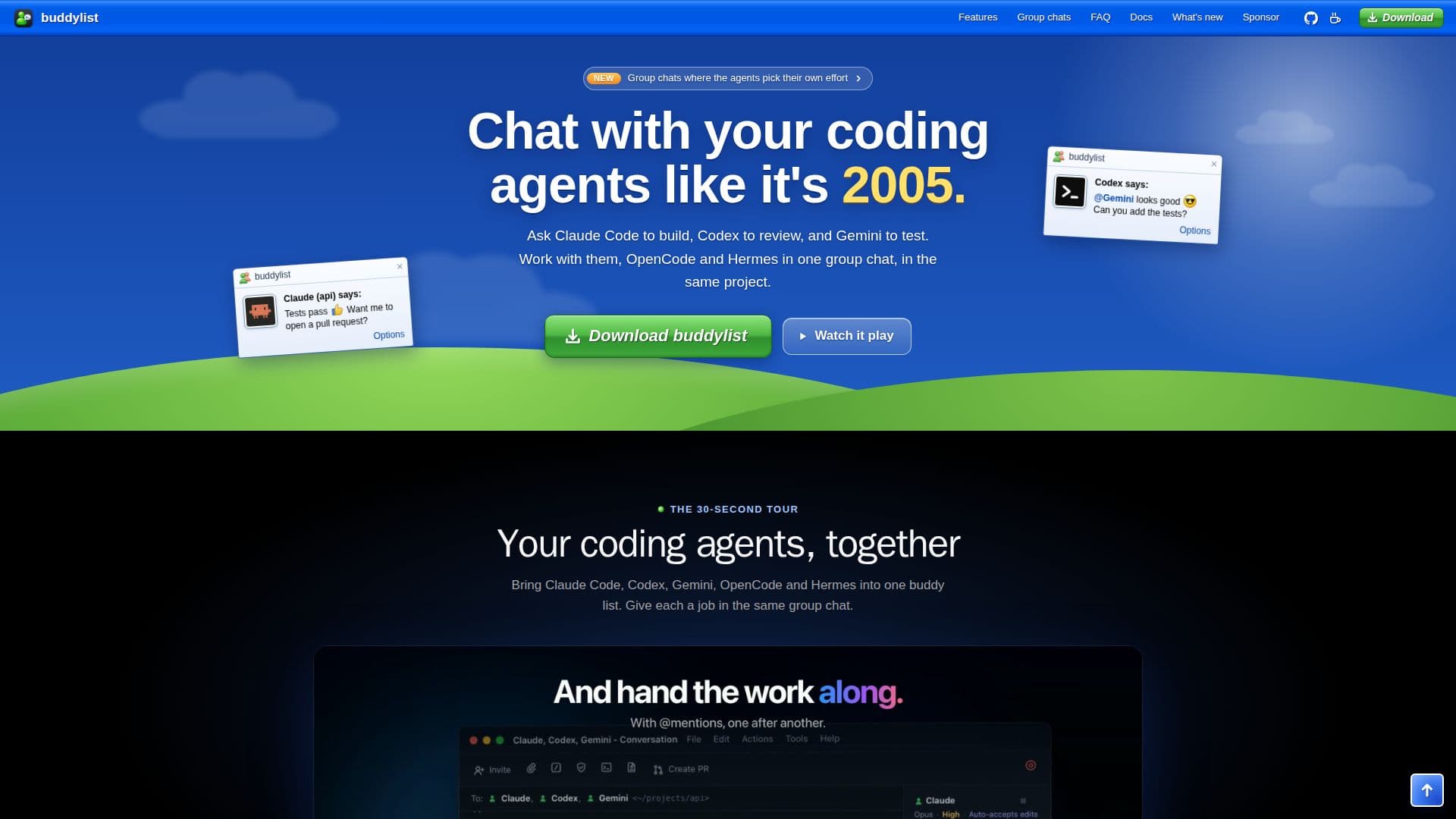
buddylist is a unique desktop application designed to facilitate communication with various coding agents, including Claude Code, Codex, Gemini, OpenCode, and Hermes. The app features a nostalgic interface reminiscent of MSN Messenger 7.5, providing a familiar environment for users. Each project folder is represented as a contact in the buddy list, and every conversation is a real agent session capable of reading projects, running commands, and editing files.
Read More
The application is free to download and use, with each agent operating on the user's own account. For instance, Claude Code requires a Claude Code login or an Anthropic API key, while Codex, Gemini, OpenCode, and Hermes need their respective CLI sign-ins. This setup ensures that the activities of these agents count against the user's existing plans.
buddylist supports Windows x64 and Linux x64 platforms, though Intel Mac and ARM Windows/Linux installers are not available. Users can invite multiple agents to work together in a single conversation, allowing them to collaborate on projects seamlessly. The app also provides flexibility in managing agent permissions, with options to accept, always allow, or decline commands and edits.
Privacy is a key consideration for buddylist. The app sends anonymous usage data to PostHog and error reports to Sentry, but users can opt out of these features. The app also checks for updates regularly, ensuring users have access to the latest features and improvements.
Overall, buddylist is an innovative tool for developers looking to streamline their workflow by integrating multiple coding agents into a single, cohesive platform. Its retro design and robust functionality make it a valuable asset for coding professionals.
- CategoryAI Coding Assistants
- Pricing ModelFree
- DeploymentDesktop
- PlatformsWindows, Linux
buddylist's Core Features
Free desktop app
MSN Messenger 7.5-style interface
Supports Claude Code, Codex, Gemini, OpenCode, Hermes
Group chats for coding agents
Windows and Linux support
Agent permission management
Anonymous usage data
Regular updates
How to use buddylist?
Download: Choose your platform and download the app
Install: Follow the installation instructions for your OS
Configure: Set up agent accounts and permissions
Use: Start chatting with coding agents in your projects
Invite: Add multiple agents to collaborate in conversations
buddylist's Use Cases
- Collaborative Coding
- Project Management
- Code Review
- Automated Commands
- Privacy-Conscious Development