
Description
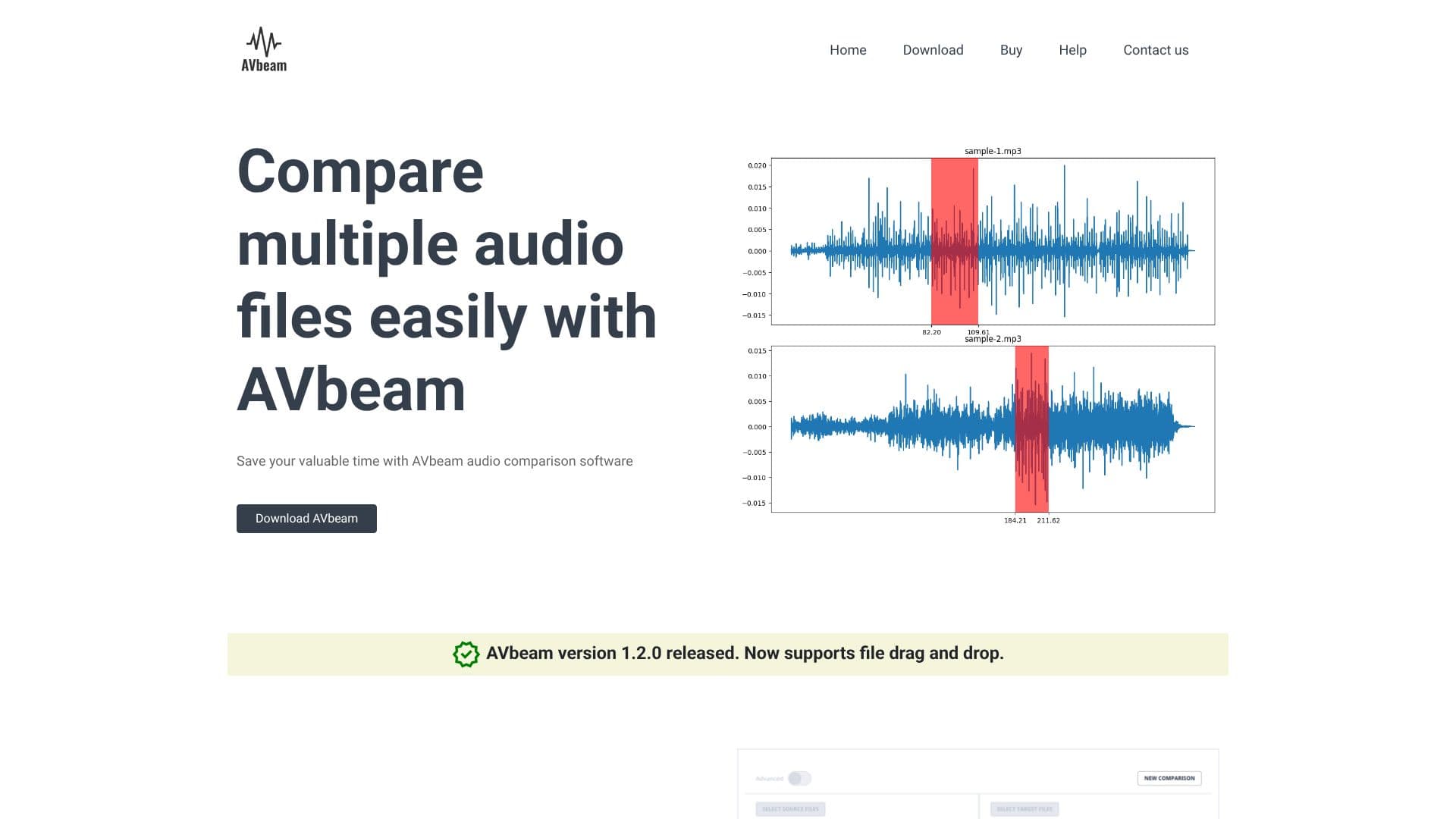
AVbeam is a powerful audio comparison software designed to streamline the process of identifying matching audio segments within multiple audio files. Its primary goal is to save users valuable time by automating the comparison process, which can be tedious and time-consuming when done manually. The software excels at detecting not only exact matches but also partial audio matches, meaning that audio segments do not need to be identical or perfectly aligned in time to be identified.
Read More
AVbeam employs a robust audio comparison algorithm that is highly resistant to common audio issues such as significant noise, distortions, frequency filtering, audio amplifying, and audio damping. This resilience ensures accurate results even when dealing with imperfect audio sources. The software supports multi-file comparisons, allowing users to compare multiple source audio files against multiple target audio files simultaneously. Users simply select their source and target files, and AVbeam handles the rest, reporting all identified matching audio segments.
Key capabilities of AVbeam include its support for various audio formats, thanks to its underlying audio fingerprinting technology. This means users can compare files like MP3, WAV, OGG, and FLAC interchangeably. The software provides detailed output, displaying the exact time offsets of matching segments and their similarity level as a percentage. To further aid in verification, AVbeam includes a built-in audio player integrated with a waveform viewer. This allows users to directly listen to and visually inspect the matched audio segments, confirming their similarity and location within the files.
The target audience for AVbeam includes audio professionals, researchers, content creators, and anyone who needs to perform detailed comparisons between audio files. This could range from identifying copyright infringements and plagiarism to verifying audio quality, synchronizing audio tracks, or analyzing soundscapes. The value proposition lies in its efficiency, accuracy, and user-friendly interface, which simplifies complex audio analysis tasks.
- CategoryAI Audio Editors
- DeploymentDesktop app
- PlatformsDesktop
AVbeam's Core Features
Compares multiple source and target audio files simultaneously.
Identifies partial audio matches with different time offsets.
Robust algorithm resistant to noise and distortions.
Supports various audio formats including MP3, WAV, OGG, and FLAC.
Displays exact time offsets of matching audio segments.
Reports similarity level of matches as a percentage.
Includes a built-in audio player with waveform viewer.
Facilitates easy listening and visual inspection of matched segments.
Drag and drop file support for enhanced usability.
Version 1.2.0 released with new features.
How to use AVbeam?
Select Source Files: Choose the audio files you want to use as sources for comparison.
Select Target Files: Choose the audio files you want to compare against the source files.
Initiate Comparison: Start the AVbeam comparison process.
Review Results: Examine the reported matching audio segments, their time offsets, and similarity percentages.
Verify Matches: Use the built-in audio player and waveform viewer to listen to and visually confirm the matched segments.
AVbeam's Use Cases
- Audio Plagiarism Detection
- Copyright Infringement Analysis
- Audio Synchronization
- Content Verification
- Soundscape Analysis
- Forensic Audio Comparison
- Music Production Comparison