Description
Aureon is a comprehensive AI voice input and workflow layer specifically designed for Mac users. It serves as an advanced alternative to traditional dictation, converting spoken or selected text into refined, send-ready output. The platform excels at cleaning up rough speech, removing filler words, tightening phrasing, and restoring structure while preserving the original meaning and intent. This makes it particularly useful for individuals who think out loud but require professional written communication.
Read More
One of Aureon's core capabilities is cross-language communication. Users can speak naturally in one of the many supported input languages—including English, Chinese, Japanese, Korean, French, German, Spanish, Portuguese, Italian, Dutch, Polish, Turkish, Russian, and Swedish—and receive polished, natural-sounding text in a chosen target language. This feature eliminates the need for manual rewriting, streamlining communication across linguistic barriers.
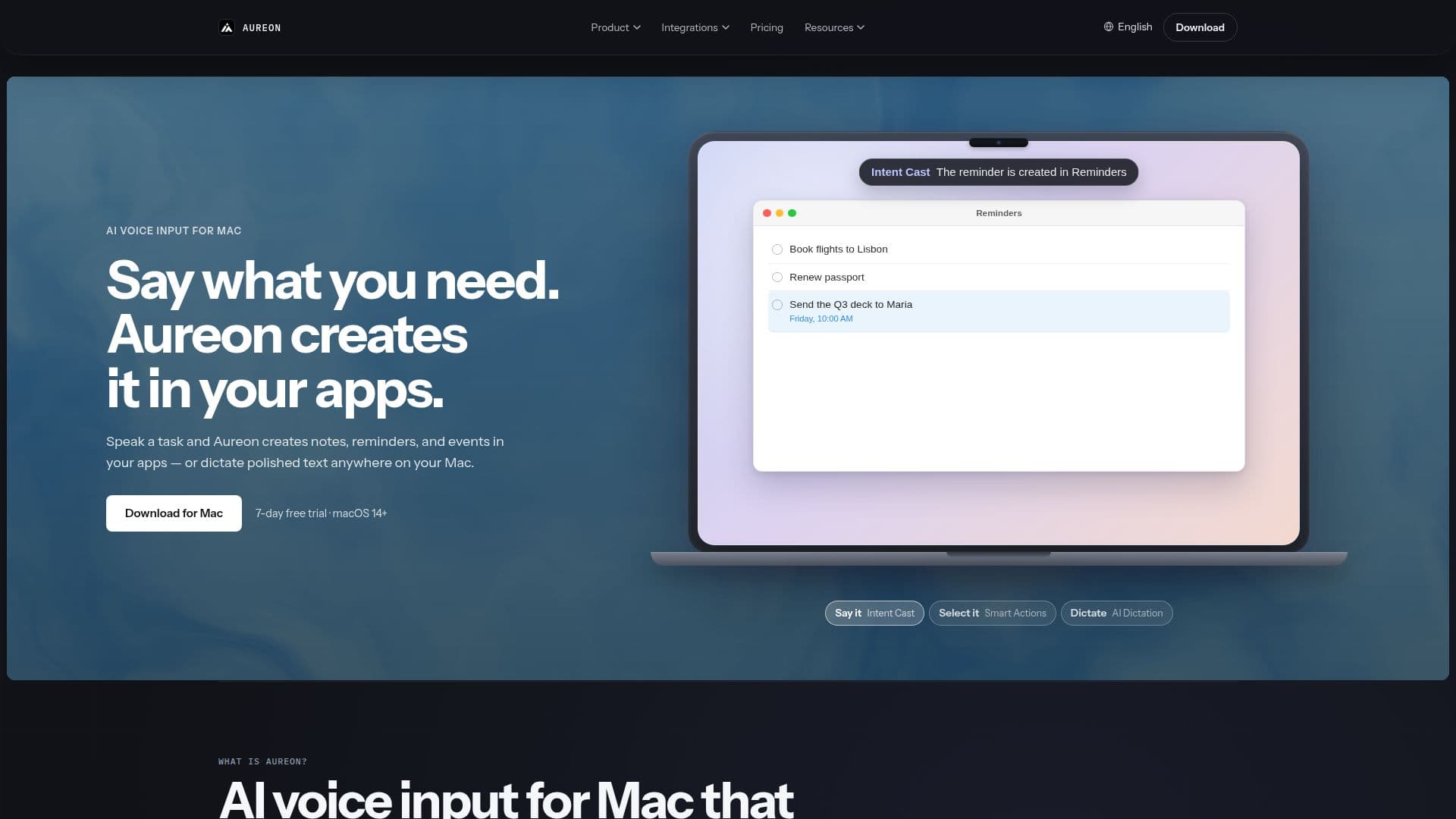
Beyond text generation, Aureon integrates seamlessly with various Mac applications and connected services through its "Voice Workflow Agent" and "Intent Cast" features. Users can issue voice commands to create calendar events, save ideas to notes, add tasks and reminders, or capture pages and memos directly within apps like Apple Notes, Reminders, Calendar, Things 3, Obsidian, Flomo, Notion, and Todoist. The system is designed to be "create-only" by default, meaning it prepares drafts and new items without automatically sending emails or messages, or editing/deleting existing content, ensuring user review and control.
Aureon also offers "Smart Actions" for existing text, allowing users to select content in any app and then rewrite, translate, summarize, or explain it. Custom agents can be created to maintain a consistent tone, format, and rules across repeated workflows and domain-specific writing. The platform prioritizes privacy, encrypting voice and optional context in transit for cloud features, and does not maintain a cloud library of recordings or transcripts. It requires macOS 14+ and offers a 7-day free trial with Max access, followed by paid subscription plans (Plus and Max) for continued use of its cloud AI features.
- CategoryProductivity
- Pricing ModelFreemium
- DeploymentCloud
- PlatformsmacOS
Aureon's Core Features
AI Voice Input for Mac
Polished Writing Generation from Speech
Cross-Language Output (Speak one, write another)
Voice Workflow Agent for App Actions
Intent Cast for Voice Commands
Smart Actions for Selected Text (Rewrite, Translate, Summarize, Explain)
Custom Agent Creation with Tone and Format Rules
Speech Cleanup (Removes filler, tightens phrasing)
Integration with Apple Notes, Reminders, Calendar
Integration with Things 3, Obsidian, Flomo, Notion, Todoist
Create-Only Workflows (No automatic sending or editing)
7-day Free Trial with Max Access
Automatic Input Language Detection
Data Encryption in Transit for Cloud Features
Snippets for Reusable Passages
How to use Aureon?
Download Aureon: Install the macOS application directly from inaureon.com.
Start Free Trial: Access 7 days of Max-level features without a subscription.
Speak Naturally: Use your voice to generate polished writing or cross-language messages.
Initiate Workflows: Speak tasks to create notes, reminders, or events in connected apps.
Utilize Smart Actions: Select text in any app to rewrite, translate, or summarize content.
Create Custom Agents: Define personalized tone, format, and rules for specific writing or workflow needs.
Review Output: Always review generated text or workflow actions before final use or creation.
Manage Settings: Adjust privacy settings, including context sharing, as needed.
Aureon's Use Cases
- Cross-Language Communication
- Speech Cleanup
- Voice Workflows
- Content Rewriting
- Text Translation
- Idea Capture
- Task and Reminder Management
- Calendar Event Creation
- Custom Agent Automation
- Drafting Emails