Description
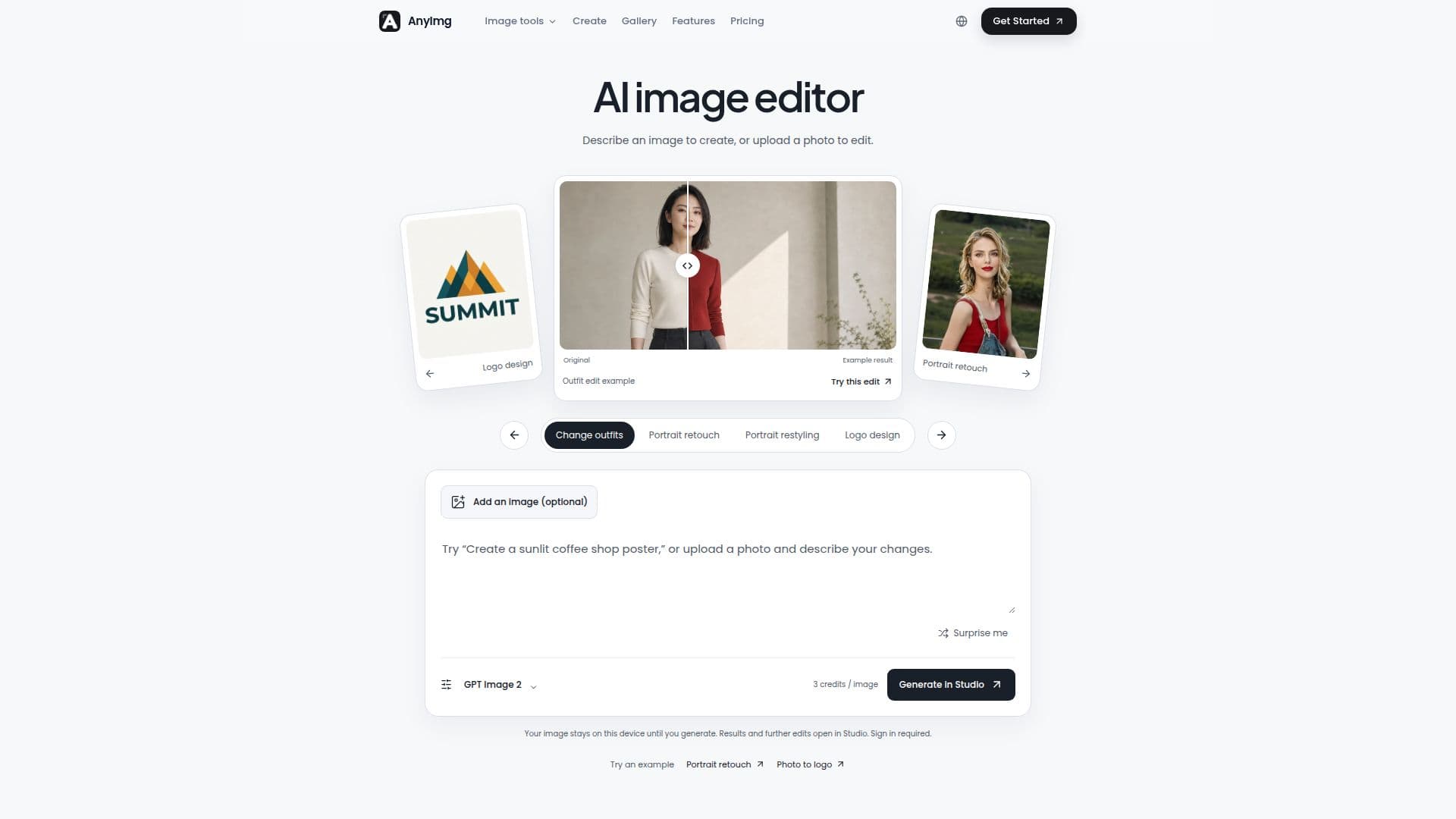
AnyImg is a versatile AI image editor and generator designed to simplify complex image manipulation and creation tasks. It operates as a conversational AI image editor, allowing users to describe desired edits in plain language. The platform then utilizes the most suitable AI model to execute these instructions, making advanced image editing accessible to a broad audience.
Read More
The tool supports a range of functionalities, including object removal, background replacement, portrait retouching, photo restyling, and upscaling. Beyond editing existing images, AnyImg also functions as an AI photo generator, enabling users to create new images from text descriptions. This capability is useful for generating diverse visual assets, from product photography and brand campaigns to creative portraits and scene generation.
AnyImg integrates several AI models, such as GPT Image 2, Nano Banana Pro, and Nano Banana 2, with more models planned for future additions. Users have the flexibility to switch between models for specific edits or allow the AI agent to select the optimal model automatically. The platform offers a "Version Trail" feature, which records each editing pass as a visible branch, allowing users to compare different directions, revert to original versions, or continue refining without losing previous work.
For commercial use, AnyImg provides full commercial licenses and unrestricted downloads with its paid plans. Credit usage is determined by the chosen model and resolution, with failed generation tasks automatically returning consumed credits. The platform offers a free tier with initial credits upon signup, providing access to all supported models, while paid plans offer additional credits and priority generation. Subscriptions can be canceled at any time, with access maintained through the end of the current billing period.
AnyImg is suitable for various creative professionals and businesses, including those in brand design, campaign creative, product visualization, and website development. It helps maintain a consistent visual language across different assets by preserving key cues from uploaded references. The intuitive interface allows users to select specific regions for edits, ensuring that changes are applied precisely while protecting composition, identity, light, and untouched pixels.
- CategoryAI Photo Editors
- Pricing ModelFreemium
- DeploymentCloud
- PlatformsWeb
AnyImg's Core Features
Prompt-based image editing
Object removal from images
Background replacement
Portrait retouching
Photo restyling
Image upscaling
AI image generation from text
Support for multiple AI models (GPT Image 2, Nano Banana Pro, Nano Banana 2)
Conversational AI editing interface
Version Trail for tracking edits and comparing results
Commercial license for paid plans
Unrestricted image downloads for paid plans
Credit-based system with refunds for failed tasks
Ability to refine edits in Studio workspace
Support for multi-reference image instructions
How to use AnyImg?
Upload or Describe: Upload an existing photo to edit, or describe a scene in text to generate a new image.
Specify Edits: Use natural language to describe desired changes, such as removing objects, replacing backgrounds, or applying styles.
Choose Model and Settings: Select an AI model (e.g., GPT Image 2) and set resolution and aspect ratio, reviewing the credit cost.
Generate Image: Submit your request to generate or edit the image in the Studio workspace.
Refine and Compare: Review the generated result, then describe specific issues to refine further, comparing different versions using the Version Trail.
Download or Continue: Download your finished image or continue editing and generating new variations.
AnyImg's Use Cases
- Product Photography Generation
- Brand Campaign Creative
- Portrait Retouching
- Scene Generation
- Background Replacement
- Object Removal
- Website Visuals
- Art-Directed Visuals
- Visual Concept Exploration
- Social Media Visuals