Description
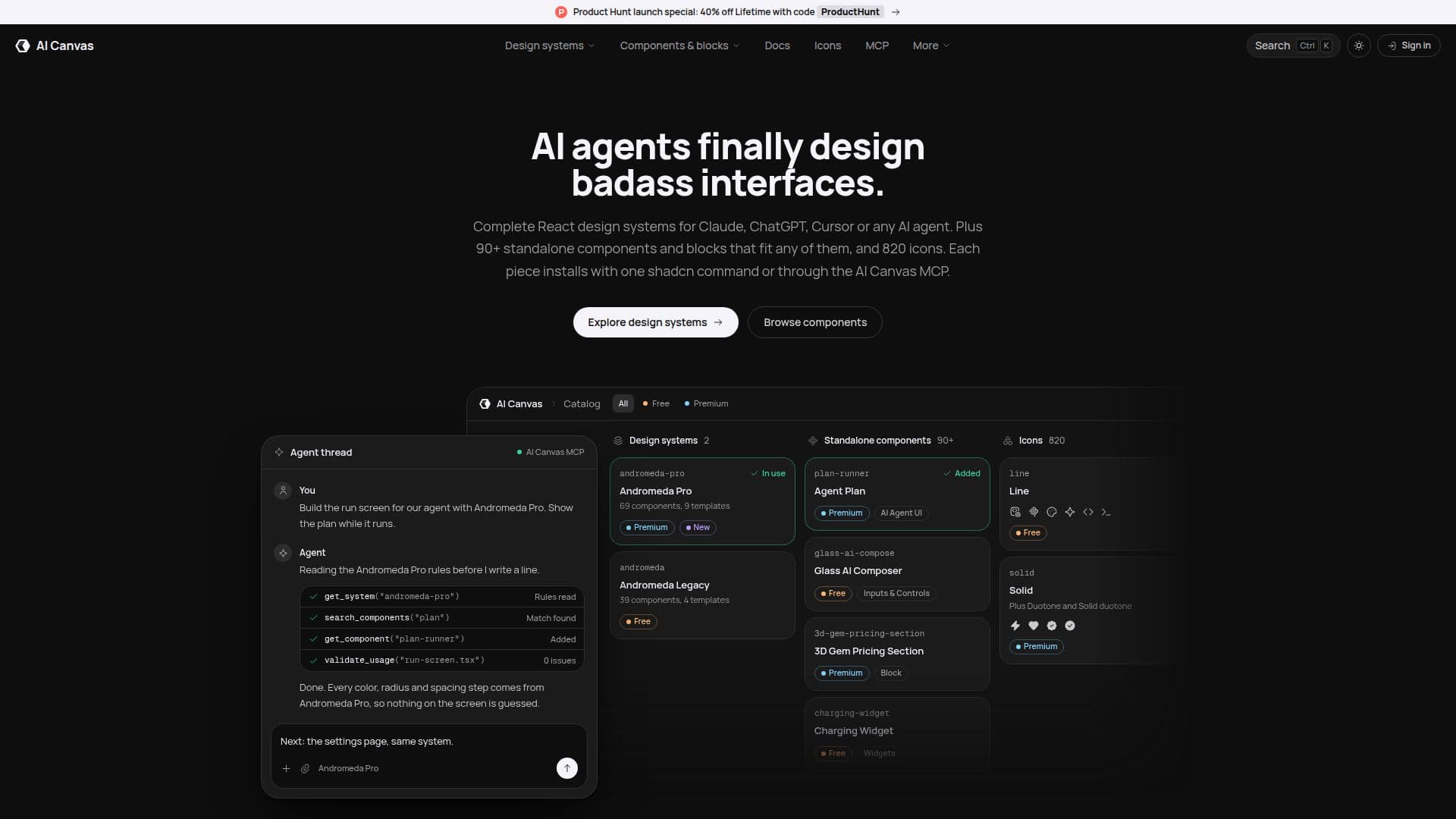
AI Canvas serves as a design layer specifically for AI coding agents, enabling them to build consistent and high-quality user interfaces. It offers comprehensive design systems that agents can utilize and developers can easily reshape to fit their project requirements. Beyond full systems, AI Canvas also provides a library of standalone React components, including backgrounds, 3D effects, typography, and UI elements, all designed to integrate seamlessly into any project.
Read More
The platform addresses the common issue of 'AI slop' by giving agents a structured design system rather than a blank page. The Andromeda Pro AI Brain, a premium feature, guides agents on token and layout patterns, ensuring consistency and flagging work that deviates from the established system. This allows developers to define their design tokens, and the agent will build components that adhere to those specifications.
Components are installed as editable source code using the shadcn CLI, meaning nothing is locked into a package. This gives developers full control to modify, rename, restyle, or delete any component. For a more integrated workflow, the free AI Canvas MCP (Model Context Protocol) server allows AI agents to browse, search, inspect, and install components directly from the chat interface, supporting tools like Claude Code, Claude, ChatGPT, Codex, VS Code, and Cursor.
AI Canvas offers a freemium model. A free account provides unlimited one-command installs for free components, full source code, and remix prompts under an MIT license. Premium unlocks proprietary source code, Andromeda Pro design system with its templates and the AI Brain, additional icon styles (Duotone, Solid, Solid Duotone), and premium standalone components and blocks. All components are built with React, TypeScript, Tailwind CSS, and Framer Motion, targeting the Next.js App Router and compatible with modern React setups. Commercial use is permitted under both the MIT and AI Canvas Premium Licenses.
- CategoryAI Coding Assistants
- Pricing ModelFreemium
- DeploymentSelf-hosted source code
- PlatformsWeb
AI Canvas's Core Features
Design systems for AI coding agents
Standalone React components library
Editable source code installation via shadcn CLI
Model Context Protocol (MCP) server for AI agent integration
Andromeda Pro design system with AI Brain
Four icon styles: Line, Duotone, Solid, Solid Duotone
Remix prompts for AI-assisted component modification
Support for Claude, ChatGPT, Cursor, and Codex AI agents
Token-driven design for consistent styling
Pre-built templates for various UI needs
Commercial use licensing for components
Built with React, TypeScript, Tailwind CSS, Framer Motion
Dark and light theme support
Regular updates with new premium components
How to use AI Canvas?
Browse Components: Explore the catalog of design systems, standalone components, and templates on the AI Canvas website.
Copy Install Command: Select a component and click 'Copy Command' to get the shadcn CLI installation command.
Install with CLI: Run the copied command in your terminal to install the component and its dependencies as editable source code into your project.
Connect MCP Server: Add the AI Canvas MCP server to your AI agent (e.g., Claude Code, ChatGPT) and sign in once.
Ask AI Agent to Install: Instruct your connected AI agent in plain language to search for and install components directly from the chat.
Customize Components: Edit the installed source code, change design tokens, or ask your AI agent to modify components to fit your project's design.
AI Canvas's Use Cases
- Building consistent UIs
- Accelerating AI agent development
- Customizing design systems
- Integrating standalone components
- Developing e-commerce interfaces
- Enhancing AI agent workflows
- Prototyping new screens
- Maintaining design consistency
- Building with open-source code