Description
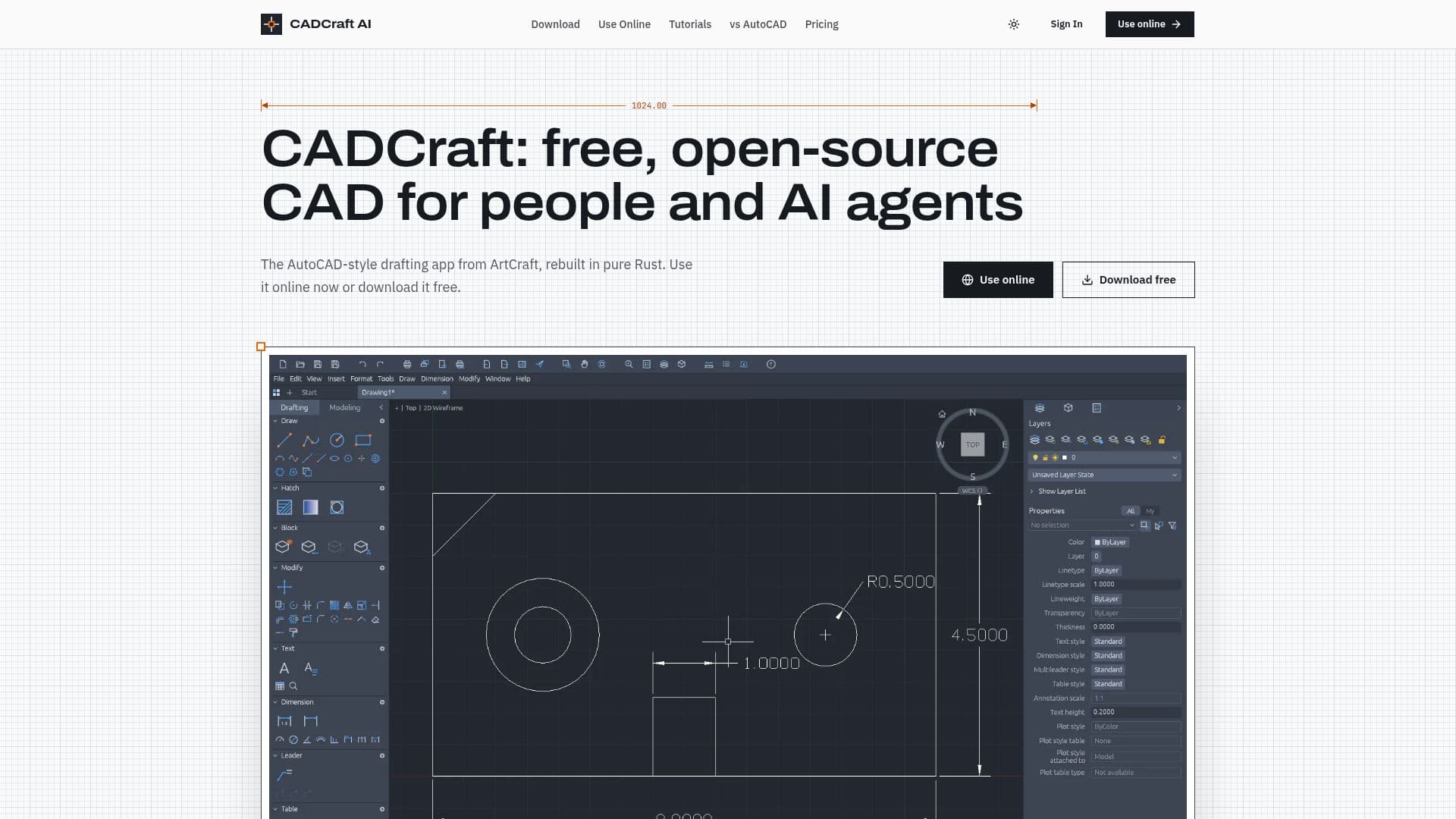
CADCraft is a free and open-source computer-aided design (CAD) application that serves as an alternative to AutoCAD. Developed by the ArtCraft team, CADCraft is built entirely in Rust and provides a familiar AutoCAD-style workflow for architects, engineers, students, educators, and technical designers. The application supports precision drafting with features such as layers, dimensions, hatches, and plotting. It is compatible with DWG and DXF workflows, allowing users to open, edit, and save files in these formats.
Read More
CADCraft is available on multiple platforms, including Windows, macOS, Linux, FreeBSD, and the web. Users can choose to download the application for desktop use or access it online through a browser using WebAssembly. The software is open-source under the MIT or Apache-2.0 licenses, ensuring that it is free to use without any license fees.
One of the standout features of CADCraft is its AI-assisted automation capabilities. AI agents can interact with the application through an MCP server, JSON control channel, or headless command-line tool. This allows for automation of drafting tasks, querying of entities, and rendering of images, making CADCraft one of the first CAD programs designed for AI-assisted drafting from the ground up.
While CADCraft is in early development, it already supports many core drafting commands and offers a robust set of features for 2D drafting. However, some advanced AutoCAD features, such as SHX font support, are still under development. Users are encouraged to review the project's roadmap and keep backups of their work.
CADCraft also offers an optional Pro plan with cloud features, version history, and share links for $4.9/month or $29/year. This makes it a cost-effective solution for those who require additional cloud capabilities.
- CategoryAI Interior & Architecture Design
- Pricing ModelFree
- DeploymentCloud, Self-hosted
- PlatformsWindows, macOS, Linux, FreeBSD, Web
CADCraft's Core Features
Free and open-source under MIT or Apache-2.0
Supports Windows, macOS, Linux, FreeBSD, and web
Precision drafting with layers, dimensions, and hatches
AI-assisted automation through MCP, JSON, and CLI
Compatible with DWG and DXF workflows
Exports to PDF, SVG, and PNG
WebAssembly-based online version
Optional Pro plan with cloud features
How to use CADCraft?
Download: Choose your platform and download CADCraft
Install: Follow platform-specific installation instructions
Configure: Set up your drafting environment and preferences
Use: Start drafting with precision tools and AI automation
Optimize: Explore advanced features and cloud options
CADCraft's Use Cases
- Architectural Drafting
- Engineering Design
- Educational Use
- AI Automation
- Cross-Platform Access