Description
agentcad is an open-source CAD tool specifically designed for AI agents, allowing them to create real CAD outputs effortlessly. By leveraging build123d as its default engine, agentcad provides a robust environment for coding agents to design, render, and export CAD models. The tool operates through an open-source MCP server and command-line interface (CLI), ensuring that users can work locally without the need for sign-up or cloud dependency.
Read More
With agentcad, users can create CAD models using CadQuery compatibility, which allows for the integration of existing scripts. The tool supports various export formats, including STEP, STL, and GLB, making it versatile for different applications. Additionally, agentcad includes features such as geometry validation, version diffs, and structured metrics, which help users verify their designs and catch errors early in the process.
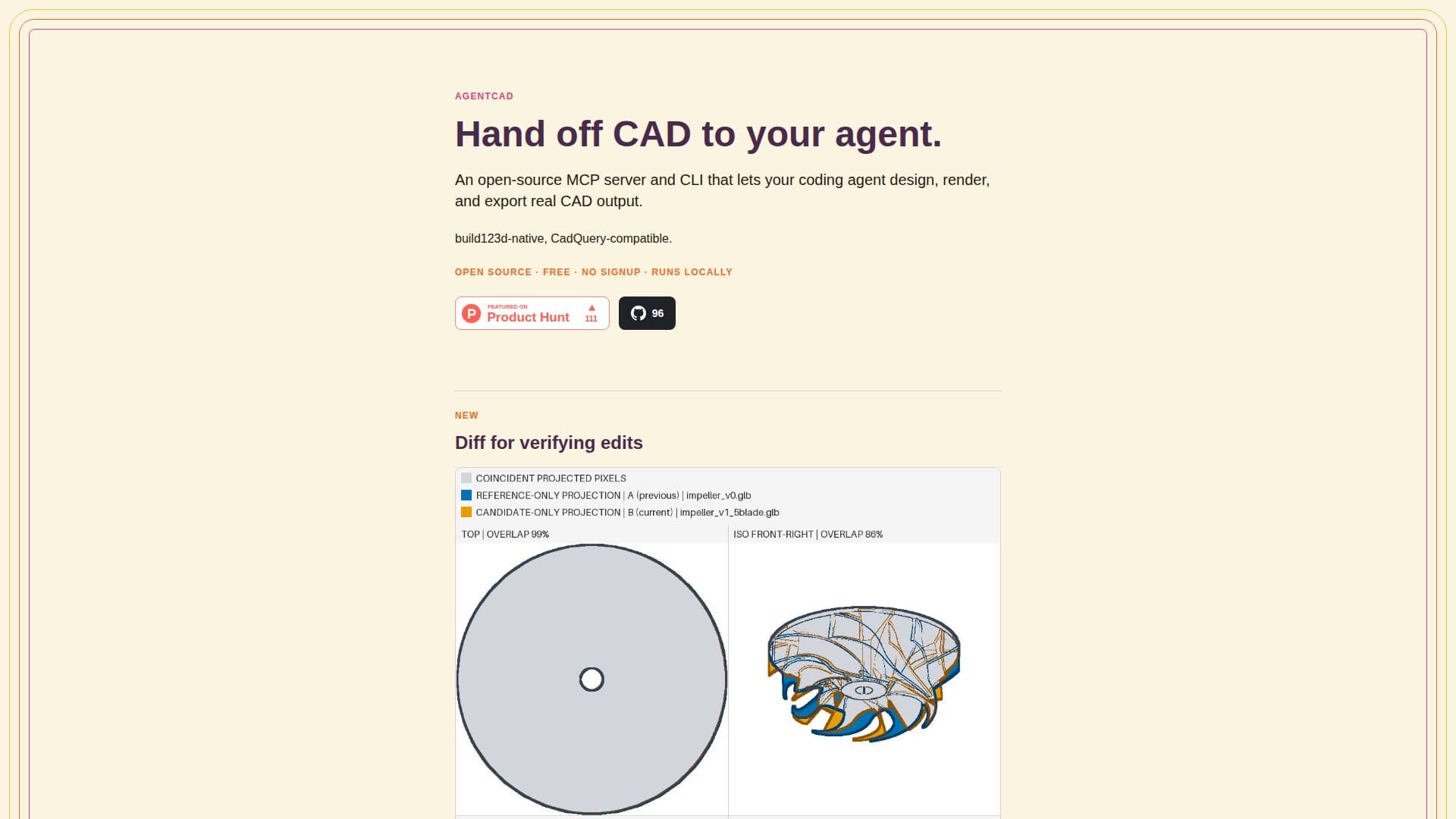
One of the standout features of agentcad is its diff functionality, which allows users to compare different versions of a model. This is particularly useful for tracking design iterations and ensuring that changes made by AI agents are valid. The tool provides side-by-side renders and overlays that highlight what has been added or removed, along with a score for overlap per view. This feedback loop is crucial for improving the quality of CAD designs generated by AI agents.
The installation process is straightforward, with options to set up the environment using Python 3.10 to 3.12. Users can either use a prompt to set everything up automatically or install it manually via pip. The agent skill that comes with agentcad enhances its functionality, allowing for seamless integration with coding agents like Claude Code and Cursor.
Overall, agentcad is designed for human-agent collaboration, providing a tight feedback loop that helps agents refine their designs without constant supervision. It is ideal for developers and engineers looking to harness the power of AI in CAD design, making it a valuable tool in the realm of computer-aided design.
- Category3D Model Generators
- Pricing ModelFree
- DeploymentLocal
- PlatformsPython 3.10–3.12
agentcad's Core Features
Open Source
Free
CLI Available
CadQuery Compatibility
STEP/STL/GLB Export
Geometry Validation
Version Diffs
MCP Server
Python 3.10–3.12 Support
Agent Skill Integration
How to use agentcad?
Initialize: Start a new project using agentcad.
Write Script: Create a build123d script without needing imports.
Run Script: Execute the script to produce a versioned STEP file.
Validate: Use pre-execution checks to catch errors before running.
Render: Generate PNG views from any angle for visual verification.
Export: Convert STEP files to mesh formats like STL or GLB.
Inspect: Use topology reports to debug geometry issues.
Diff: Compare two versions of a model to track design changes.
agentcad's Use Cases
- AI-Driven CAD Design
- Version Control
- Geometry Validation
- 3D Printing Preparation
- Collaborative Design