
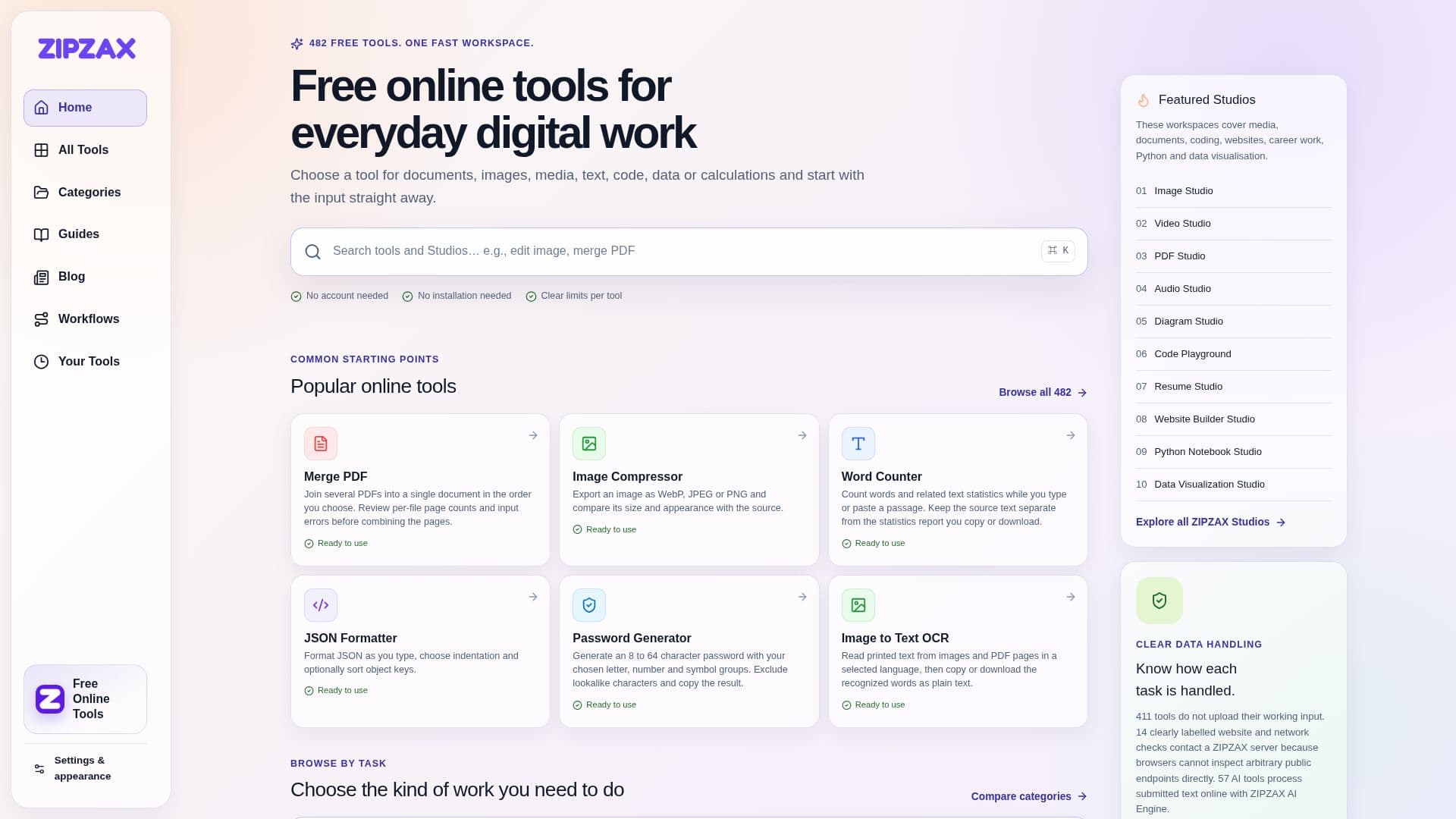
Description
ZIPZAX provides a vast collection of over 475 free online tools designed to streamline everyday digital work. The platform consolidates tools for documents, images, media, SEO, files, text, data, and calculations into a single, fast workspace, eliminating the need to switch between multiple websites for different tasks. A significant portion of these tools, specifically 411 out of 482, process user input directly within the browser, ensuring that files and pasted content remain on the user's device, thereby enhancing privacy.
Read More
The platform features 15 clearly defined categories, making it easy for users to find the right tool for their specific needs. Whether it's resizing an image, compressing a PDF, validating JSON, or generating an XML sitemap, ZIPZAX offers practical workflows that connect related tools, allowing users to move seamlessly through multi-step jobs without constant downloading and reopening. Each tool page provides clear instructions, input requirements, result interpretations, and limitations, catering to both novice and experienced users.
ZIPZAX also boasts a dedicated AI Tools category, comprising 48 specialized tools powered by the ZIPZAX AI Engine. These AI tools cover a wide range of applications, including writing assistance (grammar checking, paraphrasing, email writing), work-related tasks (resume building, cover letter generation), learning aids (notes to quizzes, flashcards), and developer utilities (code explainer, SQL query generator). All tools on the site, including the AI-powered ones, are completely free to use.
The platform emphasizes a browser-first approach, with most tools performing their operations client-side. However, 14 public website and market checks utilize server requests, and the 57 AI tools process submitted text online via the ZIPZAX AI Engine. The co-founders, Max Hall and Mojid Hoss, focus on designing tools with clear controls, useful feedback, and responsive interfaces, while also providing practical guides and explanations for effective tool usage and workflow optimization.
- CategoryOther AI Tools
- Pricing ModelFree
- DeploymentCloud
- PlatformsWeb
ZIPZAX's Core Features
475+ Free Online Tools
48 AI Tools Powered by ZIPZAX AI Engine
Browser-Based Processing for Privacy
15 Organized Tool Categories
Connected Workflows for Multi-Step Jobs
Clear Instructions and Guides for Each Tool
AI Writing Tools (Grammar, Paraphrase, Email)
AI Work Tools (Resume Builder, Cover Letter Generator)
AI Learning Tools (Notes to Quizzes, Flashcards)
AI Code Tools (Code Explainer, SQL Query Generator)
PDF Tools (Merge, Compress, Scan Cleanup)
Image Tools (Resize, Compress, Convert)
Developer Tools (JSON Validator, Code Formatter)
No Account Gates or Unnecessary Steps
Practical Guides and Tutorials
How to use ZIPZAX?
Choose a Tool: Select from categories like documents, images, media, text, code, or data.
Input Content: Provide your files or text directly into the tool's workspace.
Adjust Settings: Configure any relevant options or parameters for the task.
Get Results: Review the output generated by the tool.
Continue Workflow: Use the result as input for another related tool if needed.
ZIPZAX's Use Cases
- Document Management
- Image Optimization
- Text Enhancement
- Content Creation
- Developer Utilities
- Learning Support
- Job Application Prep
- Audio Processing
- SEO Preparation
- Data Transformation