
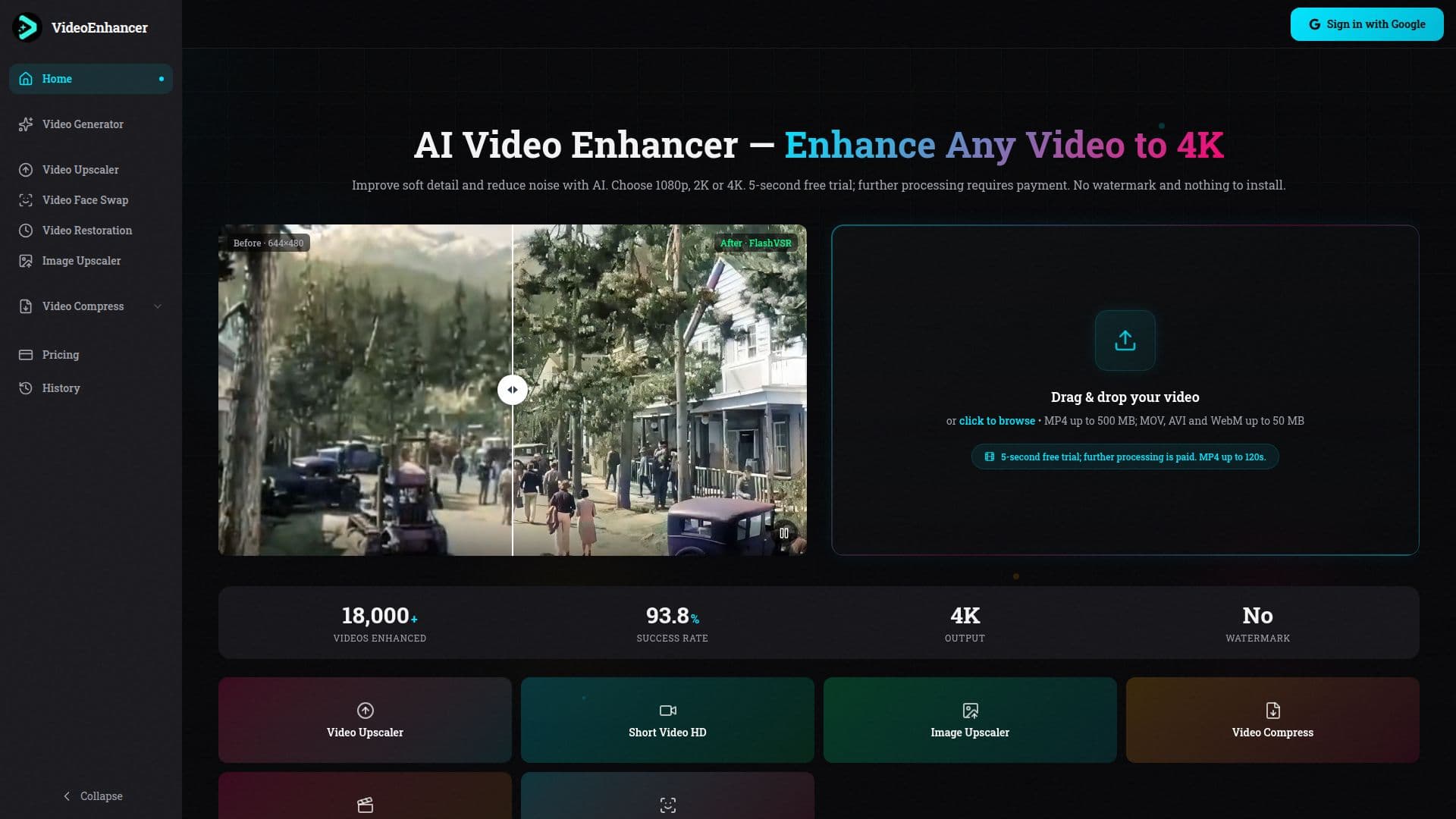
Description
VideoEnhancer is an AI-powered online platform dedicated to improving video quality through advanced deep learning models. It enables users to upscale low-resolution footage to higher definitions, including 1080p, 2K, and 4K, directly within a web browser. The service is particularly effective for restoring old videos, VHS tapes, and early smartphone recordings by removing grain, reducing noise, and rebuilding lost detail without the 'plastic look' often associated with aggressive sharpening.
Read More
The platform utilizes technologies like FlashVSR for video upscaling and Real-ESRGAN for image upscaling. Beyond resolution enhancement, VideoEnhancer offers features such as video noise and grain reduction, old video and VHS restoration, and video compression for various platforms like email, Discord, and social media. It also includes an AI video face swap feature, allowing users to replace faces in videos while preserving expressions and lighting.
VideoEnhancer supports MP4 files up to 120 seconds and 500 MB for paid video enhancement, with shorter limits for specific tools like Short Video HD and Video Face Swap. A 5-second free trial is available for video processing, allowing users to test the enhancement capabilities before committing to paid services. Image upscaling is offered for free, limited to 5 images per hour, without requiring sign-up or payment. Video compression is also free for files under 200 MB after signing in.
Pricing for video enhancement is credit-based, determined by output resolution and video duration. Subscription plans (Basic and Premium) and one-time credit packs are available. All processing occurs in the cloud using parallel cloud GPU processing, ensuring fast results without requiring software installation. The platform emphasizes data security, encrypting all videos in transit and at rest, and automatically deleting original and enhanced files after three days. Outputs are delivered without watermarks across all plans, including the free trial.
- CategoryVideo Generation & Editing
- Pricing ModelFreemium
- DeploymentCloud
- PlatformsWeb
VideoEnhancer's Core Features
AI Video Upscaling to 1080p, 2K, or 4K
Old Video and VHS Restoration
Video Noise and Grain Reduction
AI Image Upscaling to 4K (Free)
AI Video Face Swap
Video Compression for Email, Discord, and Social Platforms
FlashVSR Video Upscaling Technology
Real-ESRGAN Image Upscaling Technology
Parallel Cloud GPU Processing
No Watermark on Outputs
MP4 Support for Video HD (up to 120 seconds, 500 MB)
Support for MP4, MOV, AVI, WebM for Short Video HD
Encrypted Data in Transit and At Rest
Automatic File Deletion After 3 Days
Browser-Based Operation (No Installation Required)
How to use VideoEnhancer?
Upload Video: Drag and drop your video file or click to browse. Supported formats include MP4, MOV, AVI, and WebM.
Choose Enhancement Options: Select your desired output resolution (1080p, 2K, or 4K) and other enhancement tools like noise reduction or face swap.
Review Cost (for paid processing): For paid jobs, review the credit cost based on resolution and duration before proceeding.
Process Video: The AI neural network processes each frame in parallel on cloud GPUs.
Download Result: Download your enhanced video without a watermark. Results are available for 3 days.
VideoEnhancer's Use Cases
- Upscale Low-Resolution Footage
- Restore Old Videos
- Enhance Archival Footage
- Reduce Video Noise
- Compress Videos for Sharing
- AI Video Face Swapping
- Upscale Images to 4K
- Improve AI-Generated Video