Description
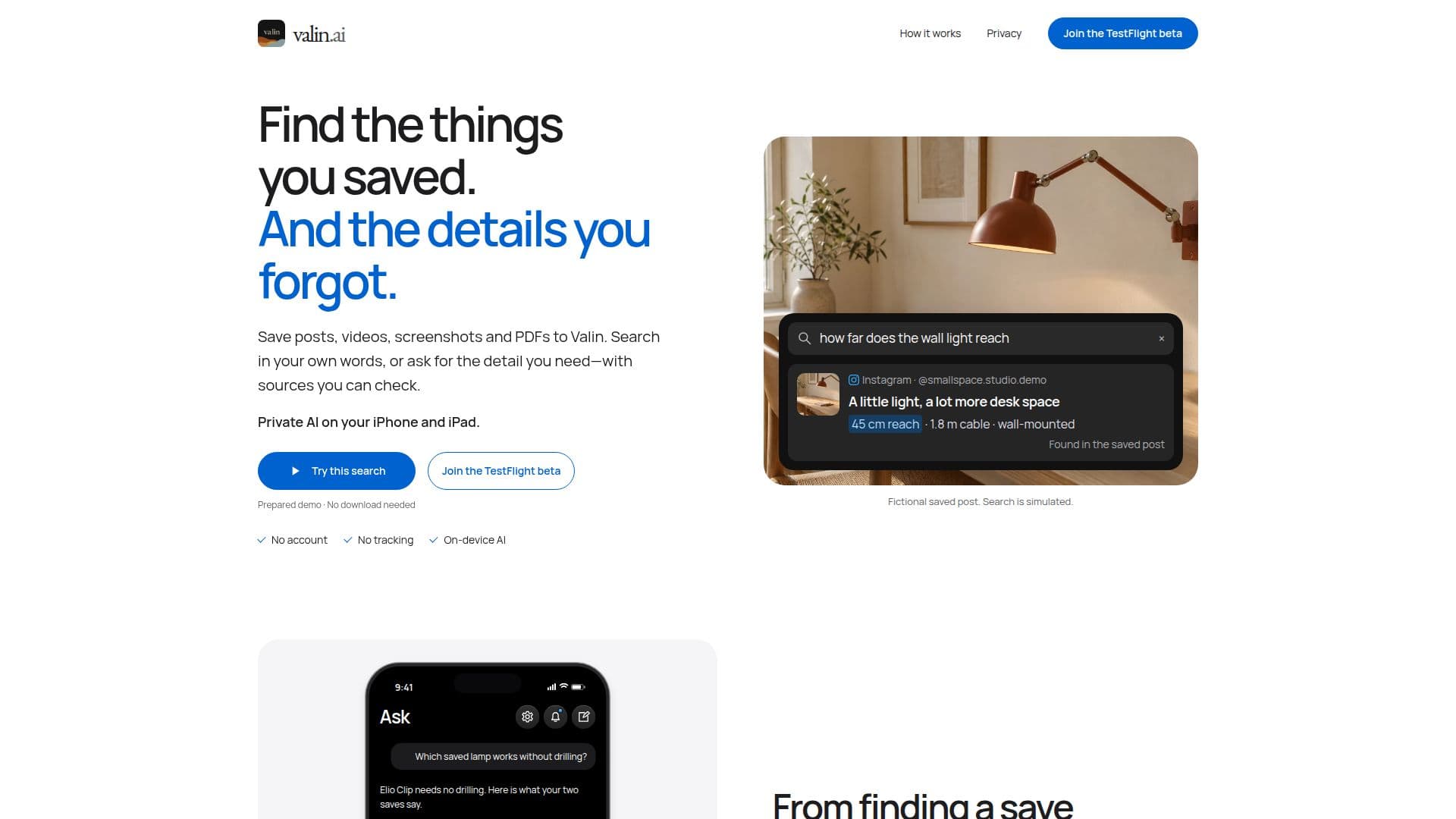
Valin is a dedicated AI application for iPhone and iPad designed to act as a private memory for all your saved digital content. It enables users to save various types of media, including posts, videos, screenshots, and PDFs, from a wide range of supported applications like Instagram, Safari, Chrome, Threads, TikTok, X, YouTube, and more. The core functionality revolves around making this saved content easily discoverable and actionable.
Read More
The application processes saved items by reading text in video frames, transcribing audio, and extracting key details such as names, quantities, timings, and instructions. This on-device AI processing ensures that users can search their library using natural language, describing what they remember rather than needing exact titles or save locations. For more complex queries, the "Ask" feature allows users to pose questions, and Valin will synthesize answers from relevant saved items, providing citations to the original sources.
Key capabilities include generating summaries and takeaways for articles and videos, allowing users to quickly grasp the main points without re-reading or replaying. It also offers recipe extraction, pulling out ingredients and steps from saved cooking videos or posts. Valin can suggest and organize related saves into collections, helping users manage ongoing projects or learning subjects. Users can also add their own notes and checklists to saved items, further enhancing discoverability.
Privacy is a central tenet of Valin. All AI processing, including transcription, summarization, and question answering, runs directly on the user's device. The library remains local by default, with an optional private iCloud sync for cross-device access. No Valin account is required, and there is no tracking. Once the AI models and content are downloaded, many features, including search and asking questions, function entirely offline. Valin also supports importing existing saves from Instagram posts and collections, as well as Safari bookmarks and Reading List, making it easy to consolidate personal knowledge.
Valin requires iOS 26 or iPadOS 26 or later and a compatible device with at least 8 GB of memory, such as iPhone 15 Pro, iPhone 15 Pro Max, or newer compatible iPhones including iPhone Duo, and compatible iPads. The AI model files require approximately 3.43 GB of storage, plus additional space for installation, caches, and saved content. Processing large batches of saves may consume more battery and works best with the app open in the foreground.
- CategoryAI Knowledge Management
- Pricing ModelFree
- DeploymentOn-device
- PlatformsiOS, iPadOS
Valin's Core Features
Save posts, videos, screenshots, and PDFs from various apps
Natural language search across all saved content
Ask questions and receive answers with source citations
On-device AI processing for privacy and offline use
Video frame analysis and audio transcription
Extraction of key details like names, quantities, and instructions
Automatic summaries and takeaways for saved items
Recipe extraction from videos and posts
Suggested and customizable collections for organizing saves
Add personal notes and checklists to saved items
Import existing Instagram saves and Safari bookmarks
Optional private iCloud sync across devices
No account required and no user tracking
Offline functionality for search, ask, and reading
Supports iOS 26 or iPadOS 26 and compatible devices
How to use Valin?
Install Valin: Download and install the Valin beta app via TestFlight on a compatible iPhone or iPad running iOS 26 or iPadOS 26 or later.
Download AI Models: On first launch, connect to the internet to download the necessary AI model files (approx. 3.43 GB) to your device.
Save Content: Use the Share sheet in supported apps (e.g., Instagram, Safari, YouTube) and choose Valin, or import photos and PDFs from your device.
Process Saves: Keep Valin open in the foreground while it processes new saves, analyzing videos, transcribing audio, and extracting details.
Search and Ask: Use the search bar to find items by meaning or ask questions to retrieve specific details, with answers linked to original sources.
Organize and Review: Access summaries, takeaways, and suggested collections, or add your own notes to keep useful information ready for use.
Valin's Use Cases
- Personal Knowledge Management
- Research and Learning
- Recipe Organization
- Project Planning
- Content Summarization
- Detail Retrieval
- Offline Access to Information
- Digital Memory Aid