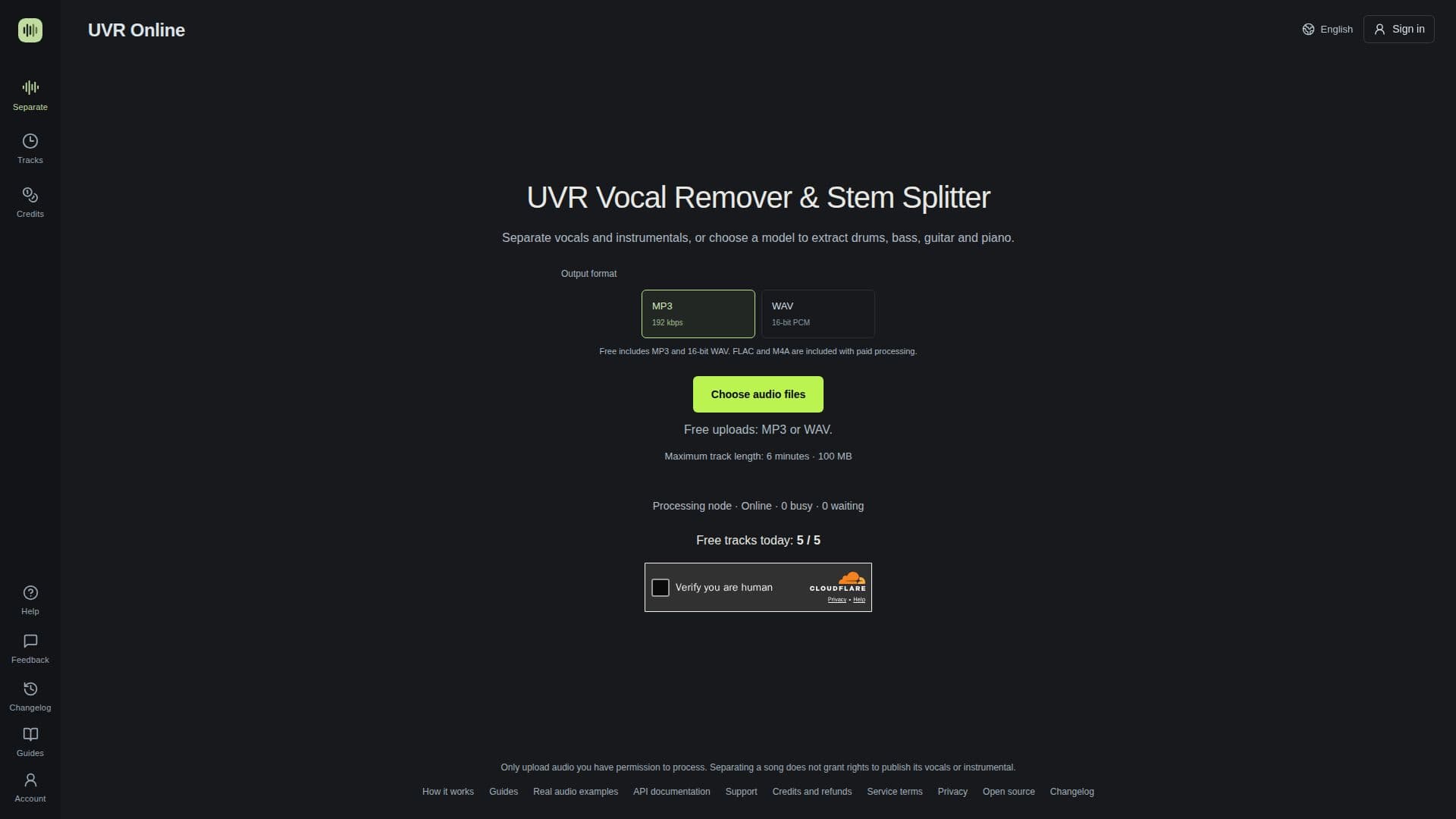
Description
UVR Online provides an accessible, browser-based solution for audio separation, enabling users to remove vocals from songs or isolate specific instrumental stems. This tool is ideal for musicians, producers, DJs, and karaoke enthusiasts who need clean instrumental tracks for practice, acapella versions for remixes, or individual instrument stems for detailed analysis and mixing.
Read More
The platform utilizes advanced AI models to perform its separation tasks. Users can upload their audio files, choose from available separation models, and then download the individual tracks. Depending on the selected model, UVR Online can separate audio into two stems (vocals and instrumental) or multiple stems, including drums, bass, guitar, and piano. The service offers a free daily allowance, allowing users to process a limited number of tracks without registration, with options for registered users and paid credits to increase processing limits and unlock additional features.
Key capabilities include the ability to create karaoke tracks by removing lead vocals while potentially retaining backing vocals or reverb, and extracting acapellas by isolating vocal stems that may contain lead vocals, harmonies, and doubles. The service supports common input formats like MP3 and WAV for free users, with FLAC and M4A available for paid processing. Output formats include MP3 and 16-bit WAV.
UVR Online also provides a comprehensive API for developers, allowing integration into other applications or AI assistants. The API supports quoting separation tasks, uploading files, monitoring processing status, and downloading results. Credit-funded API tasks offer higher limits and priority processing compared to the free API. The platform emphasizes user control over processing, including approval for higher measured prices for longer or more complex tasks.
While offering powerful separation capabilities, UVR Online is distinct from the Ultimate Vocal Remover desktop application, operating as an independent web service. It provides practical guides and examples to help users understand how to achieve the best separation results, compare different models, and diagnose common issues like vocal bleed or missing instruments.
- CategoryAI Audio Editors
- Pricing ModelFreemium
- DeploymentCloud
- PlatformsWeb
UVR Online's Core Features
Vocal Removal: Separate vocals from instrumental tracks.
AI Stem Splitting: Split songs into drums, bass, guitar, and piano stems.
Karaoke Maker: Create instrumental backing tracks for singing.
Acapella Extractor: Isolate vocal tracks for remixes or edits.
Multiple Separation Models: Choose from various AI models for different output configurations.
Free Daily Allowance: Process a limited number of tracks daily without registration.
Supports MP3 and WAV: Free processing for common audio formats.
Paid Credit System: Recharge credits for extended processing limits and features.
API Access: Integrate audio separation into custom applications.
Priority Queue: Faster processing for credit-funded tasks.
Batch Uploads: Process multiple files in sequence with paid credits.
Extended File Retention: Keep processed files for up to 7 days with credits.
Detailed Guides: Access resources for optimal vocal removal and stem splitting.
Online Previews: Audition separation results before downloading or using allowance.
Flexible Output Formats: Download in MP3 or 16-bit WAV, with FLAC/M4A for paid users.
How to use UVR Online?
Upload Audio: Upload an audio file (MP3 or WAV for free users) you have permission to process, observing current limits.
Choose Model: Select a suitable separation model after uploading your file, using either the free daily allowance or paid credits.
Start Separation: Initiate the separation process and monitor its status on the task page.
Download Tracks: Download the separated vocals and instrumental tracks, or individual stems, in your chosen format.
Compare Results: Utilize the online preview feature to compare original audio with separated tracks and adjust models if needed.
UVR Online's Use Cases
- Karaoke Track Creation
- Acapella Extraction
- Instrumental Practice
- DJ Remixing
- Music Production
- Audio Analysis
- Content Creation
- Speech Isolation