
Description
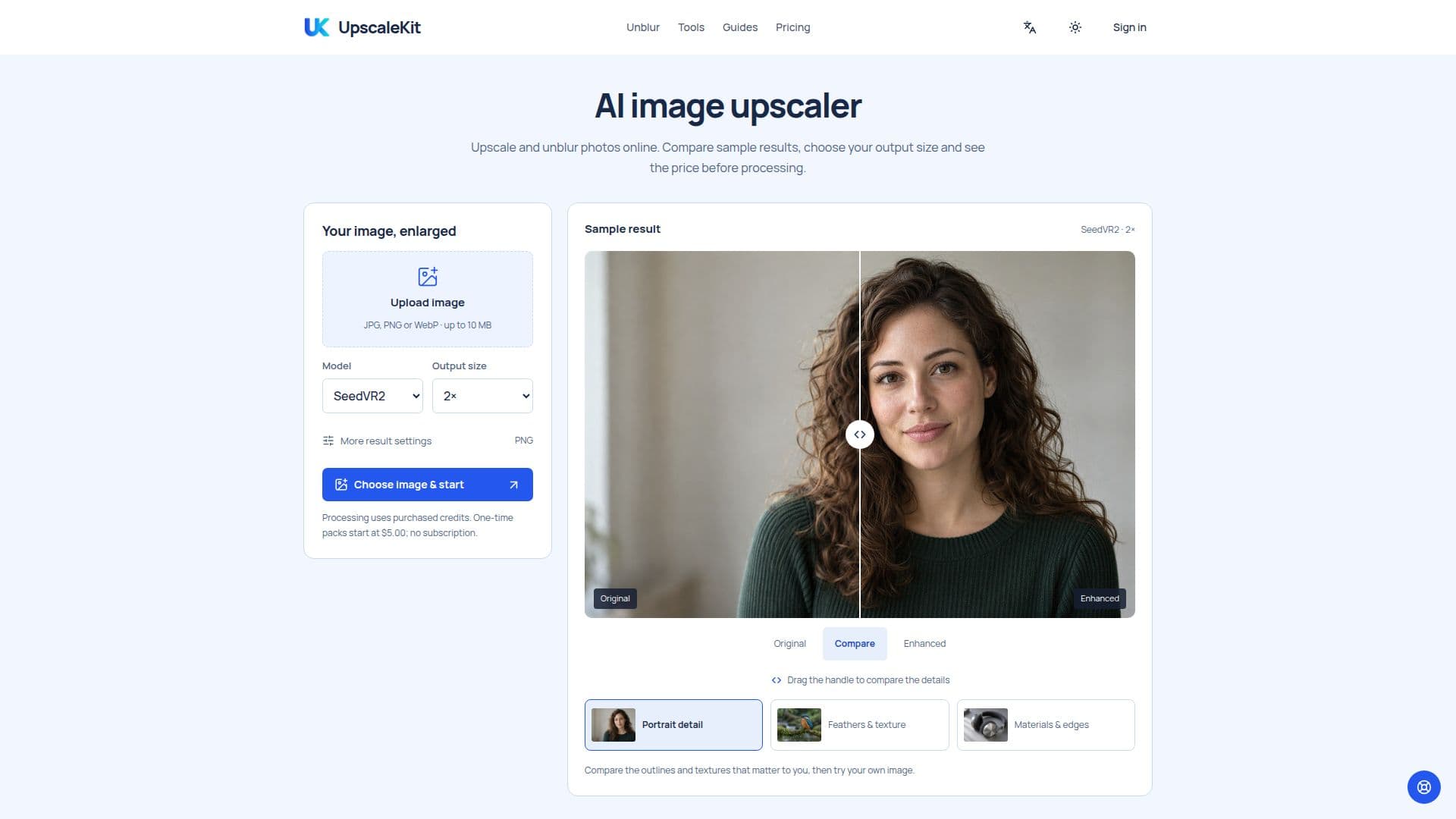
UpscaleKit is an online AI image upscaler designed to enhance and clarify photos by enlarging and unblurring them. The platform allows users to upload their images and utilize artificial intelligence to improve their quality. A key feature is the ability to compare the original image with the upscaled result side-by-side using a drag handle, enabling users to inspect details like faces, textures, and text before committing to a download.
Read More
The service operates on a credit-based system, eliminating the need for subscriptions. One-time credit packs are available, starting at $5.00 for 500 credits. These credits do not expire, providing flexibility for users. Each image processing task is quoted upfront, allowing users to see the exact price based on their selected AI model and desired output dimensions before any credits are used. The cost per image is determined by the chosen model and the resulting pixel dimensions, with different models having varying credit costs per output megapixel.
UpscaleKit offers two primary AI models: SeedVR2 and Crystal. SeedVR2 is presented as a lower-cost option suitable for everyday photos, natural textures, and products, starting at 1 credit per output MP. Crystal is designed for fine detail enhancement, particularly for portraits, hair, and materials, costing 7 credits per output MP. Both models support various output sizes, including 1×, 2×, 4×, and a 4K long-edge mode, while maintaining original proportions. Users can also select download formats, with SeedVR2 supporting JPG, PNG, and WebP, and Crystal supporting JPG and PNG. Both models have an output limit of 64 MP per image and accept JPG, PNG, and WebP upload formats, with a 10 MB maximum file size.
The process is straightforward: users upload an image, select an output size and format, choose an AI model, and then compare the result. The platform ensures privacy by deleting uploads after 7 days and results after 30 days. While AI can reconstruct plausible detail, UpscaleKit advises users to carefully compare results, as AI may sometimes reconstruct incorrect details. The service is accessible online without software installation, requiring users to sign in with Google to purchase credits and manage their results.
- CategoryAI Image Upscalers
- Pricing ModelOne-time Credit Packs
- DeploymentCloud
- PlatformsWeb
UpscaleKit's Core Features
AI Image Upscaling: Enlarge and unblur photos using artificial intelligence.
Two AI Models: Choose between SeedVR2 (lower cost, everyday photos) and Crystal (fine detail, portraits).
Side-by-Side Comparison: Drag a handle to compare original and upscaled images.
Transparent Pricing: See exact credit cost before processing based on model and output size.
One-Time Credit Packs: Purchase credits without a subscription; credits do not expire.
Watermark-Free Downloads: All paid results are delivered without watermarks.
Multiple Output Sizes: Options include 1×, 2×, 4×, and 4K long-edge mode.
Various Download Formats: Supports JPG, PNG, and WebP (SeedVR2) or JPG, PNG (Crystal).
Privacy Protection: Uploads deleted after 7 days, results after 30 days.
No Software Installation: Access and use the upscaler directly in your browser.
Google Sign-in: Securely manage credits and results via Google account.
Reconstruction Strength Adjustment: Fine-tune enhancement levels for Crystal model.
Output Limit: Both models support up to 64 MP per image.
Upload Format Support: Accepts JPG, PNG, and WebP files up to 10 MB.
How to use UpscaleKit?
Choose Image: Upload the photo you wish to improve, ensuring it's in a supported format and within the size limit.
Select Upscaler & Settings: Choose between SeedVR2 or Crystal, then select your desired output size (e.g., 2×, 4×, 4K) and format.
Review Price: Check the exact credit cost for your chosen model and output dimensions before proceeding.
Compare Result: After processing, use the drag handle to compare the original and upscaled image, focusing on details.
Download Enhanced Image: Once satisfied, download the full-resolution, watermark-free file.
UpscaleKit's Use Cases
- Enlarging Photos
- Unblurring Images
- Enhancing Portraits
- Improving Product Photography
- Restoring Old Photos
- Preparing Images for Print
- Social Media Image Enhancement
- Digital Art Upscaling