Description
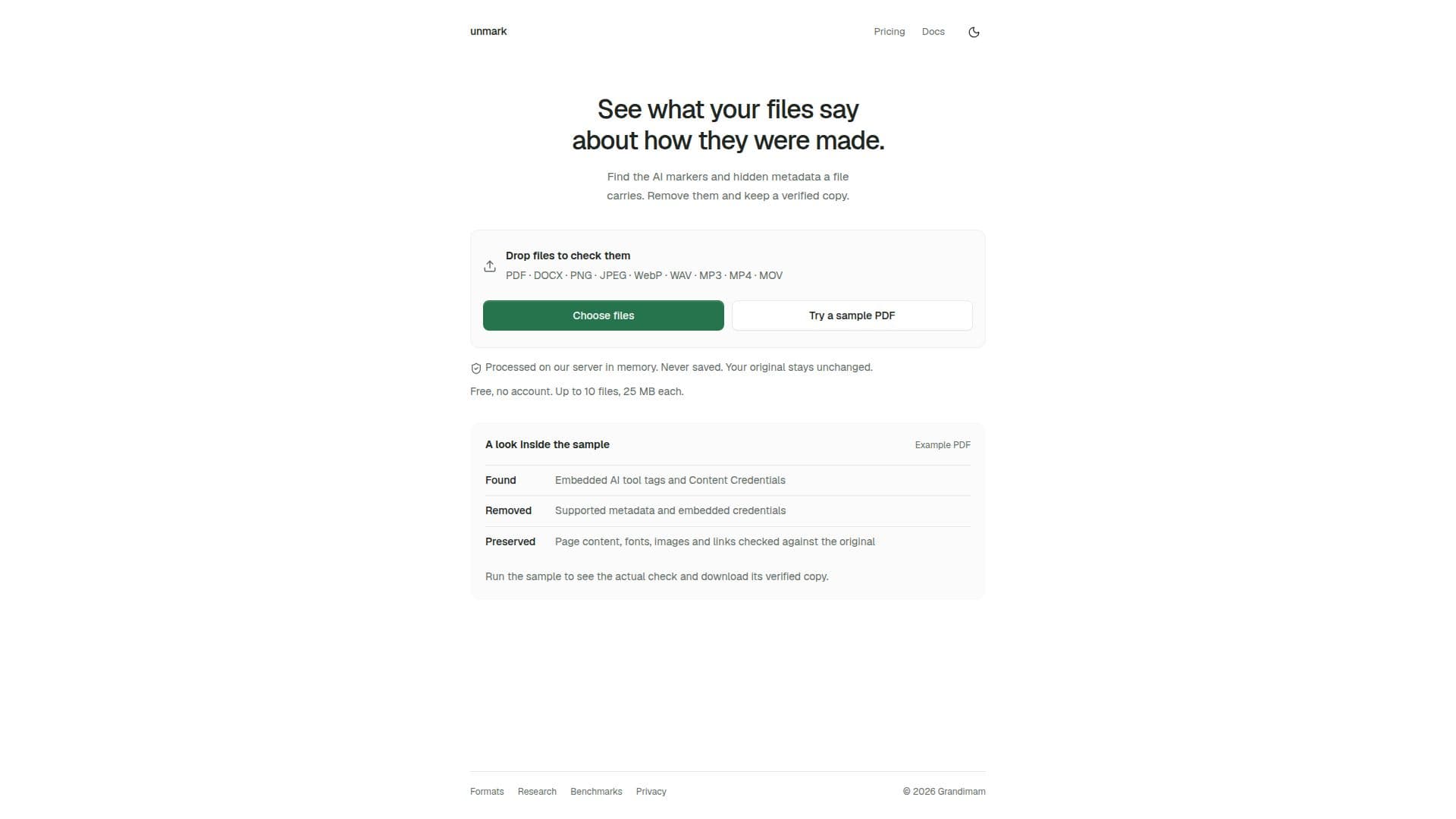
Unmark is an online tool designed to reveal and remove hidden metadata and AI markers embedded within digital files. It allows users to upload documents, images, and audio/video files to inspect them for information such as Content Credentials, generator tags, embedded prompts, authors, dates, and document IDs. The service operates by processing files directly in server memory, ensuring that no user files are ever stored, saved, or logged to disk. This commitment to privacy means that once a clean copy is sent back to the user, all traces of the file are cleared from the session.
Read More
The platform supports a wide range of file formats, including PDF, DOCX, PNG, JPEG, WebP, WAV, MP3, MP4, and MOV. For each format, Unmark specifies what types of metadata it can remove and what limitations exist, such as not detecting watermarks in pixels or audio, visible logos, or external provenance records. After cleaning, Unmark generates a new copy of the file and compares its content with the original to verify the cleaning process, ensuring that the core content remains unchanged while the specified metadata is removed.
Unmark offers a free tier that allows users to check up to 10 files at a time, with a maximum size of 25 MB per file, and a limit of 20 checks per minute. This free access requires no account registration, making it convenient for quick, occasional use. A Pro plan is currently in development, which will offer higher limits, support for larger batches and files, a history feature, and API access for automation and integration into workflows. This planned expansion aims to cater to users with more extensive needs for metadata management.
While Unmark effectively removes supported metadata, it explicitly states that a "clean" file does not guarantee the absence of all traces, nor does it verify human authorship or complete untraceability. It focuses on the technical removal of specific embedded data rather than content analysis or advanced forensic detection. The tool is ideal for individuals and professionals who need to ensure their files are free from unwanted or sensitive embedded information before sharing or publishing them, providing a straightforward and privacy-focused solution for digital file hygiene.
- CategoryAI Privacy Tools
- Pricing ModelFreemium
- DeploymentCloud
- PlatformsWeb
Unmark's Core Features
Detects AI markers and hidden metadata in files
Removes Content Credentials (C2PA records)
Identifies and removes generator tags (software names)
Extracts and removes embedded prompts from images
Cleans ordinary metadata (authors, dates, document IDs)
Supports PDF, DOCX, PNG, JPEG, WebP, WAV, MP3, MP4, MOV formats
Processes files in memory; never stores user files
Provides a verified clean copy of the file
Free tier available without account registration
Allows up to 10 files at a time, 25 MB each (free tier)
Limits to 20 file checks per minute (free tier)
Planned Pro plan with higher limits and API access
Encrypted connection for file transfer
Does not detect watermarks in pixels or audio
Does not examine statistical signals in text
How to use Unmark?
Drop Files: Drag and drop your PDF, DOCX, image, or audio/video files onto the Unmark interface.
Initiate Check: The tool automatically begins scanning the uploaded files for AI markers and hidden metadata.
Review Findings: View the detected markers and metadata listed by Unmark.
Clean Files: Choose to remove the identified metadata and generate a clean copy.
Download Clean Copy: Download the verified, cleaned version of your file.
Unmark's Use Cases
- Removing AI Markers from Resumes
- Privacy Protection for Documents
- Ensuring Clean Image Files
- Preparing Audio for Distribution
- Verifying File Integrity
- Digital Asset Management