
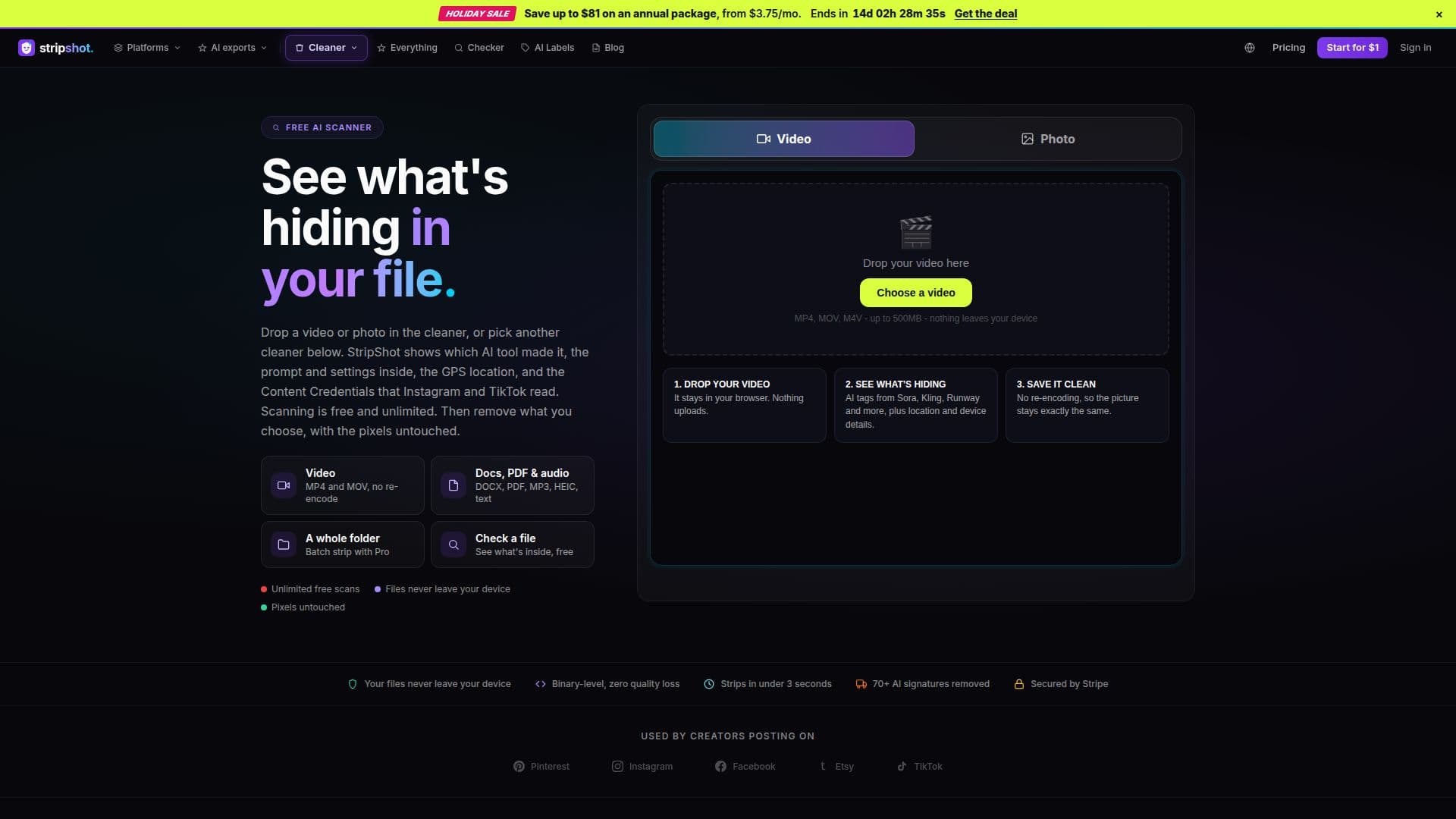
Description
StripShot is a comprehensive, browser-based utility that allows users to detect and remove hidden metadata from their image and video files. It specializes in identifying and stripping sensitive information such as AI generator tags, original prompts, C2PA Content Credentials, EXIF data, and GPS coordinates. This ensures that creators can share their work online without inadvertently revealing proprietary workflow details or personal location data.
Read More
The tool operates with a strong emphasis on privacy and quality. All processing occurs directly within the user's browser, meaning files are never uploaded to external servers, and the developers have zero access to user data. Unlike many other metadata removers that re-encode files, leading to quality degradation, StripShot performs binary-level stripping. This surgical removal of metadata bytes ensures that the pixel data remains untouched, resulting in zero quality loss and an output file identical to the original, minus the hidden information.
Key capabilities include the removal of over 70 AI tool signatures, C2PA Content Credentials (invisible certificates embedded by AI tools like DALL-E and Midjourney), and standard EXIF/GPS data. It supports popular image formats like JPEG, PNG, and WebP, and video formats such as MP4, MOV, and M4V. For users concerned about platforms detecting zero EXIF data, StripShot offers an optional "Inject Camera EXIF" feature (Ghost Mode) that writes accurate, non-identifying camera specifications into the file, making it appear as if it was captured by a real camera.
StripShot offers a flexible pricing model, including a free tier that allows for 2 photo cleanings per day and 1 video cleaning every 30 days without requiring an account. Paid plans, Pro and Full Access, provide unlimited cleanings, batch processing for up to 300 files, anti-fingerprint mode, and priority support. The Pro plan includes 10 video cleanings per day, while Full Access offers unlimited video cleanings, making it suitable for high-volume creators and agencies. Special holiday sale pricing is often available for annual subscriptions.
- CategoryAI Privacy Tools
- Pricing ModelFreemium
- DeploymentBrowser-based
- PlatformsWeb
StripShot's Core Features
Binary-level metadata stripping for images and videos
Removes 70+ AI tool signatures
Strips C2PA Content Credentials
Removes EXIF data (camera make, model, serial number)
Removes GPS coordinates and timestamps
Extracts and removes AI prompts, seeds, and generation settings
Zero quality loss (no re-encoding)
100% browser-based processing (no file uploads)
Supports JPEG, PNG, WebP image formats
Supports MP4, MOV, M4V video formats
Anti-fingerprint mode for tiny pixel changes
Inject Camera EXIF (Ghost Mode) with real camera profiles
Batch processing for up to 300 files
Analyzes and detects AI tool origin
Before/after metadata difference view
How to use StripShot?
Drop File: Drag and drop an image or video into the cleaner interface.
Scan Metadata: StripShot automatically scans the file to reveal hidden AI tool signatures, prompts, GPS, and C2PA data.
Review Data: See exactly what metadata is present in your file before proceeding.
Remove Metadata: Choose which specific metadata to strip from your file with a single click.
Download Cleaned File: Download the processed file with zero quality loss, ready for sharing.
StripShot's Use Cases
- Protecting Creative IP
- Ensuring Privacy
- Avoiding AI Labels
- Maintaining Image Quality
- Professional Content Sharing
- Batch Processing
- Simulating Camera Authenticity
- Digital Forensics & Analysis