Description
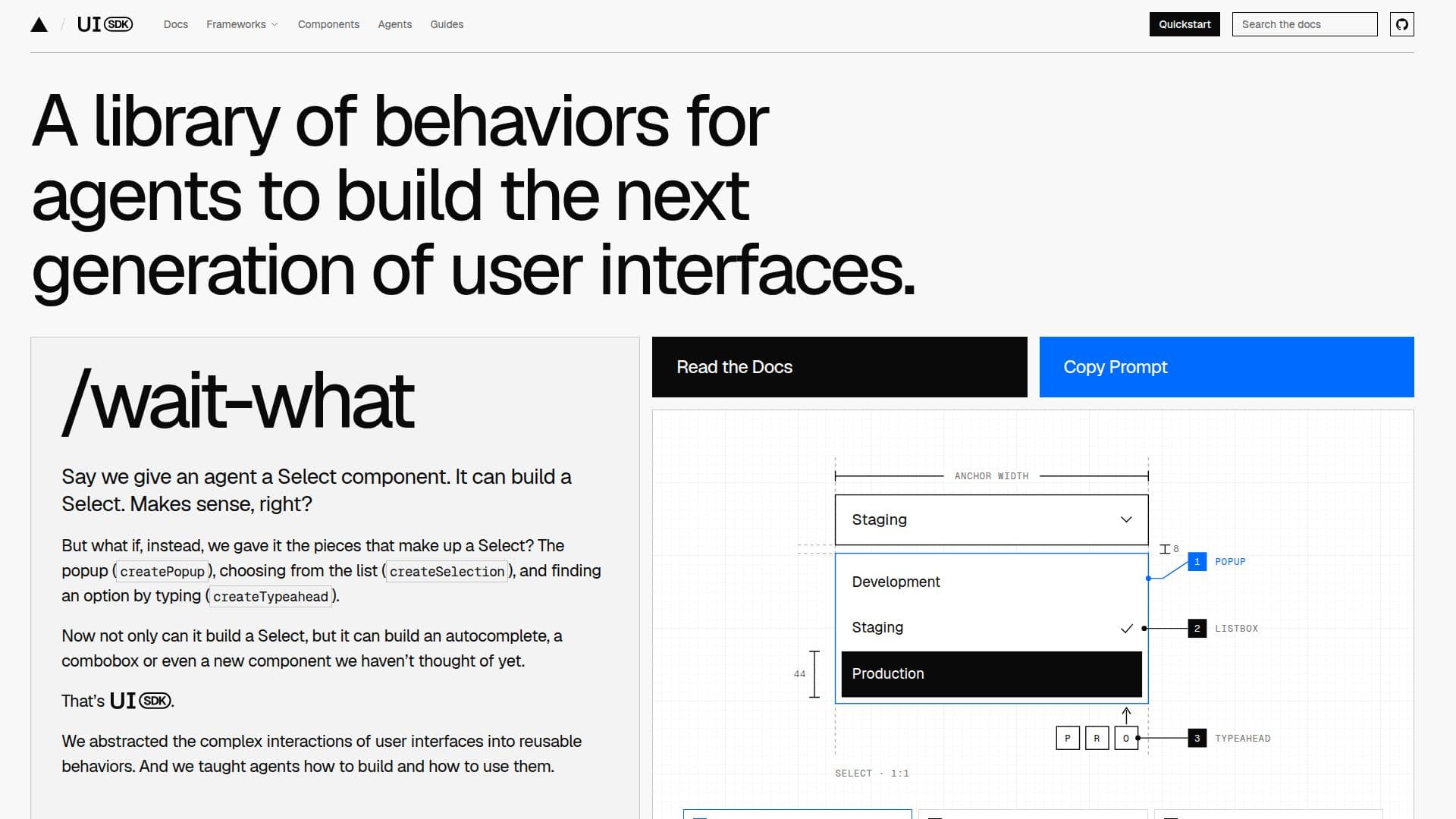
UI SDK provides a foundational library of behaviors designed to empower AI agents in building and utilizing next-generation user interfaces. Instead of agents creating components from scratch, they are given fundamental interaction pieces such as `createPopup` for popups, `createSelection` for list choices, and `createTypeahead` for finding options by typing. This modular approach allows agents to construct a wide array of components, from simple selects to complex autocompletes, comboboxes, or entirely new interface elements not yet conceived.
Read More
These behaviors encapsulate the intricate details of user interface interactions, including keyboard navigation, focus management, selection logic, popup handling, drag and drop functionality, and screen reader support. The SDK offers over 50 such behaviors, including `createRovingFocus` for single-tab-stop navigation, `createTypeahead` for quick item jumps, `createPopup` for contextual overlays, `createSelection` for multi-item picking, `createReorder` for list sorting, `createResize` for adjustable boxes, `createViewport` for pan and zoom, and `createVirtualizer` for efficient rendering of large lists.
Developers do not directly use these behaviors to build components; instead, they instruct their AI agents. The agents are trained to select and assemble the necessary behaviors within the developer's chosen framework, such as React, Vue, Svelte, Solid, or Web Components. The UI SDK also includes a component library to jumpstart development, with every component built from these same behaviors, ensuring cross-framework compatibility.
Furthermore, UI SDK enhances agent capabilities beyond component creation. Agents equipped with the UI SDK skill can read page elements and directly interact with controls without relying on visual screenshots. This direct interaction method significantly boosts efficiency, making agents more than twice as fast and reducing operational costs by over half, as demonstrated in benchmarks across various frameworks and component libraries. The SDK provides an agent bridge that allows agents to access component state and call actions directly, enabling precise and efficient automation of tasks within applications.
- CategoryCoding & Development
- Pricing ModelOpen source
- DeploymentCloud
- PlatformsWeb
UI SDK's Core Features
Library of reusable UI behaviors
Agents build components from behaviors
Supports React, Vue, Svelte, Solid, Web Components
Keyboard navigation behaviors
Focus management behaviors
Selection behaviors (single/multi-select)
Popup and overlay behaviors
Drag and drop behaviors
Screen reader support behaviors
Typeahead functionality
List reordering capabilities
Resizable elements
Viewport pan and zoom
Virtualization for large lists
Agent bridge for direct UI interaction
Reduced agent operational costs
How to use UI SDK?
Add UI SDK skill: Integrate the UI SDK skill into your AI agent to enable it to understand and utilize behaviors.
Prompt your agent: Ask your agent to build a specific component, such as "Build me a picker for assigning a teammate to a task."
Agent assembles behaviors: The agent will select and combine relevant behaviors (e.g., createPopup, createListbox, createSelection) to construct the component.
Receive component code: The agent generates the component code in your chosen framework (React, Vue, Svelte, Solid, or Web Components).
Connect agent to UI: Implement the agent bridge in your application to allow agents to read component state and call actions directly.
Automate tasks: Instruct your agent to interact with the built components, such as filling forms or changing settings, using its enhanced capabilities.
UI SDK's Use Cases
- Automated UI Generation
- Cross-Framework Component Development
- Efficient UI Automation
- Rapid Prototyping
- Accessibility-First UI
- Custom Component Creation
- Developer Productivity