
Description
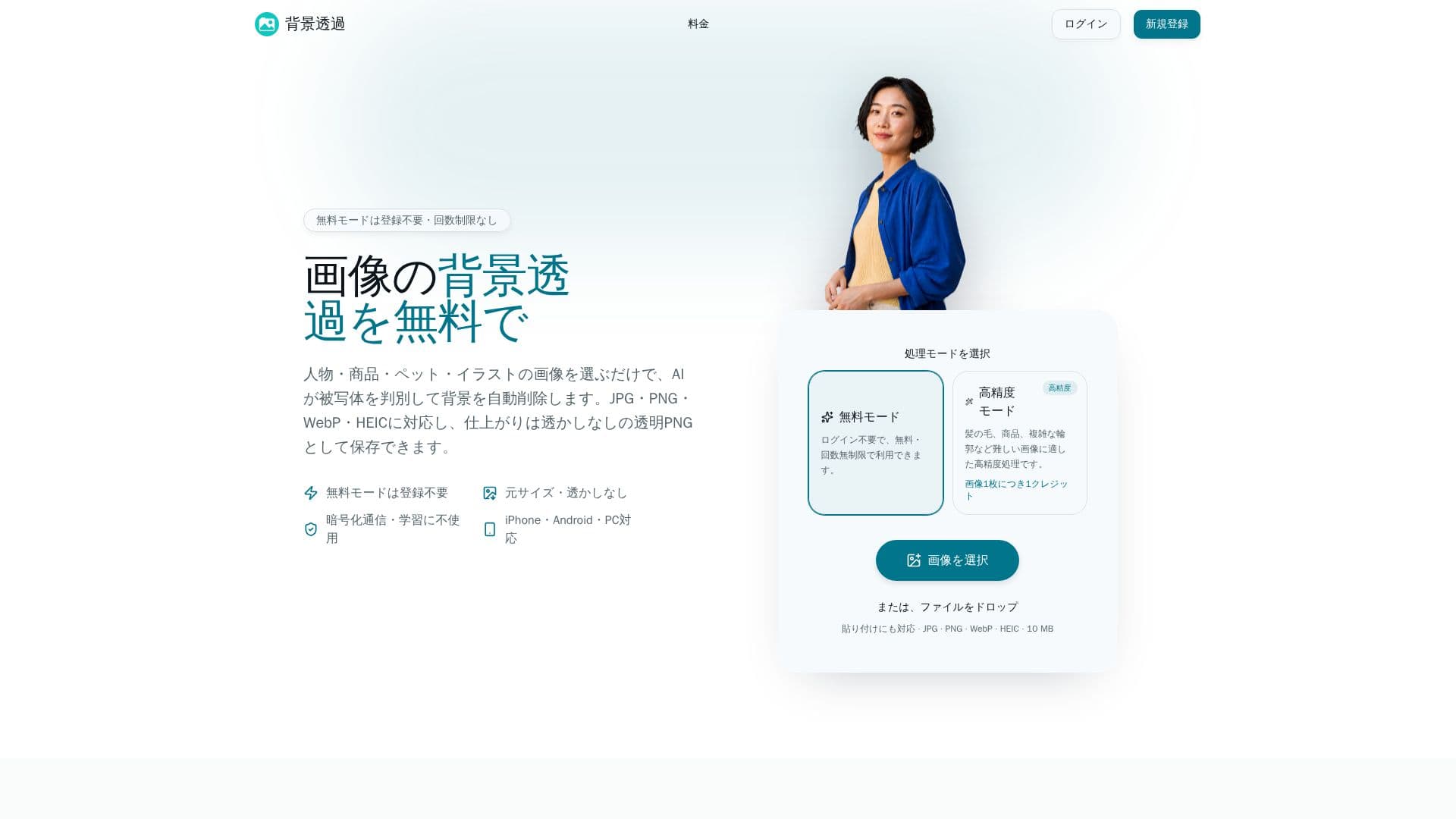
ToukaPNG is a user-friendly online tool designed for effortlessly removing backgrounds from images, converting them into transparent PNGs. It caters to a wide range of users, from individuals looking to create profile pictures to businesses preparing product images for e-commerce platforms. The service is accessible directly through a web browser on various devices, including iPhones, Android phones, and PCs, eliminating the need for app downloads.
Read More
The tool leverages AI to automatically detect subjects such as people, products, pets, and illustrations, then precisely removes their backgrounds. It supports multiple image formats, including JPG, PNG, WebP, and HEIC/HEIF, and outputs high-quality, watermark-free transparent PNGs. Users can also choose to save images with a white or single-color background, with options for PNG or JPG output depending on the background choice.
ToukaPNG offers both a free mode and a high-precision mode. The free mode is unlimited in usage and requires no registration, allowing users to process up to 20 images at once, with a total size limit of 100MB. For more challenging images, such as those with intricate details like hair or fine product outlines, the high-precision mode is available. This mode requires login and uses credits, with new users receiving 5 free credits upon registration, and subsequent images costing 1 credit each.
Beyond automatic background removal, ToukaPNG provides tools for detailed adjustments. Users can refine the edges of subjects using erase and restore brushes, which are particularly useful for correcting minor imperfections or intricate areas. The platform prioritizes user privacy, ensuring that uploaded images are encrypted, used solely for processing, and not utilized for AI training or retained longer than necessary for service delivery and protection.
ToukaPNG is suitable for commercial use, with no additional licensing fees imposed by the tool itself. However, users are advised to ensure they have the necessary rights or permissions for any copyrighted or trademarked content within their original images. The tool is designed for simplicity, guiding users through a three-step process: upload, AI processing, and saving in the desired format.
- CategoryBackground Removers
- Pricing ModelFreemium
- DeploymentCloud
- PlatformsWeb
ToukaPNG's Core Features
Free background removal without registration
AI-powered subject detection and background removal
Support for JPG, PNG, WebP, HEIC/HEIF image formats
Output transparent PNGs without watermarks
Erase and restore brushes for fine-tuning
Option to save with white or single-color backgrounds
Batch processing for up to 20 images simultaneously
High-precision mode for complex details like hair and fur
No app download required, browser-based access
Commercial use allowed without extra licensing fees
Image encryption and privacy protection
Maintains original image pixel size upon output
Supports images up to 10MB, 8000px, or 25 million pixels
How to use ToukaPNG?
Upload Images: Select or drag-and-drop JPG, PNG, WebP, or HEIC/HEIF files (up to 10MB each, max 20 images).
AI Process Background: AI automatically detects subjects like people, products, pets, or illustrations and removes the background.
Adjust Details (Optional): Use erase or restore brushes to refine edges or correct any imperfections, especially for complex images in high-precision mode.
Choose Background & Save: Select transparent, white, or a single-color background, then save the processed image as PNG or JPG. Multiple images can be downloaded as a ZIP file.
ToukaPNG's Use Cases
- Profile Pictures
- E-commerce Product Images
- Social Media Content
- Pet Photos
- Illustrations and Logos
- Design Assets
- Resume Photos