Description
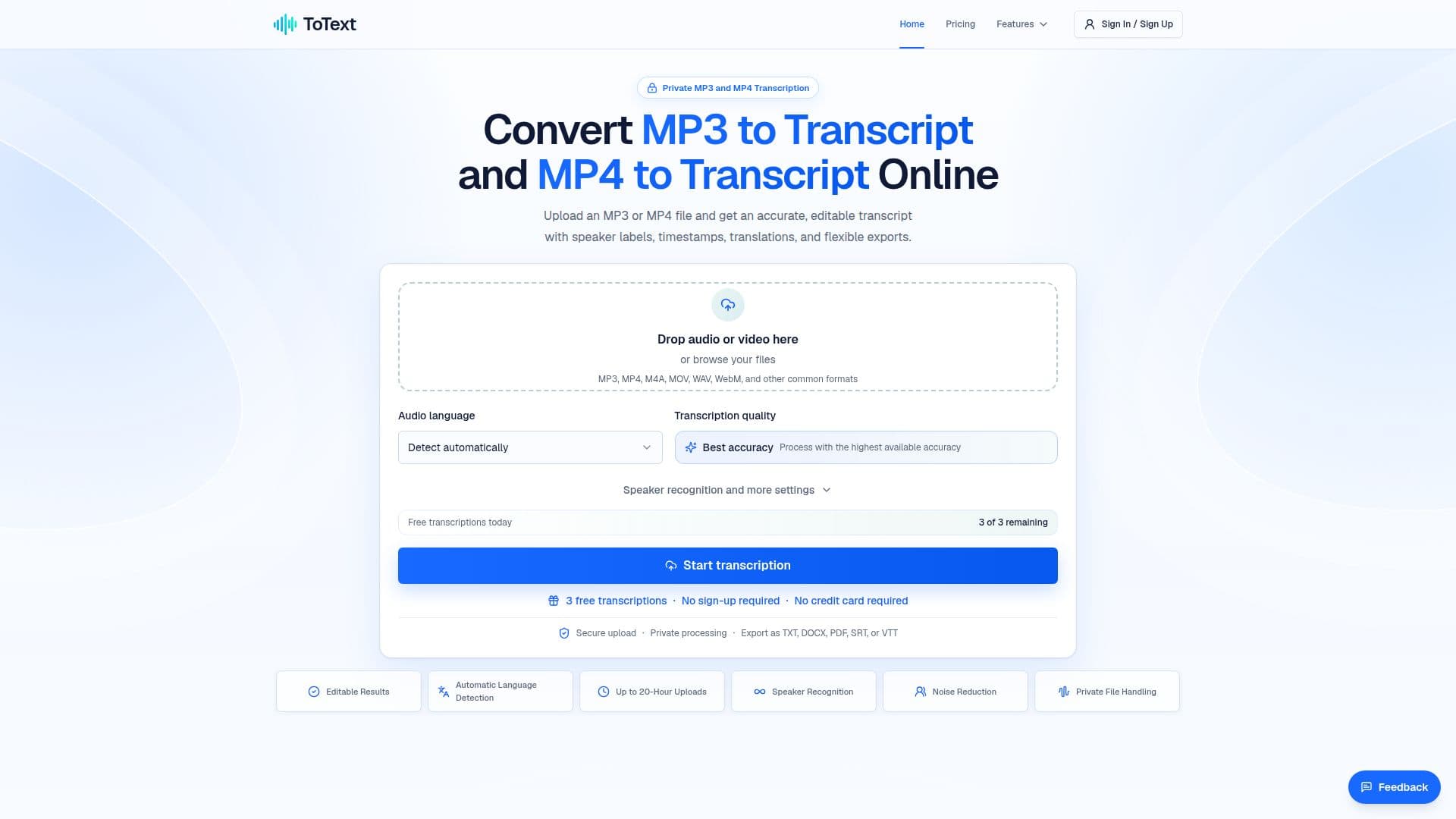
ToText is a web-based application designed to convert audio and video files into text transcripts. Users can upload MP3 or MP4 files and receive accurate, editable transcripts with features such as timestamps, speaker labels, and subtitles. The platform supports various export formats, including TXT, DOCX, PDF, SRT, VTT, CSV, JSON, and XLSX, making it versatile for different workflows.
Read More
The transcription process is straightforward: users upload their files, select a language or use automatic detection, and start the transcription job. The resulting text is time-aligned, allowing users to review and edit it directly in the browser. ToText also offers speaker recognition, which can be adjusted for accuracy based on the recording's quality.
ToText provides a free tier that allows users to transcribe up to three files daily, with the first 20 minutes of each file included. For more extensive needs, paid plans offer additional features such as unlimited transcription minutes, noise reduction, and AI-generated summaries and translations.
The platform is ideal for researchers, content creators, educators, and professionals who need to convert audio and video content into searchable and editable text. It emphasizes privacy and security, ensuring that uploaded files are processed securely and can be managed through user accounts. ToText does not automatically access external media sources, maintaining user control over their data.
- CategoryAI Transcription Tools
- Pricing ModelFreemium
- DeploymentWeb
- PlatformsBrowser
ToText's Core Features
MP3 and MP4 transcription
Editable timestamps and speaker labels
Subtitle and document exports
Automatic language detection
Custom vocabulary support
Free tier with limited minutes
Unlimited transcription with paid plans
Secure file processing
How to use ToText?
Upload: Select an MP3 or MP4 file
Choose Language: Select or auto-detect language
Transcribe: Start the transcription process
Review: Edit and verify the transcript
Export: Download in preferred format
ToText's Use Cases
- Meetings and interviews
- Podcasts and creators
- Courses and demonstrations
- Research and customer calls
- Video content