Description
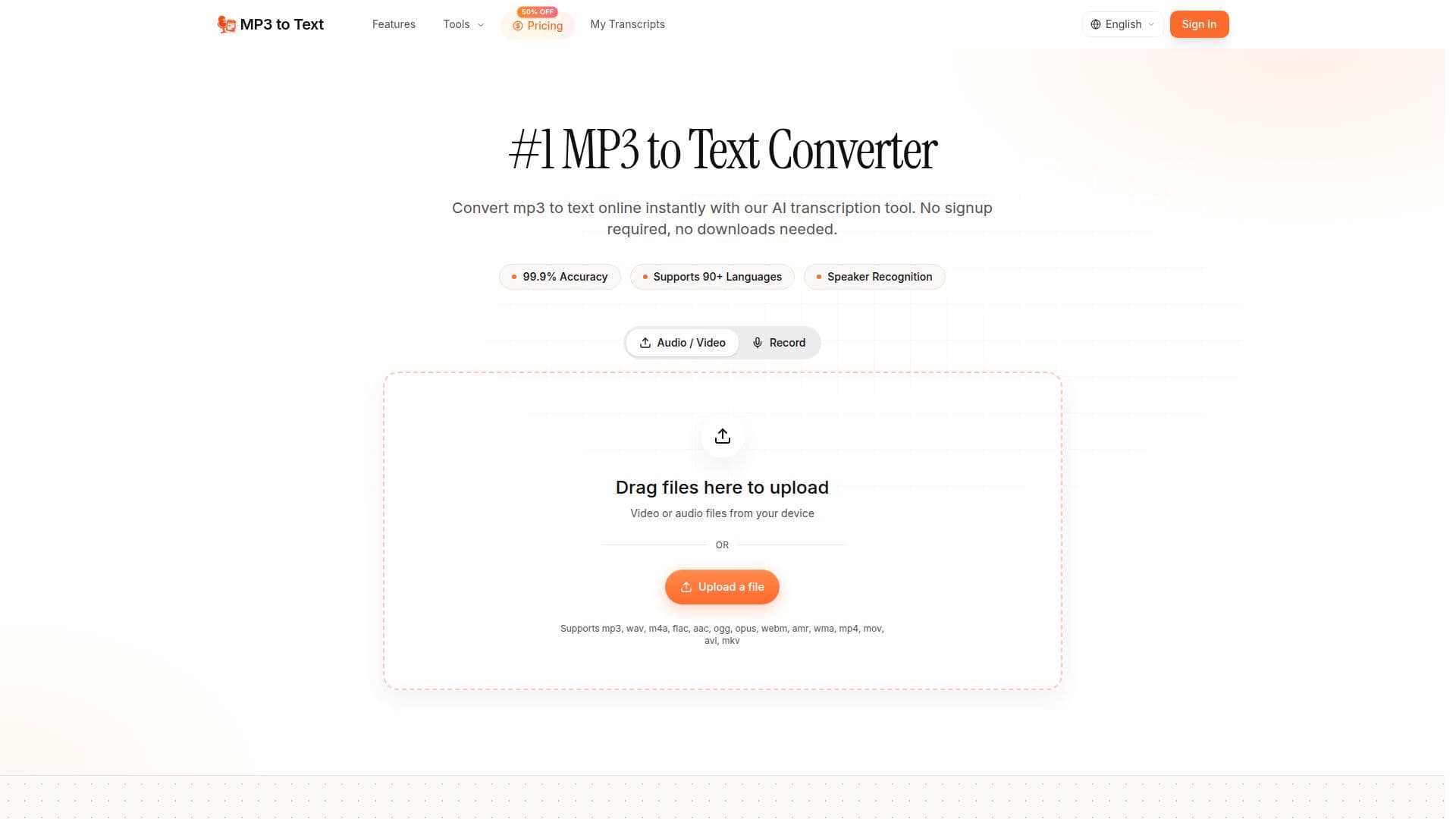
MP3 to Text is an AI transcription tool that converts MP3 audio files into accurate written text for podcasts, lectures, interviews, meetings, and any recorded audio. It supports many audio and video formats, including WAV, M4A, FLAC, AAC, OGG, and MP4.
Read More
The tool transcribes in over 90 languages, automatically detects and labels multiple speakers, and handles accents and background noise. Transcripts can be exported to TXT, DOCX, PDF, CSV, SRT, VTT, and Markdown, with optional timestamps and speaker labels.
MP3 to Text supports large files up to 5 GB and 10 hours per file, plus batch processing and AI summaries. A free tier provides 60 minutes of transcription, and paid monthly, annual, or one-time plans add higher volumes, unlimited storage, and priority support. Refunds are offered within 7 days of purchase.
- CategoryAI Transcription Tools
- Pricing ModelFreemium
- DeploymentCloud
- PlatformsWeb
MP3 to Text's Core Features
AI transcription of MP3 and many other audio and video formats
90+ languages with regional dialect support
Automatic multi-speaker recognition and labeling
Batch processing of multiple files
Handles accents and background noise
Export to TXT, DOCX, PDF, CSV, SRT, VTT, and Markdown
Large files up to 5 GB and 10 hours
AI summaries and unlimited storage on paid plans
How to use MP3 to Text?
Upload your audio: Drag and drop your MP3 file or click to upload it.
Transcribe: Click Transcribe to convert the audio to text in minutes.
Review the transcript: Check the text with speaker labels and optional timestamps.
Export: Download the transcript as TXT, DOCX, SRT, VTT, or another supported format.
MP3 to Text's Use Cases
- Podcasts
- Research
- Journalism
- Education
- Business meetings