
Description
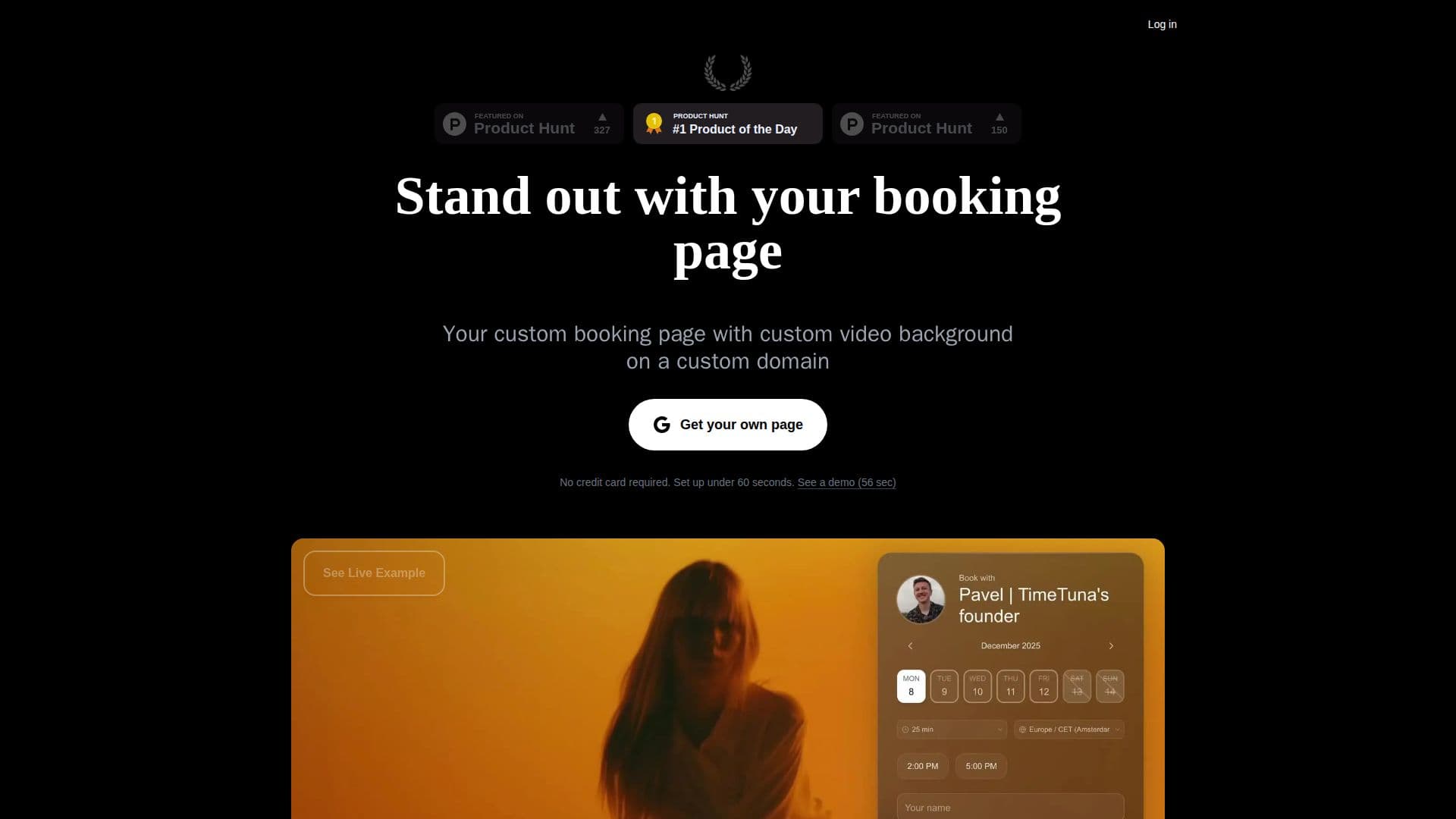
TimeTuna is a scheduling tool built for people who want booking pages they are proud to share, aiming to be as beautiful as WeTransfer and as delightful as Lu.ma while remaining as reliable as Calendly. You can build a working page in under 60 seconds by signing in, connecting a calendar, and sharing your link, then polish the branding with video or YouTube backgrounds, an avatar, and your logo.
Read More
It offers real-time two-way sync with Google Calendar, Microsoft Outlook, and any iCal feed to keep availability accurate and prevent double-bookings, and generates Google Meet, Microsoft Teams, or Zoom links automatically for every booking. You can offer multiple meeting durations on one page, charge for meetings via Stripe (confirming the slot only once payment clears), send email and SMS reminders to cut no-shows, and handle time zones automatically. Additional features include custom domains with automatic HTTPS, website embedding, custom form fields, multi-host round-robin scheduling, recommended-slot rules that show guests just three times, offline meeting locations, custom emails, and webhooks plus a Zapier integration connecting to 6,000+ apps.
TimeTuna is aimed at founders, creatives, and teams, with a free tier to start and paid Pro and Executive plans that add custom branding and domains, team sharing, payments, SMS via your own Twilio account, and webhooks. A white-label plan lets agencies run scheduling for their own clients under their own brand and domain.
- CategoryAI Scheduling Tools
- Pricing ModelFreemium
- DeploymentCloud
- PlatformsWeb
TimeTuna's Core Features
Beautiful, branded booking pages with video and logo backgrounds
Real-time two-way sync with Google, Outlook, and iCal
Automatic Google Meet, Teams, or Zoom links per booking
Multiple meeting durations on a single page
Paid bookings via Stripe, confirmed only after payment
Email and SMS reminders to reduce no-shows
Automatic time-zone handling and multi-host round-robin routing
Custom domains, website embedding, webhooks, and Zapier
How to use TimeTuna?
Sign in and connect a calendar: Link Google, Outlook, or an iCal feed in under a minute.
Build your page: Create a booking page and add durations for the meetings you offer.
Brand it: Add a video or YouTube background, avatar, and logo, and optionally your own domain.
Set pricing if needed: Connect Stripe to charge per duration so slots confirm on payment.
Share the link: Send your page or embed it on your site, and let guests book in their own time zone.
TimeTuna's Use Cases
- Branded client booking
- Paid consultations
- Team scheduling
- Embed on your site
- Agency white-label scheduling