Description
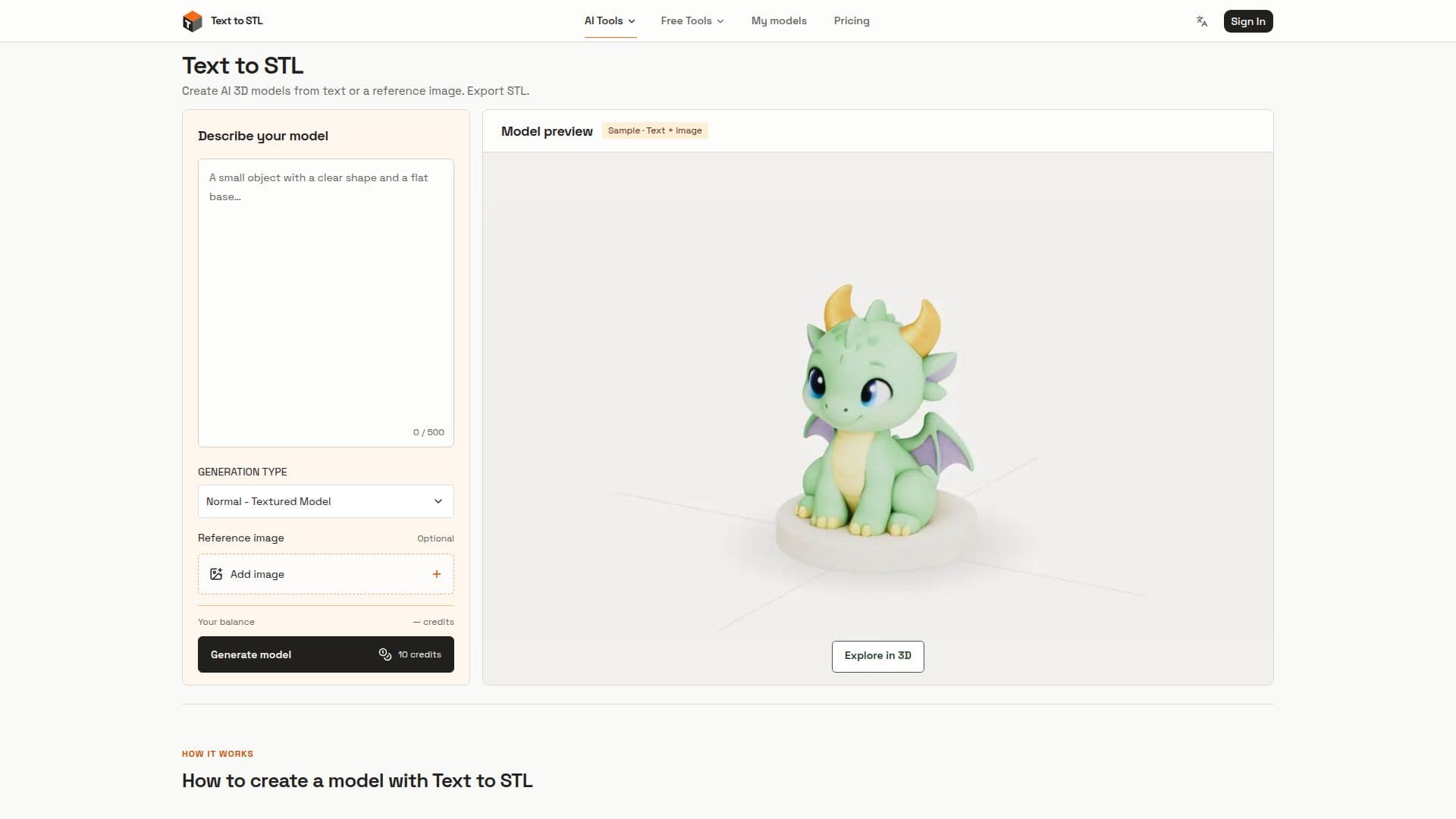
Text to STL is an innovative AI tool designed to bridge the gap between creative ideas and physical 3D prints. It allows users to generate 3D models from either a textual description or a reference image, making 3D model creation accessible even without extensive 3D modeling experience. The platform supports two primary output modes: Normal, which provides a textured model, and Geometry, which delivers an untextured white model. Both modes offer STL and GLB download options, with GLB preserving textures in Normal mode.
Read More
The process begins with describing the desired object, optionally supplemented by a clear reference image. Users are encouraged to describe one object, its pose, and key details for optimal results. For text-only inputs, focusing on the object's name, main shape, and important features helps the AI generate a relevant model. When using a reference image, selecting a clear image with a simple background and consistent description guides the AI in interpreting colors, proportions, and details.
After generation, users can explore the 3D model from every angle using the interactive preview. The tool also allows for setting the overall size of the model, with the longest edge adjustable between 10 and 300 mm. It's important to note that scaling is proportional, meaning hole sizes and wall thickness cannot be set independently. While Text to STL simplifies model creation, it advises users to inspect the exported STL file in a slicer before printing to check for scale, wall thickness, overhangs, and supports. Some models may require manual editing in a separate modeling tool for precise holes, mechanical fits, or thin walls.
Text to STL operates on a credit-based system. New personal accounts receive 20 welcome credits upon their first successful sign-in, which is a one-time reward. Additional generation credits can be purchased through credit packs or monthly plans, starting from $9.90. Purchased pack credits do not automatically expire, providing flexibility for occasional projects. Generated models are stored in a private account library with no fixed auto-expiry, allowing users to manage and download backups of their creations. The platform emphasizes that applying an example, resizing, or downloading an existing result does not consume additional generation credits.
- Category3D Model Generators
- Pricing ModelPaid
- DeploymentCloud
- PlatformsWeb
Text to STL's Core Features
Generate 3D models from text descriptions
Generate 3D models from reference images
Preview models in Normal (textured) mode
Preview models in Geometry (untextured) mode
Export models as STL files
Export models as GLB files (textured or untextured)
Adjust overall model size (10-300 mm longest edge)
Private account library for generated models
No fixed auto-expiry for generated models
Welcome credits for new users (20 credits)
Credit packs available for purchase
Monthly plans available for purchase
Credit usage quote displayed before generation
Support for failed generation credit returns
GLB to STL conversion tool
How to use Text to STL?
Describe Object: Provide a natural language description of the desired 3D object, optionally adding a reference image.
Generate Model: Click the 'Generate' button to create the 3D model, reviewing the credit quote beforehand.
Explore Model: Rotate and zoom the 3D preview to inspect the generated shape from all angles.
Set Size: Adjust the overall size of the model by setting its longest edge between 10 and 300 mm.
Download & Check: Export the model as an STL or GLB file and inspect it in an STL viewer or slicer for printing preparation.
Text to STL's Use Cases
- Creating Custom Figurines
- Prototyping Simple Objects
- Educational 3D Models
- Personalized Gifts
- Artistic Creations
- Game Asset Development
- Hobbyist 3D Printing