Description
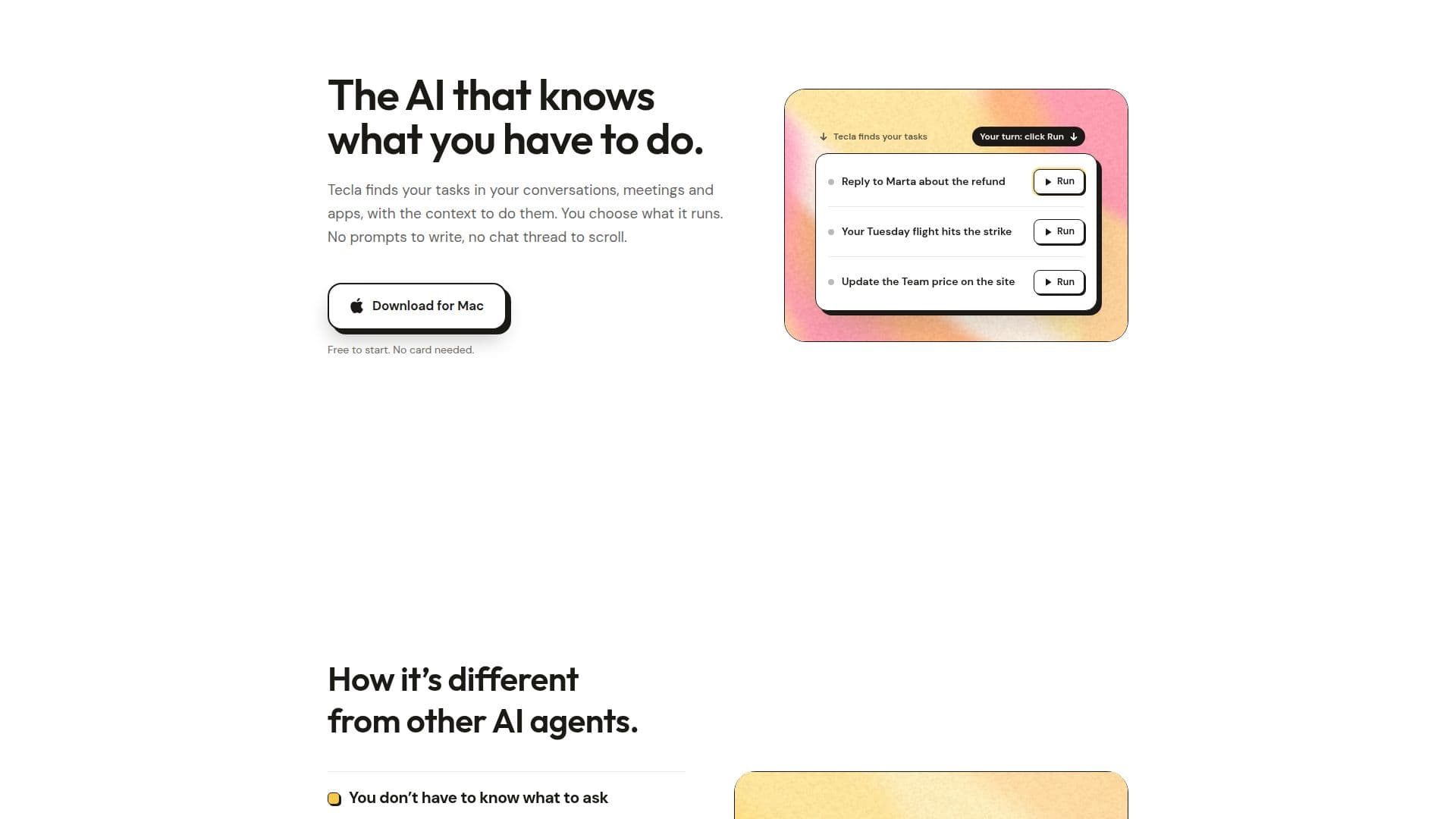
Tecla is a proactive AI assistant that revolutionizes how professionals manage their daily tasks by automatically identifying actionable items within their digital workspace. Unlike traditional AI agents where users must formulate prompts and provide context, Tecla actively monitors applications like email, chat, and meeting platforms to discover tasks and present them with all relevant information already compiled.
Read More
The assistant works by reading the content of connected apps, such as Gmail, Slack, Google Chat, GitHub, Notion, Linear, Jira, and Figma. It then extracts potential tasks, complete with their associated context and a proposed plan of action. Users are always in full control, deciding which tasks Tecla should run. Every action is transparently outlined in the task's plan, and users can stop or modify a task at any moment, with an 'autopilot' feature remaining off until explicitly enabled.
Tecla supports a wide array of applications, currently integrating with 57 different platforms, and can even interact with websites it cannot directly connect to by opening them in a browser and performing clicks. This broad compatibility ensures that tasks spanning multiple applications, from customer support issues to new employee onboarding or weekly reporting, can be managed from a single interface.
Beyond task discovery, Tecla offers advanced capabilities such as learning from user corrections to adapt future task execution and handling recurring work by turning any task into a scheduled activity. The platform presents work as a clear list of tasks, each with its status and plan, rather than a continuous chat thread, making it easier to manage and prioritize.
Regarding data privacy, Tecla emphasizes security and user control. It only reads the apps users connect, and all data is encrypted in transit and at rest. User data is never used to train AI models, sold, or shared with other users. Tecla offers a free tier with initial credits, followed by a monthly subscription or credit pack options, providing flexibility for different usage needs.
- CategoryAI Personal Assistants
- Pricing ModelFreemium
- DeploymentCloud
- PlatformsmacOS
Tecla's Core Features
Proactive Task Discovery: Automatically finds tasks in conversations, meetings, and apps.
Contextual Task Presentation: Presents tasks with all necessary context and a plan.
User Control: Users choose which tasks Tecla runs; autopilot is off by default.
Multi-App Integration: Works across 57 applications including Gmail, Slack, GitHub, Notion, Jira, Figma, Stripe, and Intercom.
Website Interaction: Opens unsupported websites in a browser to perform actions.
Task Management Interface: Displays work as a list of tasks with plans and statuses, not a chat thread.
Learning from User Input: Corrects itself once and remembers for similar future tasks.
Recurring Task Automation: Turns any task into a scheduled activity for regular execution.
Data Encryption: Encrypts all user data in transit and at rest.
Data Privacy: User data is not used to train AI models, sold, or shared.
Flexible Pricing: Offers a free trial with credits, monthly subscription, and credit packs.
Mac Application: Available as a downloadable app for macOS.
In-App Editing: Edit documents and images, create charts directly within Tecla.
Automated Follow-ups: Drafts follow-up emails and messages after meetings or conversations.
Issue Resolution: From customer email to bug fix, including opening pull requests and updating issues.
How to use Tecla?
Download Tecla: Install the Tecla application on your Mac.
Connect Applications: Link your work apps (e.g., Gmail, Slack, GitHub) within Tecla.
Discover Tasks: Tecla automatically starts finding tasks in your connected apps.
Review Task Plans: View the proposed plan for each discovered task.
Choose Tasks to Run: Select which tasks Tecla should execute.
Monitor Progress: Observe Tecla's actions and intervene if needed.
Customize Workflow: Correct Tecla's actions to teach it your preferences for future tasks.
Tecla's Use Cases
- Meeting Follow-ups
- Slack Conversation Tasks
- Customer Bug Fixes
- Customer Call Preparation
- New Hire Onboarding
- Weekly Reporting
- Price Updates
- Flight Changes
- Proposal Generation
- Recurring Work Automation