Description
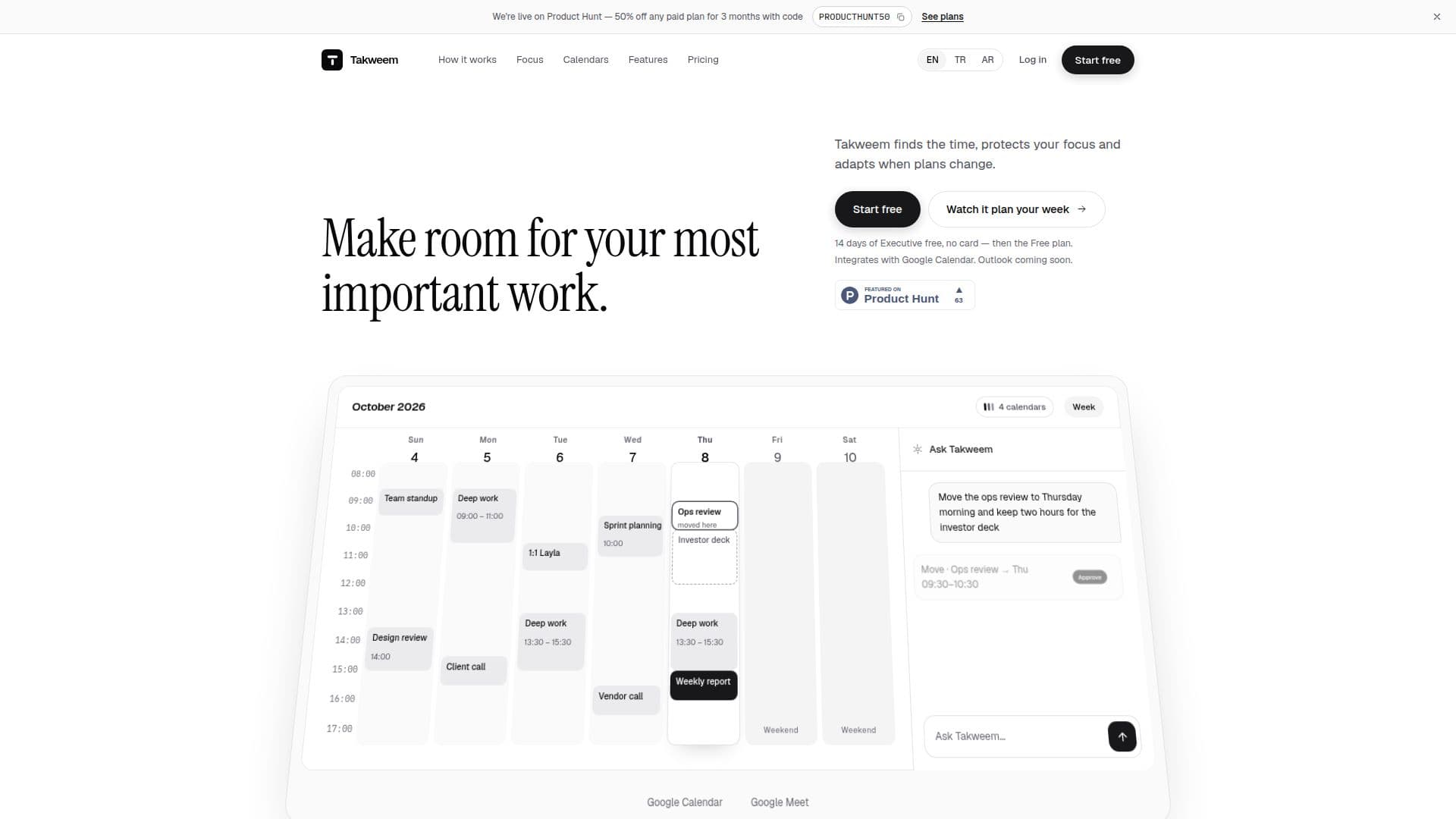
Takweem is a comprehensive time management tool designed to act as a chief of staff for your schedule. It integrates seamlessly with Google Calendar, with Outlook integration coming soon, to help busy professionals and founders prioritize their tasks, adapt to changes, and protect their focus time. The tool supports multiple languages, including English, Turkish, and Arabic, making it accessible to a diverse user base.
Read More
Takweem offers a morning brief that outlines the day's meetings, focus time, and decisions that require attention. It reserves time for important work and suggests new times when meetings conflict with your focus goals. When plans change, Takweem identifies scheduling conflicts and proposes solutions for user approval.
The tool allows users to interact with it as they would with a personal assistant, either by typing or speaking their requests. It provides proposed times on the calendar with reasons for their suitability, awaiting user approval before finalizing any changes. This ensures that users remain in control of their schedules.
Takweem's Autopilot feature can automatically adjust focus and task reservations, recording every change for user review. It supports up to 10 Google accounts, with two-way sync, and offers features like booking links with AI-recommended times, regional settings for Hijri dates and prayer times, and shared availability for teams.
Pricing plans include a Free tier with basic features, a Basic plan allowing more requests and accounts, and an Executive plan with unlimited requests and accounts. A Teams plan is also available, offering shared availability and no-meeting days for team members. All plans include a 14-day free trial of the Executive tier, with no credit card required.
- CategoryAI Scheduling Tools
- Pricing ModelFreemium
- DeploymentCloud
- PlatformsWeb
Takweem's Core Features
Google Calendar integration
Outlook integration coming soon
Supports English, Turkish, and Arabic
Morning brief with daily priorities
Focus time protection
Autopilot for automatic adjustments
AI-recommended booking links
Regional settings for Hijri dates
How to use Takweem?
Configure: Connect your Google Calendar
Use: Set your focus goals and priorities
Adapt: Approve or adjust proposed changes
Optimize: Enable Autopilot for automatic adjustments
Takweem's Use Cases
- Time Management
- Focus Protection
- Meeting Coordination
- Task Scheduling
- Regional Settings