Description
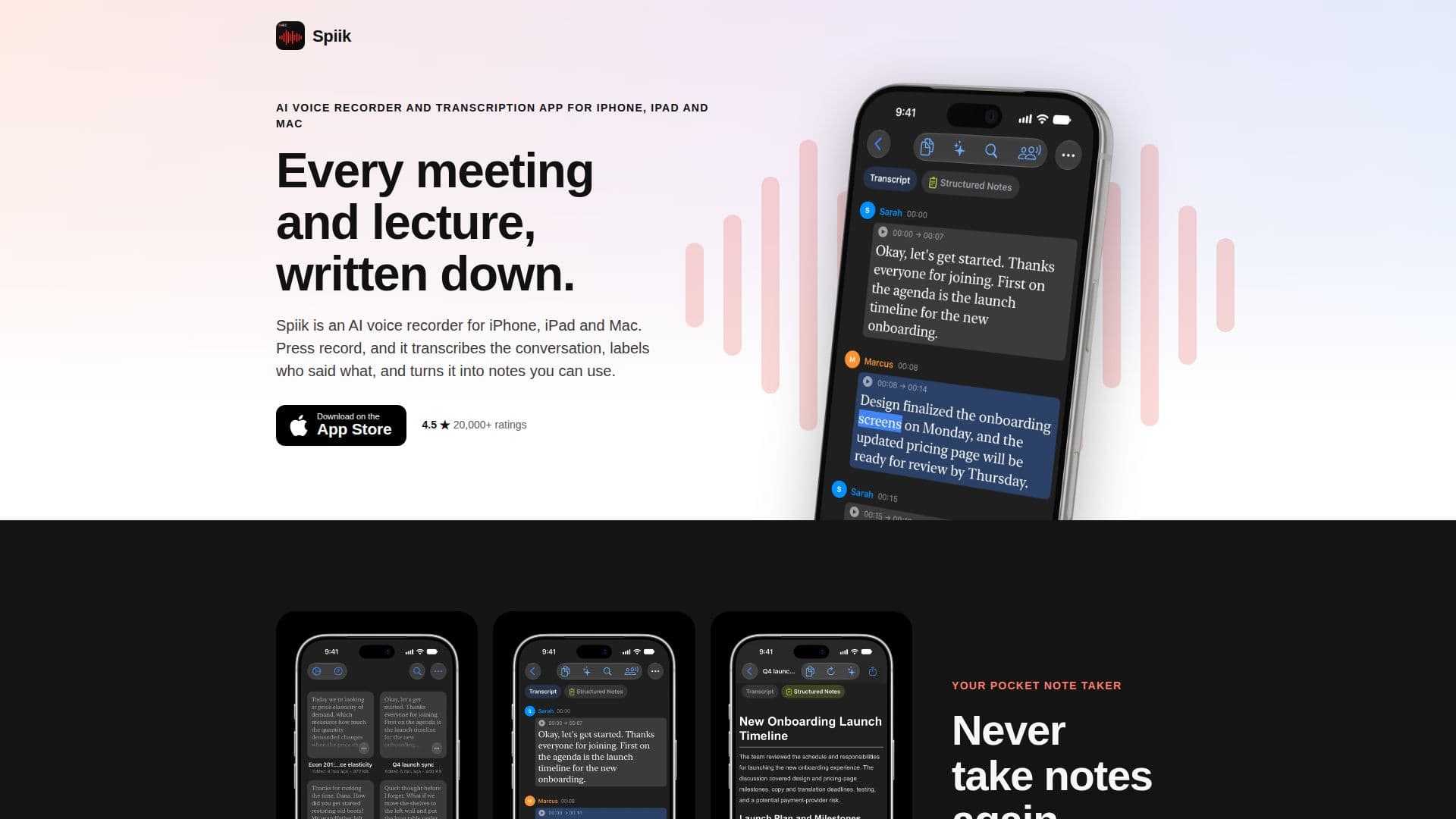
Spiik is a comprehensive AI voice recorder and transcription application designed for iPhone, iPad, and Mac users. It excels at capturing spoken content from various sources, including meetings, lectures, and interviews, and then transforming it into actionable insights. A core capability is its ability to record both sides of Zoom, Teams, and Google Meet calls on a Mac without requiring a bot to join the conversation, ensuring a seamless and private recording experience.
Read More
The application offers live transcription as you speak, allowing users to see words appear in real-time. After recording, Spiik processes the audio with a higher-quality transcriber, providing accurate transcripts in over 100 languages. Beyond transcription, it intelligently labels speakers, making it easy to follow who said what and when. This feature is particularly useful for journalists, researchers, and students who need to attribute quotes accurately.
Spiik's AI tools are a significant value proposition. From a single recording, users can generate structured notes, summaries, bullet points, key highlights, quizzes, flashcards, and mind maps. There's also an AI chat feature that allows users to ask questions about their recording, receiving answers directly from the transcript without needing to re-listen to the entire audio. This is invaluable for quickly recalling details or reviewing specific discussion points.
For students, Spiik transforms lectures into effective study sessions by automatically creating flashcards, quizzes, and mind maps based on the professor's actual words. The app supports importing existing audio and video files from various sources like Files, Photos, YouTube links, Voice Memos, and WhatsApp, making it versatile for different workflows. Users can export transcripts in multiple formats, including plain text, PDF, SRT, and VTT, or share the audio file itself.
Spiik is free to download, offering unlimited recording time and storage for up to 10 recordings, with the first 60 seconds of each transcribed. The full transcription and AI tools are available with Spiik Pro, which offers both monthly and yearly subscription options. iCloud sync is available for Pro users, allowing recordings to be accessed across all Apple devices signed in with the same Apple ID. The app has received strong positive feedback, boasting 4.5 stars from over 20,000 App Store ratings worldwide.
- CategoryAI Transcription Tools
- Pricing ModelFreemium
- DeploymentCloud
- PlatformsiPhone, iPad, Mac
Spiik's Core Features
AI voice recording for iPhone, iPad, and Mac
Live transcription during recording
AI transcription and translation in 100+ languages
Automatic speaker labeling
AI notes, summaries, and chat generation
Creation of quizzes, flashcards, and mind maps from recordings
Records both sides of Zoom, Teams, and Google Meet calls on Mac without a bot
Import audio/video from Files, Photos, YouTube, Voice Memos, and WhatsApp
Export transcripts as text, PDF, SRT, or VTT
No time limit on recording in the free version
Offline transcription on Mac with Apple silicon (Pro feature)
iCloud sync for recordings across devices (Pro feature)
Dynamic Island and Lock Screen controls for recording
Ask questions to your recording via AI chat
Generate various content formats from a single conversation
How to use Spiik?
Start Recording: Tap the blue microphone button on the home screen, check the language, then tap the red button to begin live transcription.
Save or Pause: Tap the square button to stop and save, or the pause button to temporarily halt recording. While paused, tap the checkmark to save or the red button to resume.
Import Audio: Tap '+' on the home screen, select 'Import from Files', choose your audio/video, select the language, and tap 'Transcribe'.
Generate AI Tools: Open a transcribed recording, tap the '✨ AI Tools' button, and select desired output like summary, notes, quiz, or flashcards.
Export Transcript: Open a recording, tap the share button, choose a format (text, PDF, SRT, VTT, or audio file), and select a destination.
Spiik's Use Cases
- Journalist Interviews
- Thesis Research Interviews
- Medical School Lectures
- Doctor Appointments
- Note Taking with ADHD/Dyslexia
- Sermon Transcription
- Podcast Show Notes
- Lectures in Second Language
- Ideas and Voice Notes
- Meeting Minutes