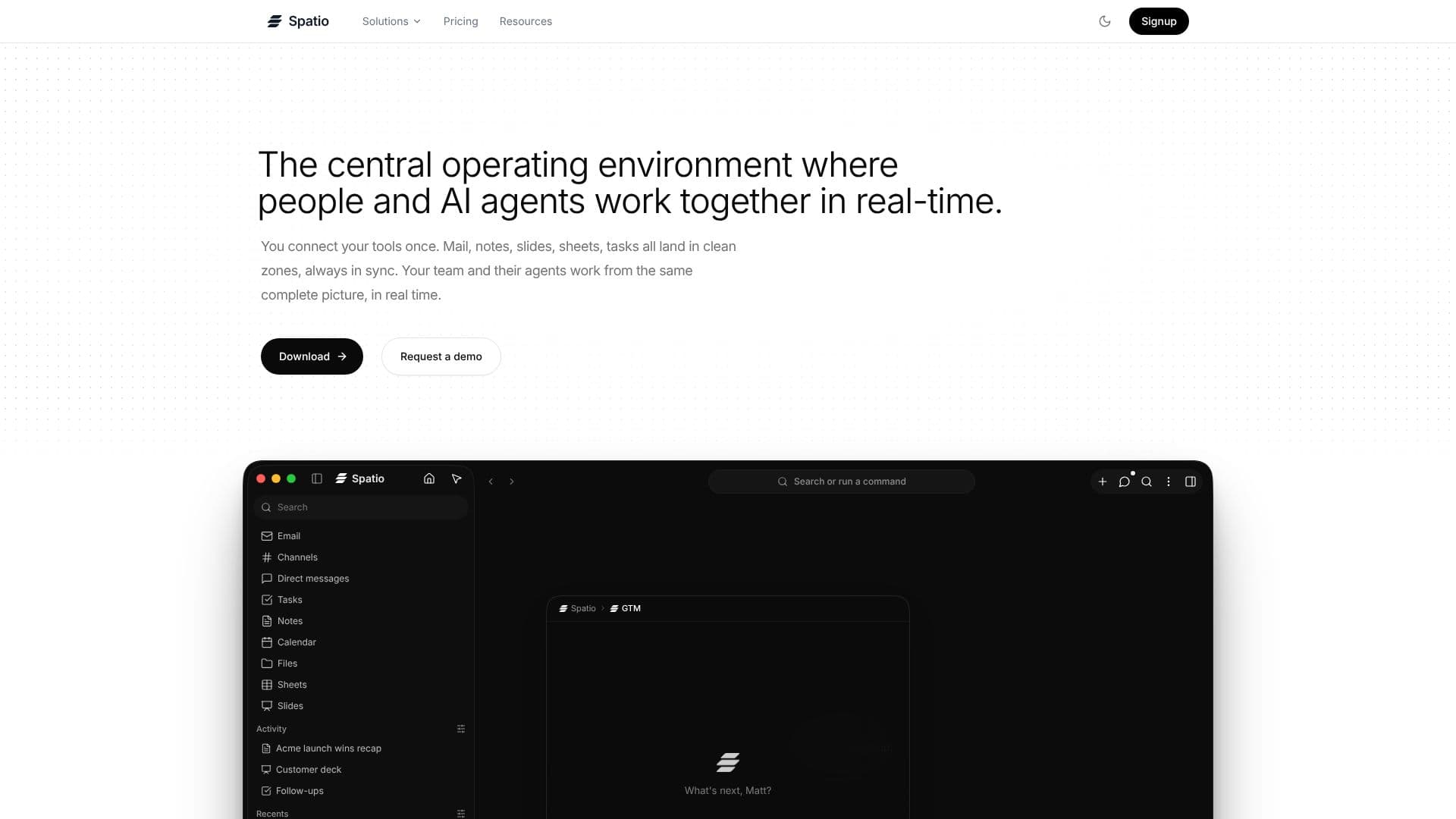
Description
Spatio offers a central operating environment designed for seamless real-time collaboration between humans and AI agents. It addresses the fragmentation of knowledge work by consolidating disparate applications such as mail, notes, slides, spreadsheets, tasks, chat, calendar, files, and code into a single, unified workspace. By connecting these tools once, Spatio ensures that all information remains consistently in sync, providing a complete and up-to-date picture for both teams and their AI assistants.
Read More
The core value proposition of Spatio lies in its ability to break down information silos. Unlike traditional approaches that bolt AI onto individual apps or pipe APIs into chat windows, Spatio centralizes the actual artifacts of knowledge work. This means notes, spreadsheets, and presentations exist as native elements within the workspace, allowing AI agents to fluidly transfer context from an email to a spreadsheet or a presentation without disrupting the user's workflow. This native integration is key to enabling agents to understand and act upon information across different applications.
Spatio's agent interaction model is designed for efficiency. Users can brief agents directly within the workspace, leveraging the 'org brain' which already contains context about the company's Ideal Customer Profile (ICP), voice, customers, and past work. This eliminates the repetitive task of re-explaining context to AI tools. Agent outputs are not just text transcripts but real, structured Spatio artifacts—documents, spreadsheets, prospect lists, draft emails, or tasks—that can be read, edited, and acted upon by the entire team. This ensures that AI-generated content is integrated seamlessly into the team's workflow and knowledge base.
Collaboration is enhanced through live, real-time updates within Spatio artifacts. When a team member or an agent makes an edit or adds a comment, these changes are visible instantly to everyone. This continuous feedback loop also enriches the 'org brain,' making subsequent agent interactions even sharper and more relevant. For developers, Spatio integrates with popular AI coding environments like Claude Code and Cursor via MCP (Meta-Cognitive Programming) configuration. This allows engineers to interact with their workspace agents, update tasks, and capture decisions directly from their editors without context switching, using features like '/sidequest' for isolated subagent sessions.
Getting started with Spatio involves downloading the application, connecting existing data providers, and beginning to populate the 'org brain' with essential business context. This includes defining the ICP, customer base, and team voice, alongside integrating core productivity tools. Every action taken within Spatio is reviewable, and crucially, no data leaves the user's workspace, ensuring security and control. Spatio aims to provide a more intelligent, integrated, and collaborative environment for knowledge work, powered by AI agents that have a deep understanding of the user's context.
- CategoryAI Agent Builders
- DeploymentCloud
- PlatformsDesktop
Spatio's Core Features
Unified workspace for humans and AI agents
Real-time collaboration on shared artifacts
Centralized storage for notes, spreadsheets, slides, email, tasks, chat, calendar, files, and code
AI agents carry context across different applications
Direct agent briefing using existing organizational context (ICP, voice, customers)
Agent outputs as structured, editable Spatio artifacts
Live cursors, comments, and edits visible to team members
Integration with AI coding environments (Claude Code, Cursor) via MCP
Isolated subagent sessions for focused tasks
Data remains within the user's workspace
Connects multiple data providers
Actionable AI outputs integrated into workflows
How to use Spatio?
Download Spatio: Install the application on your device.
Connect Providers: Link your existing tools and data sources.
Populate Org Brain: Define your ICP, team voice, and customer data.
Brief Agents: Interact with AI agents directly in the workspace.
Collaborate Live: Work with teammates and agents on shared artifacts.
Integrate with Editors: Configure MCP for seamless agent interaction in coding environments.
Review Actions: Monitor and review all agent and team activities.
Spatio's Use Cases
- Unified Project Management
- AI-Assisted Content Creation
- Real-time Team Collaboration
- Developer Workflow Integration
- Contextual AI Agent Interaction
- Knowledge Management
- Sales and Marketing Alignment