Description
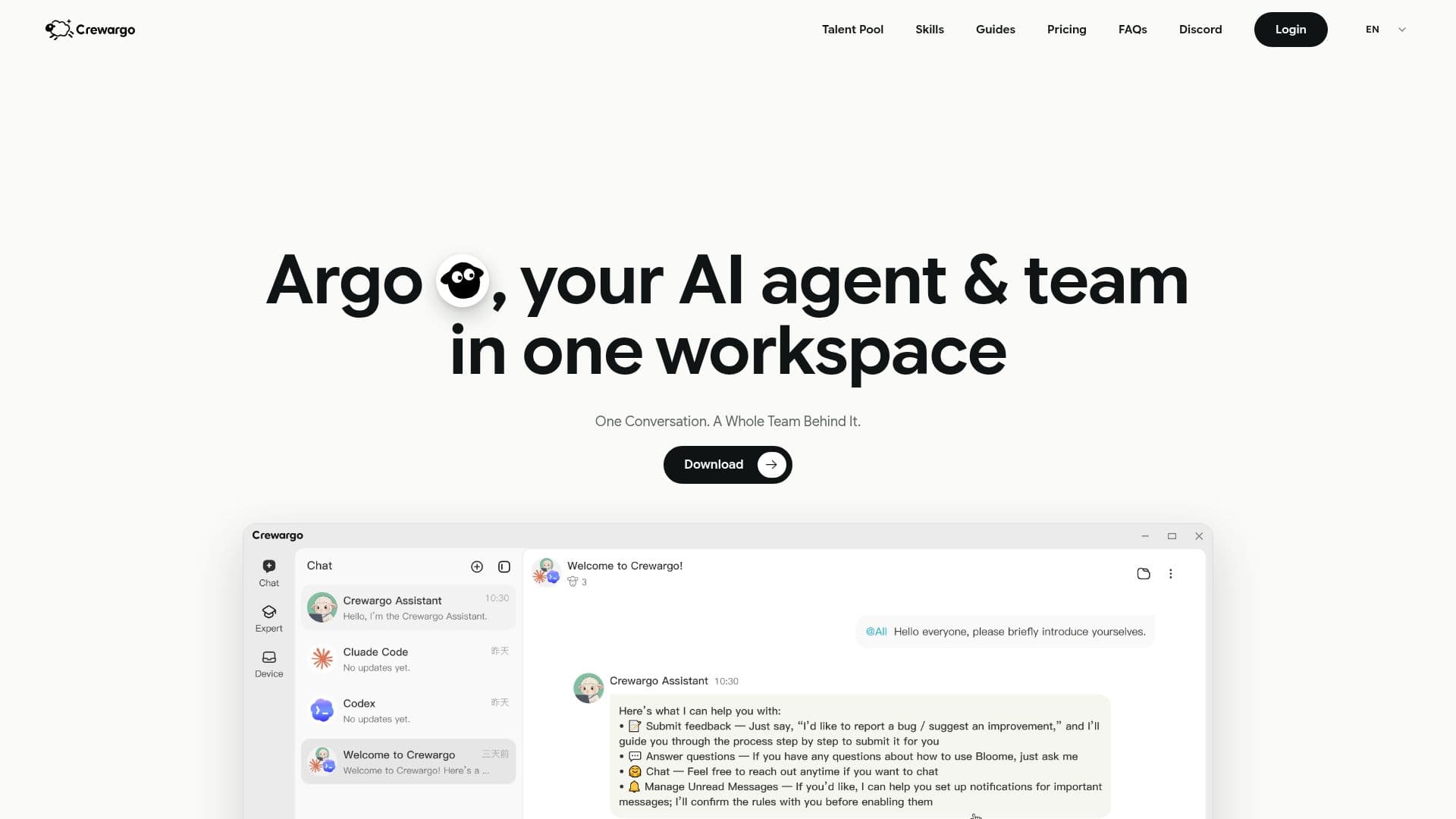
Crewargo is an innovative AI agent team workspace that transforms how teams collaborate on work, code, and data. By allowing users to delegate tasks to a single main agent, Argo, it simplifies the management of AI interactions and enhances productivity. The platform addresses common challenges faced when working with AI agents, such as the need to manage multiple chats for different tasks, copy context between conversations, and repeatedly write prompts for various agents.
Read More
At the core of Crewargo is Argo, the main agent that coordinates a team of specialist agents. This setup allows users to engage in one conversation while a whole team works behind the scenes. Each specialist agent is matched to the right model and assigned tasks based on best practices, ensuring that the right skills are applied to each job. For instance, while Claude might design solutions, Codex can review for gaps, creating a seamless workflow that feels as natural as collaborating with colleagues.
The group chat interface serves as a centralized workspace where users do not need to switch between different tabs or applications. Agents communicate and pass information among themselves within the chat, allowing for efficient task assignment and collaboration. Crewargo runs locally on users' machines, ensuring that files and workflows remain secure and centralized.
Crewargo offers flexible pricing options, including a free tier that allows users to start with their own Claude or GPT key. Paid plans provide additional features such as increased task capacity and access to premium models. The platform is designed for teams looking to leverage AI for various tasks without the overhead of managing multiple tools or subscriptions.
In summary, Crewargo is a powerful solution for teams seeking to optimize their workflows by integrating AI agents into their processes. With its user-friendly interface and robust capabilities, it enables organizations to focus on their goals while Argo and the specialist agents handle the complexities of AI management.
- CategoryAI Agent Builders
- Pricing ModelFreemium
- DeploymentLocal
- PlatformsWindows, macOS
Crewargo's Core Features
One Main Agent
Specialist Agents
Group Chat Interface
Runs Locally
Flexible Pricing Plans
Task Delegation
Model Routing
Email Support
How to use Crewargo?
Download Crewargo: Get the latest desktop build for your platform.
Install the application: Follow the installation instructions for Windows or macOS.
Configure your workspace: Sign in and set up your workspace with your preferred AI models.
Start delegating tasks: Use Argo to assign tasks to specialist agents within the group chat.
Monitor progress: Keep track of task completion and agent interactions in real-time.
Optimize your workflow: Adjust settings and configurations as needed to enhance productivity.
Crewargo's Use Cases
- Research Coordination
- Website Development
- Data Analysis
- Content Creation
- Project Management