Description
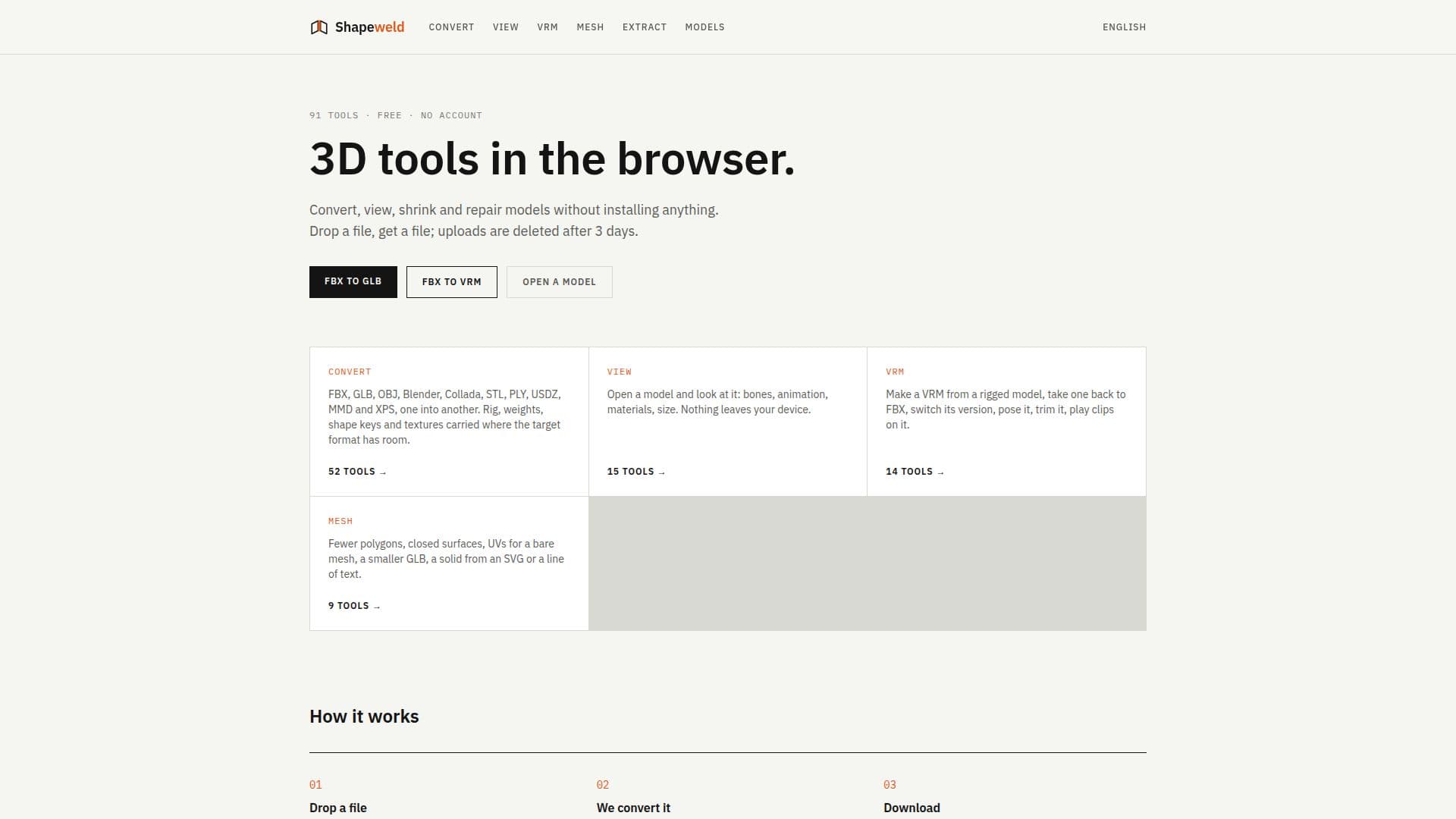
Shapeweld provides a robust collection of 91 browser-based tools designed for efficient 3D model management. Users can convert, view, shrink, and repair 3D models directly in their web browser without the need for any software installation or account creation. The platform supports a wide array of popular 3D formats, including FBX, GLB, OBJ, Blender, Collada, STL, PLY, USDZ, MMD, and XPS, allowing for seamless conversion between them while preserving rigs, weights, shape keys, and textures where the target format allows.
Read More
The service operates by allowing users to simply drop a file, which is then processed on Shapeweld's servers, utilizing Blender and proprietary converters. Most conversions are completed within a minute, and the platform informs users about any elements that could not be carried over to the new format. For viewing models, Shapeweld offers 15 dedicated tools that run entirely on the user's device, ensuring that nothing is uploaded and maintaining privacy. Uploaded files for conversion are stored on a server in New York and are automatically deleted after three days.
Beyond basic conversion and viewing, Shapeweld offers specialized tools for VRM avatars, enabling users to create VRMs from rigged models, convert them back to FBX, switch versions, pose, trim, and play clips. The mesh tools allow for polygon reduction, surface closing, UV unwrapping, GLB compression, and even creating 3D solids from SVG files or text. Additionally, the platform includes tools for repairing meshes by merging doubles, dropping loose geometry, filling holes, and turning normals outward, which is particularly useful for preparing models for 3D printing.
Shapeweld also functions as an MCP server, allowing developers to integrate its 3D conversion capabilities into agents like Claude, ChatGPT, and Cursor. This API access provides tools for listing conversions, checking format compatibility, initiating conversions, monitoring job status, and retrieving download links. The developer API adheres to the same limits and 3-day retention policy as the web interface, ensuring consistent service and data privacy. With its comprehensive features and user-friendly approach, Shapeweld caters to a broad audience, from individual designers to developers seeking automated 3D processing.
- CategoryDesign & Creative
- Pricing ModelFree
- DeploymentCloud
- PlatformsWeb
Shapeweld's Core Features
3D Model Conversion (52 tools)
3D Model Viewing (15 tools)
VRM Avatar Tools (14 tools)
Mesh Optimization and Repair (9 tools)
File Extraction from Unity Packages
Support for FBX, GLB, OBJ, Blender, Collada, STL, PLY, USDZ, MMD, XPS, 3MF, DAE, 3DS, 3DM, VOX, PMX, G-code
No Account Required
No Software Installation Needed
Files Deleted After 3 Days
Browser-Based Operation
API for Developers (MCP server)
GLB Compression (Draco)
Mesh Decimation and LOD Generation
Automatic UV Unwrapping
SVG to 3D Model Conversion
3D Text Generation
How to use Shapeweld?
Drop a file: Upload your 3D model file (up to 100 MB) directly into the browser interface.
Select a tool: Choose from conversion, viewing, VRM, or mesh tools based on your needs.
Configure options: For conversions, review what elements (rig, textures) will be carried over to the target format.
Process the file: The tool will convert or process your file on Shapeweld's servers.
Download or view: Once processed, download the resulting file or open it in a browser-based viewer.
Integrate with agents: For developers, connect your AI agent (e.g., Claude, ChatGPT) to the MCP server endpoint to automate 3D conversions.
Shapeweld's Use Cases
- 3D Model Format Conversion
- Online 3D Model Viewing
- VRM Avatar Creation
- Mesh Optimization for Performance
- 3D Model Repair for Printing
- Automated 3D Asset Processing
- Creating 3D from 2D
- Extracting Unity Package Assets