Description
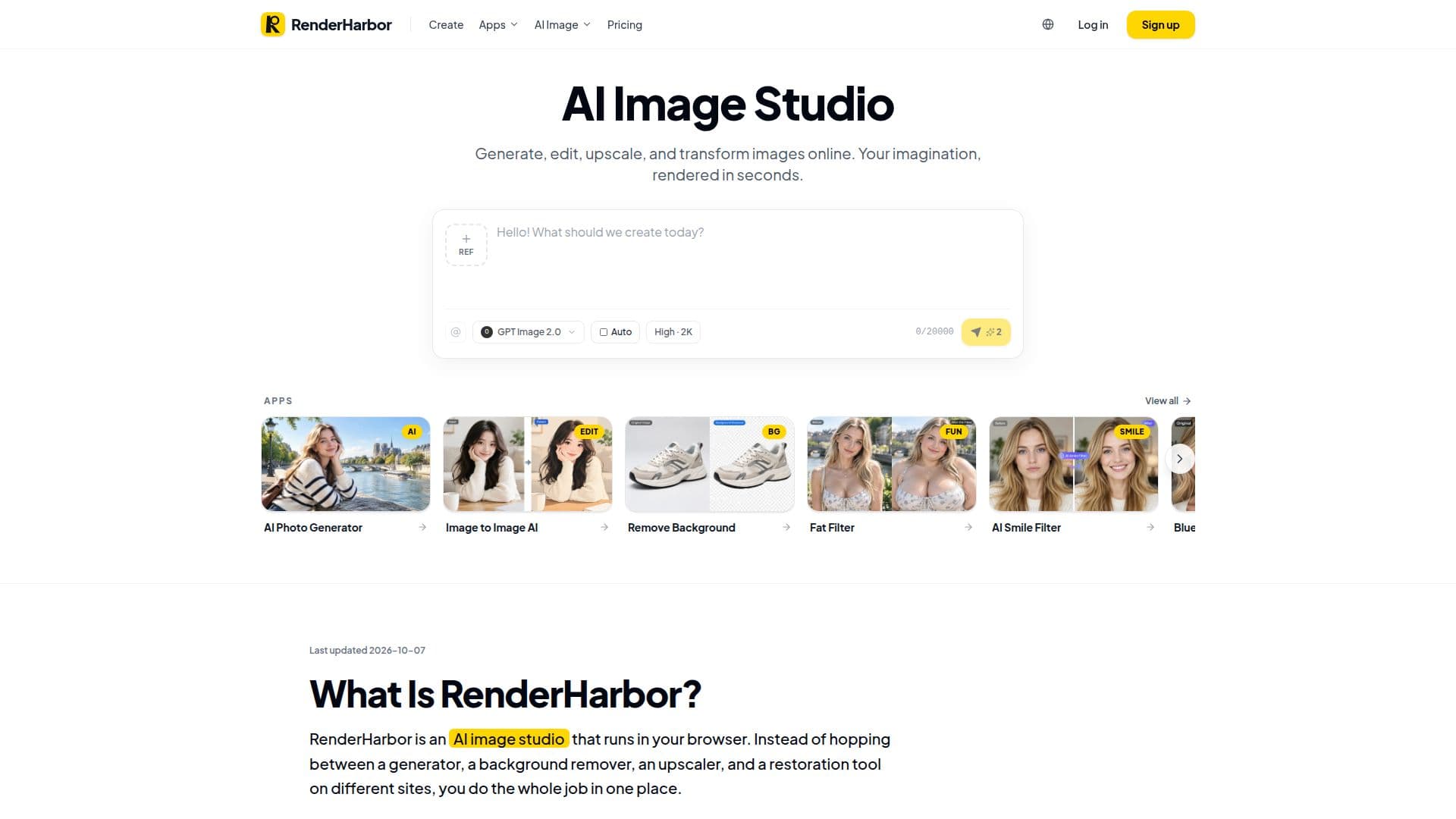
RenderHarbor is an all-in-one AI image studio accessible directly in your browser, eliminating the need for multiple separate tools or desktop software installations. This platform streamlines various image-related workflows, from generating new visuals to refining existing ones. It caters to a diverse audience, including creators, marketers, e-commerce sellers, and individuals looking to fix personal photos, providing a unified environment for all image tasks.
Read More
The studio's core functionality revolves around four main families of work: Generate, Edit, Enhance, and Utilities. The 'Generate' feature allows users to create new images from text descriptions or modify existing photos using an image-to-image AI workflow. This is ideal for conceptualizing scenes that don't yet exist or transforming specific elements of a photograph while maintaining the subject's identity.
Under 'Edit', RenderHarbor offers tools for background removal, image extension to add canvas, and text edits within images. The 'Enhance' category includes AI image upscaling, general image enhancement, and old photo restoration, enabling users to improve detail, clarity, and color in their visuals. Finally, 'Utilities' provides browser-only jobs like image splitting, ensuring that certain files are never uploaded, prioritizing user privacy.
RenderHarbor supports a wide range of styles, including product stills, portraits, travel scenes, poster looks, and various illustration styles. It emphasizes concrete prompts for better results and ensures that photo-editing apps generally lock framing and subject scale unless an extension is specifically requested. The platform offers a free tier with starter credits and daily limits, allowing users to try out its capabilities without signing up. For higher volume, additional models, and 4K output, Pro plans are available, which also include commercial licenses for generated images.
This integrated approach means users can perform tasks like generating product images before a product arrives, testing visual concepts for campaigns, or quickly fixing personal photos without needing extensive design experience. RenderHarbor aims to be the go-to solution for anyone needing efficient and versatile image manipulation directly from their web browser.
- CategoryImage Generation & Editing
- Pricing ModelFreemium
- DeploymentCloud
- PlatformsWeb Browser
RenderHarbor's Core Features
Text-to-Image Generation
Photo-to-Photo Editing (Image to Image AI)
Background Removal
Image Upscaling
Old Photo Restoration
Image Enhancement
Edit Text in Image
Image Extension (AI Extend)
AI Photo Generator
AI Smile Filter
Blue Eye Filter
AI Body Editor
Ghost Mannequin for E-commerce
Virtual Try-On
Image Split Utility
How to use RenderHarbor?
Describe or Upload: Type a detailed description for a new image, or upload an existing photo to modify.
Generate in Browser: Run the generator to create or transform the image without installing any software.
Refine with Tools: Use specific apps like background remover or upscaler for targeted edits.
Compare and Download: Review the results, compare before/after with a slider, and download the HD version after signing in.
RenderHarbor's Use Cases
- Generate Campaign Images
- Create E-commerce Product Photos
- Restore Old Family Photos
- Design Social Media Thumbnails
- Edit Existing Photos
- Upscale Images for Print
- Remove Image Backgrounds
- Extend Image Canvas
- Virtual Clothing Try-On