
Description
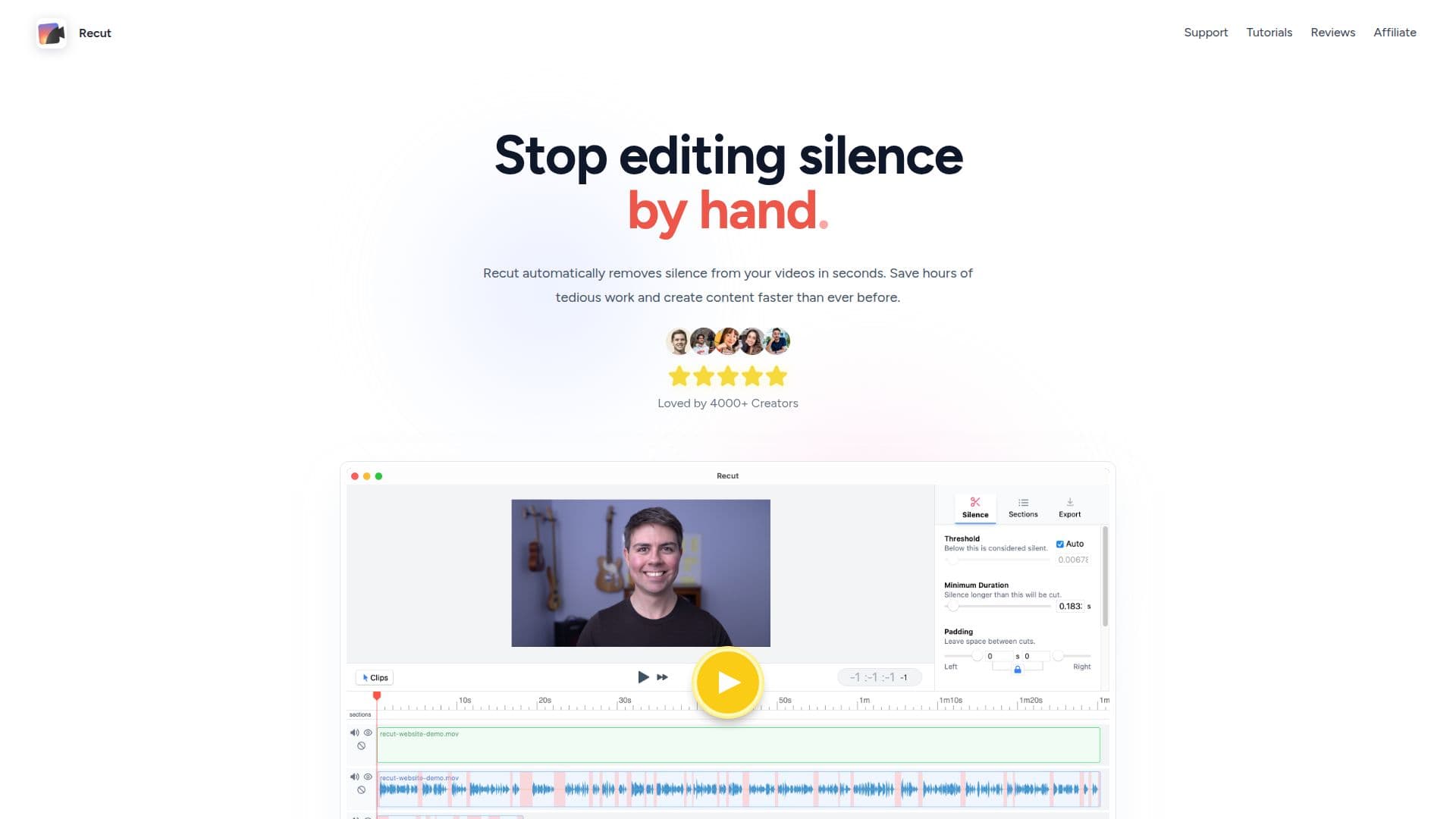
Recut is an innovative automatic video editor designed to streamline the editing process by removing silence from videos. This tool is particularly beneficial for creators who produce 'talking head' style videos, as it significantly reduces the time spent on editing. By automatically detecting and cutting out silent parts, Recut allows users to focus on the creative aspects of video production.
The software is compatible with both Mac and Windows platforms, making it accessible to a wide range of users. It supports multi-track editing, allowing for seamless integration with multiple cameras and microphones. Users can export their edited videos to popular editing software such as Adobe Premiere Pro, DaVinci Resolve, and Final Cut Pro, ensuring flexibility in the editing process.
Recut offers a non-destructive editing experience by generating a cut list that can be exported as an XML file. This feature enables users to make further adjustments in their preferred editing software without losing any original footage. The tool is available as a one-time purchase, eliminating the need for ongoing subscriptions, and comes with a 30-day money-back guarantee.
For those interested in trying Recut, a free trial is available, providing full functionality without a watermark and allowing for three exports without requiring a credit card. This trial period gives users the opportunity to experience the tool's capabilities before committing to a purchase.
Overall, Recut is a valuable tool for video creators looking to enhance their editing efficiency and focus more on storytelling and creative elements. Its ability to quickly remove silence and integrate with major editing platforms makes it a game-changer in the video editing industry.
Recut's Core Features
Automatic silence removal
Customizable sensitivity
Multi-track support
Exports to Premiere, Resolve, Final Cut Pro
Non-destructive editing
One-time purchase
30-day money-back guarantee
Free trial available
How to use Recut?
Install: Download and install Recut on your computer
Import: Load your video files into Recut
Edit: Automatically remove silence and create a cut list
Export: Save the edited video or export to your preferred editor
Recut's Use Cases
- YouTube video editing
- Vlog creation
- Podcast video editing
- Corporate video production
- Educational content creation