
Description
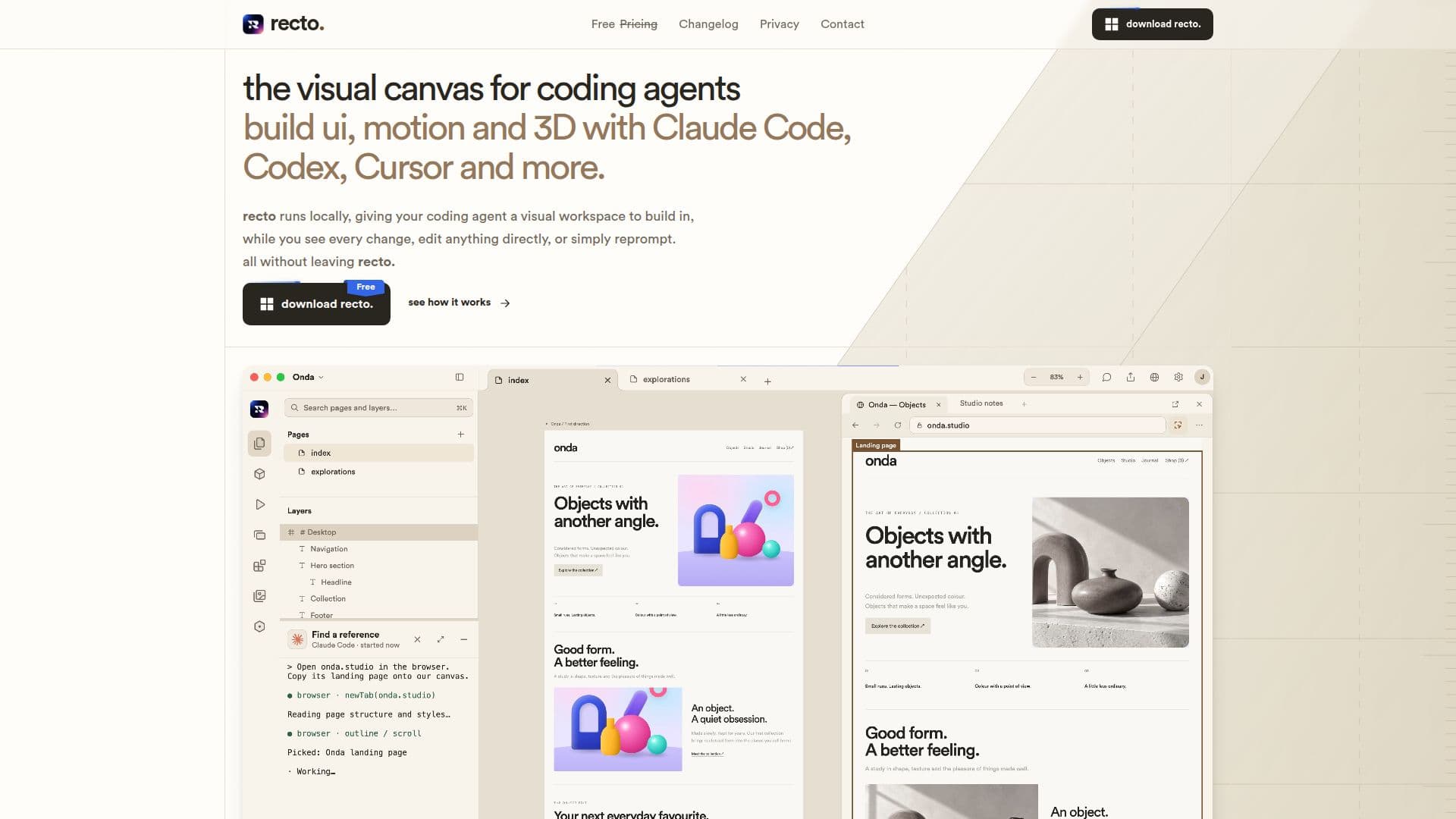
Recto provides a dedicated visual canvas for AI coding agents, transforming how users interact with AI in design and development. This native desktop application, available for Windows, Mac, and Linux, allows users to design user interfaces, motion graphics, and 3D elements directly on a real canvas. It integrates seamlessly with various coding agents, including Claude Code, Codex, Cursor, and OpenCode, enabling a collaborative workflow where AI agents can code and users can design alongside them.
Read More
The platform emphasizes local operation for enhanced speed and privacy, ensuring that user work remains on their computer. Recto facilitates a process from prompt to pixels, offering a versatile canvas that supports multiple versions of an idea. Users can point to elements, make improvements, copy designs, and ensure consistency across projects with its integrated design system. Underneath its visual interface, Recto generates real HTML and CSS, providing a practical foundation for web development.
Key capabilities include the ability to edit agent-created designs, generate real code, and import existing designs. The tool is designed to be intuitive, allowing users to interact with objects from various angles and create distinctive designs. Recto is offered for free, with all updates provided at no additional cost and installed automatically upon quitting the application. It aims to provide coding agents with the same level of visual design environment that tools like Figma offer to human designers, bridging the gap between AI-driven code generation and interactive visual design.
- CategoryDesign & Creative
- Pricing ModelFree
- DeploymentDesktop Application
- PlatformsWindows, Mac, Linux
Recto's Core Features
Visual canvas for AI agents
Build UI, motion, and 3D designs
Integrates with Claude Code, Codex, Cursor, and OpenCode
Local operation for speed and privacy
Edit agent-created designs
Generates real HTML & CSS
Supports design systems for consistency
Import existing designs
Free to use
Free updates
Available on Windows, Mac, and Linux
Zen mode and Command+K shortcuts
How to use Recto?
Install Recto: Download and install the native desktop application on your Windows, Mac, or Linux system.
Connect Agents: Integrate your preferred coding agents such as Claude Code, Codex, Cursor, or OpenCode.
Design Visually: Use the visual canvas to create UI, motion, and 3D elements with direct manipulation.
Collaborate with AI: Guide your AI agent to generate and refine code while you visually design.
Edit and Refine: Modify and improve designs created by your AI agent or import existing projects.
Export Code: Utilize the generated real HTML and CSS for your web development projects.
Recto's Use Cases
- UI Design with AI
- Motion Graphics Creation
- 3D Design Integration
- Code Generation from Design
- Design System Implementation
- Rapid Prototyping
- Cross-Platform Development