Description
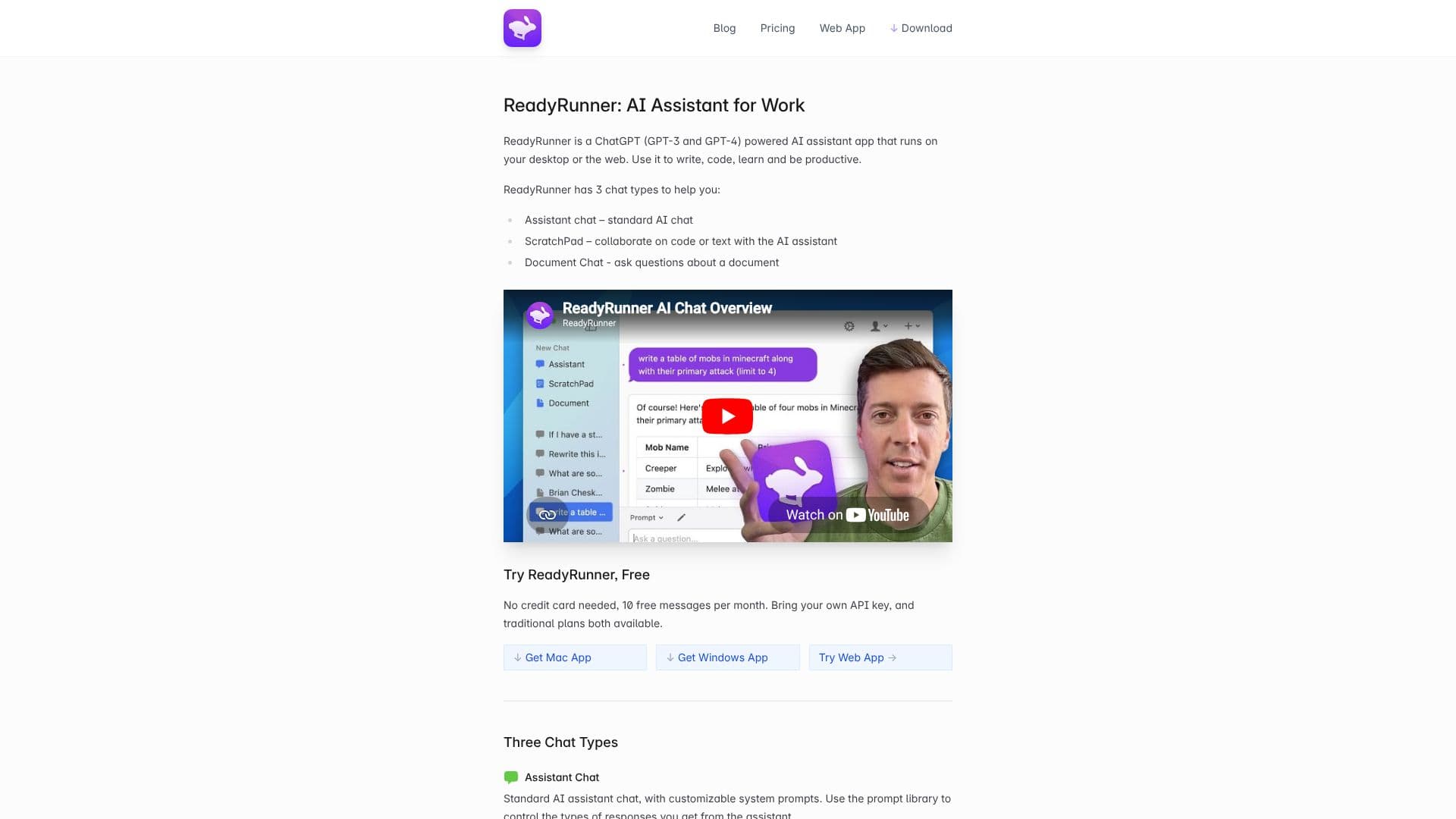
ReadyRunner GPT Chat for Desktop is an AI assistant application designed to enhance productivity for users working with text and code. Leveraging the power of GPT-3 and GPT-4, ReadyRunner provides a versatile platform accessible both on your desktop and via the web. Its core functionality is built around three distinct chat types, each tailored for specific workflows.
Read More
The Assistant Chat offers a standard AI chat experience, enhanced with customizable system prompts. These prompts, sent as system messages (a feature available in ChatGPT APIs but not the website), allow users to influence the assistant's responses for tasks like translation, summarization, coding, and debugging. A prompt library is available to help users select and utilize these powerful tools.
ScratchPad is designed for collaborative work. It features an editable text pane alongside the chat interface, enabling users to ask the AI assistant questions about the content, request edits, or work on code. This mode simulates a collaborative document editing session with an AI partner. The interface streams messages from the top, making it easier to read compared to systems that stream from the bottom.
Document Chat allows users to upload long or complex documents and then query the AI assistant about their content. The AI scans the document and provides answers based on its findings, with the ability to view relevant text portions to verify accuracy. This feature is akin to having an AI assistant read and summarize documents for you.
ReadyRunner also boasts several other features to improve user experience. Global Hotkey Access allows instant activation of the app from anywhere on the system, minimizing workflow interruptions. Assistant Memory is made explicit with visual indicators, and users can clear memory with a dedicated button to ensure fresh contexts. The multi-line composer expands automatically and supports quick new lines and message history access. Users can switch between GPT-3 and GPT-4 models, even mid-conversation. A free tier offers 10 messages per month without requiring a credit card, with options to use a personal API key or traditional paid plans.
- CategoryAI Personal Assistants
- Pricing ModelFreemium
- DeploymentDesktop & Web
- PlatformsMac, Windows, Web
ReadyRunner GPT Chat's Core Features
ChatGPT (GPT-3 & GPT-4) powered AI assistant
Desktop and web application availability
Three distinct chat types: Assistant Chat, ScratchPad, Document Chat
Customizable system prompts for tailored AI responses
Prompt library for various tasks (translation, summarization, coding, etc.)
ScratchPad for collaborative text and code editing
Document Chat for querying uploaded documents
Global hotkey access for instant activation
Explicit assistant memory management
Multi-line message composer with history
GPT-3 and GPT-4 model switching
Free tier with 10 messages per month
Option to use personal API key
Traditional paid plans available
How to use ReadyRunner GPT Chat?
Access: Download the Mac or Windows app, or use the web app.
Select Chat Type: Choose between Assistant Chat, ScratchPad, or Document Chat.
Interact: Type your query or paste/upload your document.
Collaborate: Use ScratchPad for real-time text and code editing with the AI.
Query Documents: Upload documents and ask specific questions in Document Chat.
Customize Responses: Utilize system prompts from the library to guide AI output.
Switch Models: Change between GPT-3 and GPT-4 models as needed.
ReadyRunner GPT Chat's Use Cases
- Content Creation
- Code Development
- Document Analysis
- Learning and Research
- Productivity Enhancement
- Summarization
- Translation