Description
QualityLayer is a comprehensive platform designed to streamline the software development lifecycle by integrating with existing coding agents. It empowers both individual developers and teams to plan, build, and review software efficiently. The platform emphasizes a structured workflow, starting with visual planning and progressing through tested implementation to independent review, ensuring quality by design.
Read More
Users can leverage their existing agent logins or API keys, working with models like Claude Code, Codex, Cursor, Antigravity, Pi, OpenCode, Grok, and GitHub Copilot. QualityLayer runs locally on macOS, Windows, and Linux, ensuring that code, plans, artifacts, and agent output remain on the user's computer. Shared tasks, documents, and comments are encrypted locally, maintaining data privacy and security.
The platform offers a flexible workflow, allowing users to start with free-form chat for small changes and bugs, or initiate a structured task with a plan, checks, and final review for features or bug fixes. It supports both individual and team use, with the Team plan adding shared plans, Slack/email questions, and collaborative code review. Product managers can use it for product briefs, while engineers can create technical plans.
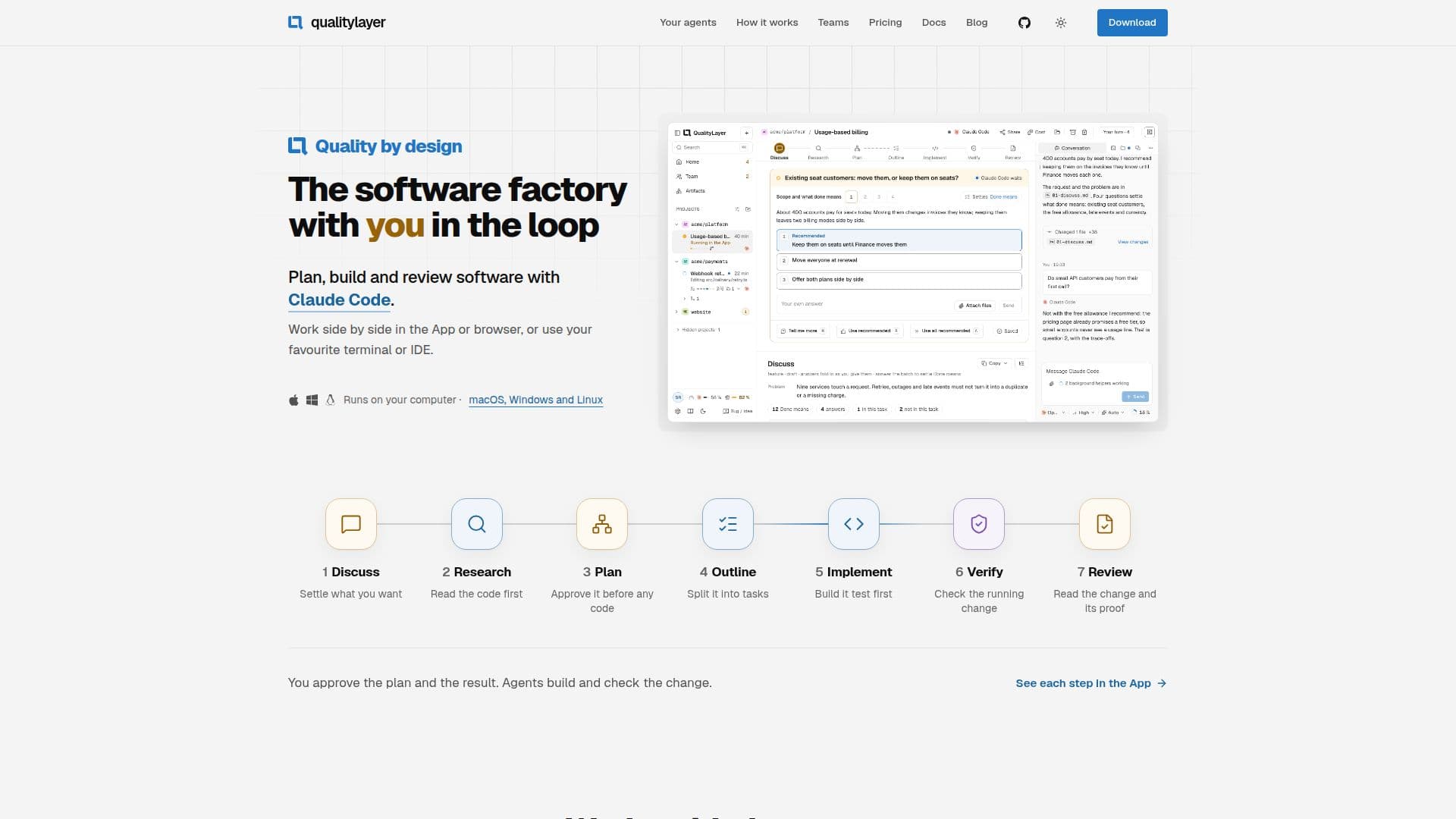
QualityLayer's process involves several key steps: Discuss, Research, Plan, Outline, Implement, Verify, and Review. Users approve the plan before building and the finished change after checking, with the agent handling intermediate tasks and only asking for human input when necessary. The platform integrates project checks, security scans, and independent agent reviews to ensure code quality and adherence to requirements. Every decision, document, and test run is recorded and stored with the change, providing a complete audit trail.
Pricing plans include Solo for individual developers and Team for collaborative environments, both offering unlimited tasks, repositories, and agents. An Enterprise plan is available for custom hosting, single sign-on, and volume pricing. QualityLayer charges only for its service, with AI usage billed through the user's existing agent subscriptions or API accounts. A 7-day trial is available to explore the platform's capabilities.
- CategoryAI Coding Assistants
- Pricing ModelFreemium
- DeploymentLocal (macOS, Windows, Linux)
- PlatformsmacOS, Windows, Linux
QualityLayer's Core Features
Plan, build, and review software with coding agents
Supports existing AI models and subscriptions (e.g., Claude Code, Codex, GitHub Copilot)
Runs locally on macOS, Windows, and Linux
Visual planning and diagramming
Tested implementation with project checks and security scans
Independent agent review of code changes
Two-step approval process: plan and finished change
Chat mode for free-form work and task conversion
Feature and Bugfix workflows with structured planning
Team collaboration with shared plans and code review
Integration with terminal and IDEs via CLI
Data privacy: code and plans stay on your computer
Encrypted shared tasks, documents, and comments
Detailed task documents (Markdown files) stored in repository
Support for Engineering and Product workflows
How to use QualityLayer?
Download and Install: Get the QualityLayer App for macOS, Windows, or Linux, or install the command line interface.
Connect Coding Agent: Link your existing coding agent using your login or API key.
Start a Task: Choose to chat for free-form work or start a structured Feature/Bugfix task with a plan.
Define and Plan: Discuss requirements with your agent, review diagrams and clickable designs, then approve the plan.
Build and Implement: Your agent builds test-first, breaking the plan into small, testable tasks and fixing failures.
Verify and Review: Project checks and independent agents verify the change against the plan; you review the code and approve.
Manage Changes: Your agent handles failing checks and review comments, and you control the merge to your repository.
QualityLayer's Use Cases
- Software Development Planning
- Code Implementation
- Code Review and Verification
- Bug Fixing
- Team Collaboration
- Product Brief Generation
- Security Audits
- Developer Productivity
- Project Documentation