
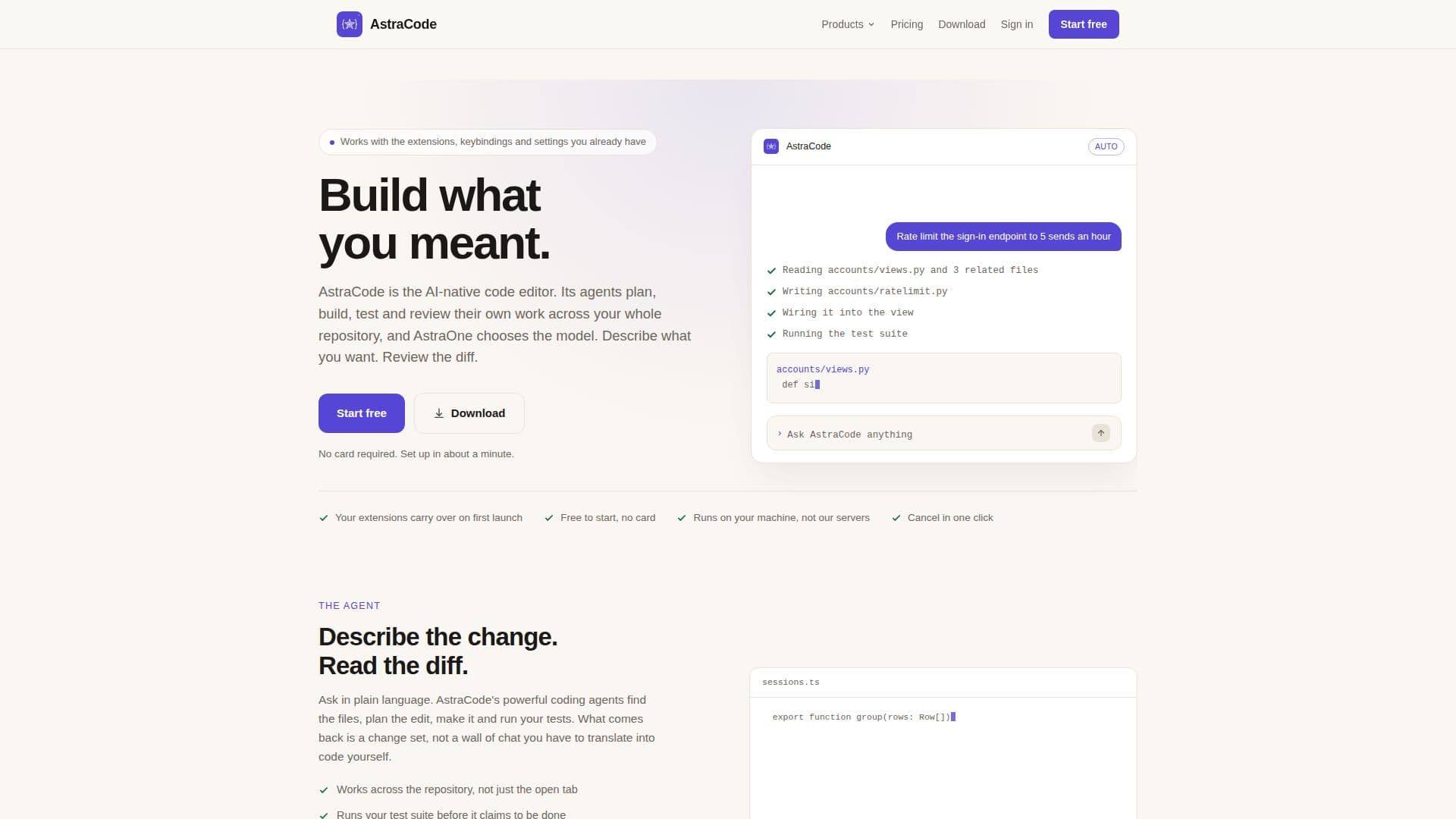
Description
AstraCode is a sophisticated AI-native code editor designed to streamline the coding process by automating planning, editing, testing, and reviewing tasks. It leverages powerful AI agents to manage code across entire repositories, allowing developers to describe desired outcomes in plain language. The platform then provides a diff for review before any changes are implemented.
Read More
AstraCode stands out by using AstraOne, an intelligent system that selects the most suitable AI model for each task. This eliminates the need for developers to manage model lists, as AstraOne automatically escalates to stronger models if initial checks fail. The editor supports integration with existing extensions, keybindings, and settings, ensuring a smooth transition for users.
The pricing model is flexible, starting with a free tier that requires no credit card. Paid plans include Pro at $20 per month, Pro+ at $60, Ultra at $200, and Teams from $30 per user. These plans offer varying levels of usage headroom, catering to different developer needs.
AstraCode operates locally on your machine, ensuring privacy by not uploading code to external servers. It supports macOS and Linux natively, with Windows integration available through extensions. The tool also functions in terminal environments and CI pipelines, making it versatile for various development workflows.
The editor's agents can handle larger, autonomous tasks by running several agents in parallel, each within its own git worktree. This capability allows for efficient task management and execution. AstraCode also supports the use of personal API keys, providing flexibility in model selection and usage tracking.
Overall, AstraCode offers a comprehensive solution for developers seeking to enhance their coding efficiency through AI-driven automation, while maintaining control and privacy over their code.
- CategoryAI Coding Assistants
- Pricing ModelFreemium
- DeploymentLocal
- PlatformsmacOS, Linux, Windows
AstraCode's Core Features
AI-native code editing
Automated planning and testing
AstraOne model selection
Integration with existing tools
Local execution for privacy
Flexible pricing tiers
Parallel agent execution
Support for personal API keys
Cross-platform compatibility
Diff review before changes
How to use AstraCode?
Install: Download AstraCode for your platform
Configure: Import existing settings and extensions
Use: Describe changes and review diffs
Optimize: Utilize AstraOne for model selection
AstraCode's Use Cases
- Automated Code Review
- Continuous Integration
- Collaborative Development
- Privacy-Conscious Coding
- Model Optimization