
Description
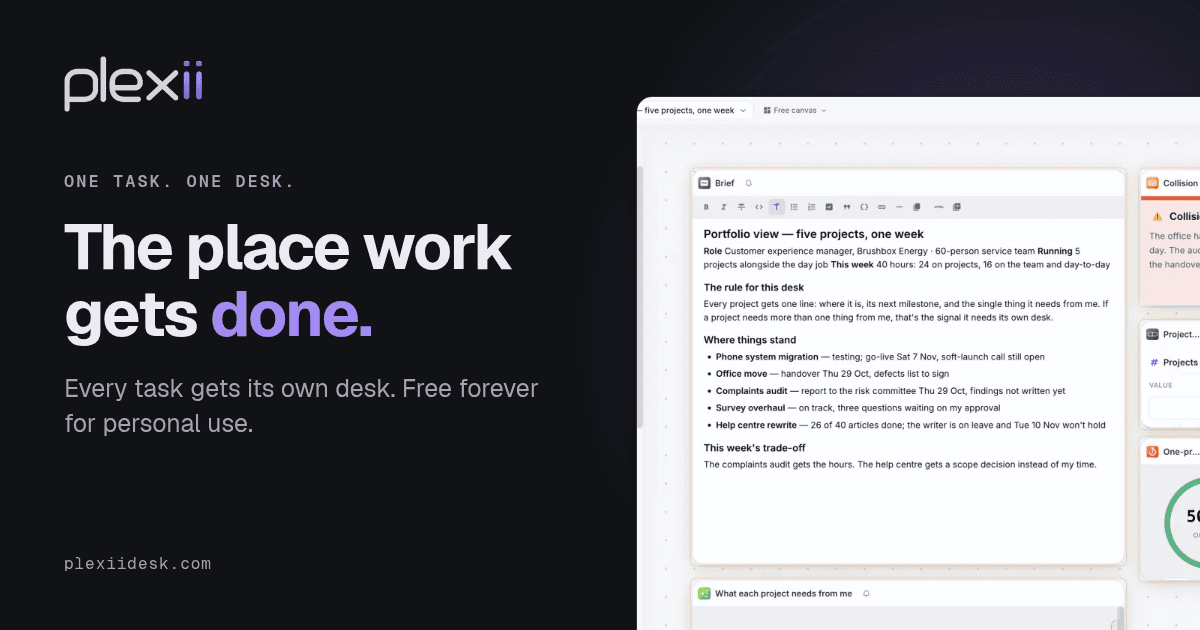
Plexii is a desktop application designed for Mac and Windows, offering a distinctive approach to task management by providing a dedicated "desk" for each piece of work. This innovative workspace consolidates all necessary tools and information onto a single canvas, including documents, sheets, slides, a built-in browser, and notes. The core idea is to eliminate clutter by keeping everything related to a specific task in one view, allowing users to close a desk and revisit it later with all elements precisely where they were left.
Read More
The application features a comprehensive office suite, referred to as PlexiiOffice, which includes tools like PlexiiWrite for documents, PlexiiCells for spreadsheets, PlexiiDeck for presentations, and PlexiiDraw and PlexiiDesign for creative work. A key component is the Plexii assistant, an AI that understands your files and provides grounded answers, asking for consent before making changes. Users can choose to use their own Anthropic API key or utilize the AI credits included with every Plexii plan, ensuring privacy by not using prompts for training.
Plexii emphasizes a local-first storage approach, meaning your work resides on your machine first, with optional syncing to your account for collaboration and device consistency. This design allows users to start working offline. The platform supports various organizational features such as "Desks" and "Rooms" for structuring work, along with "Work widgets" and "Table views" for flexible layouts. It also includes communication tools like meetings, chat, calls, and mail, alongside features for e-signatures (PlexiiSign) and team management.
Plexii offers a "Free forever" plan for personal use, which includes up to three desks, the full office suite, the Plexii assistant with 100 AI credits per month (running on Claude Haiku), and sync across up to three devices. Paid plans like Pro, Pro+, and Team offer unlimited desks, more AI credits, advanced Claude models (Sonnet, Opus), live co-editing, shared workspaces, and administrative features. Enterprise plans provide custom AI credits and models, self-hosting options, data residency, and migration support. The platform is available for download on Mac (Apple Silicon and Intel) and Windows (10/11, including Arm via emulation, with a native Arm build coming soon).
- CategoryAI Knowledge Management
- Pricing ModelFreemium
- DeploymentDesktop App
- PlatformsMac, Windows
Plexii's Core Features
Dedicated Desks for Each Task
Integrated Office Suite (PlexiiWrite, PlexiiCells, PlexiiDeck, PlexiiDraw, PlexiiDesign)
AI Assistant with File Knowledge
Local-First Storage and Sync
Built-in Browser
Grounded AI Answers with Citations
Review-and-Apply Cards for AI Actions
Support for Personal Anthropic API Key or Included AI Credits
Calendar and Day Planning
Meetings, Chat, and Calls (PlexiiCall, PlexiiChat, PlexiiCam)
Mail and E-signatures (PlexiiMail, PlexiiSign)
Team Collaboration and Shared Workspaces
Focus Timers (Pomodoro or Free-form)
Voice Interaction with Desks
Customizable Desk Layouts (Canvas, Workcentre, Columns, List, Table)
How to use Plexii?
Download and Install: Get the Plexii desktop app for Mac or Windows from the official download page.
Create an Account: Sign in or create a new account to enable work syncing across devices and access AI credits.
Make Your First Desk: Click the 'New desk' button or use a template to start a new workspace for a task.
Add Work Widgets: Drag and drop work widgets like documents, sheets, or a browser onto your desk from the side menu.
Arrange Your Workspace: Lay out widgets freely on the canvas, pan in any direction, or use auto-arrange options.
Interact with AI Assistant: Click the round Plexii button to type or hold it to talk, getting assistance grounded in your files.
Manage Tasks and Focus: Use the calendar for planning, focus timers for concentration, and rooms to organize desks.
Collaborate and Share: Upgrade to a paid plan to share desks, co-edit, and manage teams within a shared organization workspace.
Plexii's Use Cases
- Project Management
- Content Creation
- Financial Reconciliation
- Client Services
- Academic Research
- Team Collaboration
- Personal Productivity
- Sales & Business Development
- HR & Onboarding
- Event Planning