Description
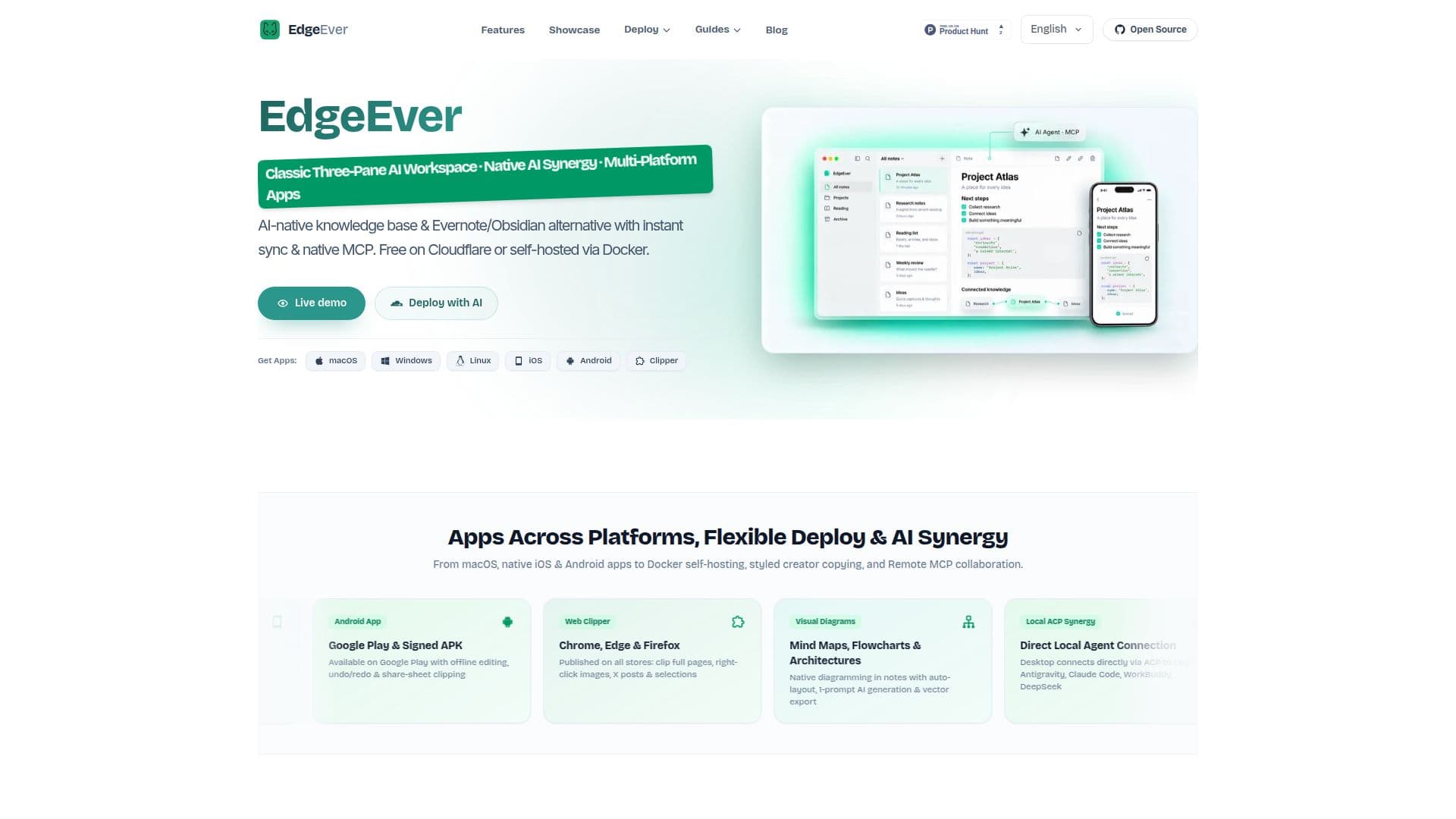
EdgeEver is an open-source, AI-native knowledge base and modern notes workspace, serving as a self-hosted alternative to tools like Evernote and Obsidian. It provides a classic three-pane productivity workflow, featuring Tree View, Note List, and Editor, accessible across a wide range of platforms including macOS, Windows, Linux, native iOS (SwiftUI), Android, and a full-featured Web Clipper for browsers like Chrome, Edge, and Firefox.
Read More
The platform emphasizes flexibility in deployment, allowing users to run it within Cloudflare's free tier, which typically supports up to 150,000 notes and 50,000 images for personal use, or self-host it via Docker on a VPS, NAS, or private server for scalable storage. This approach eliminates ads, device caps, and expensive subscriptions, focusing on a fast, open, and private "second brain" experience.
EdgeEver integrates AI synergy through its native ACP (Agent Communication Protocol) and MCP (Multi-Agent Communication Protocol) protocols. The persistent companion sidebar supports multi-chat threads and instant text selection actions, enabling features like explain, translate, proofread, and rewrite. Desktop clients can connect directly to local coding agents such as Codex, Antigravity, Claude Code, WorkBuddy, and DeepSeek, while Remote MCP facilitates external AI agents to read and organize notes.
Key capabilities include native diagramming for mind maps, flowcharts, and architecture diagrams directly within notes, complete with one-prompt AI generation and auto-layout. Notes support both rich text and Markdown, with unlimited nesting depth, focus mode, and customizable light/dark CSS presets. Users can also perform one-click styled copy for various platforms like Substack, Medium, or WeChat, and export diagrams as vectors.
Data ownership is ensured through lossless ZIP export and standard SQLite databases, which include Markdown, attachments, and revision history. The platform also supports migration from existing Evernote archives using EdgeEver MCP, evernote-backup, and an ENEX import script. Additional features include configurable shortcuts, shareable notes with expiry dates and access counts, custom note-sharing passwords, and robust backup options with optional password encryption and recovery.
- CategoryAI Knowledge Management
- Pricing ModelFree Tier
- DeploymentCloudflare, Self-Hosted (Docker)
- PlatformsmacOS, Windows, Linux, iOS, Android, Web
EdgeEver's Core Features
Open-source knowledge base
AI-native notes workspace
Classic three-pane workflow (Tree View, Note List, Editor)
Multi-platform apps (macOS, Windows, Linux, iOS, Android, Web Clipper)
Cloudflare free tier deployment option
Docker self-hosting via 1-line install
Native ACP local agent synergy
Remote MCP for external AI agents
Visual diagram notes with AI generation
Rich text and Markdown support
Unlimited nesting depth for notes
Persistent companion sidebar with multi-chat
Instant text selection actions (explain, translate, proofread, rewrite)
Lossless ZIP export and standard SQLite backup
Evernote, Obsidian, and Joplin import support
How to use EdgeEver?
Deploy EdgeEver: Choose between Cloudflare's free tier for personal use or a one-line Docker installer for self-hosting on a VPS or NAS.
Migrate Notes: Use EdgeEver MCP, evernote-backup, and the ENEX import script to transfer existing Evernote archives into your self-hosted instance.
Create Notes: Utilize the classic three-pane layout to create rich text or Markdown notes, with unlimited nesting and focus mode.
Generate Diagrams: Create native mind maps, flowcharts, and architecture diagrams directly in notes using one-prompt AI generation and auto-layout.
Connect AI Agents: Integrate local coding agents via ACP (Codex, Antigravity) or leverage Remote MCP for external AI agents to interact with your knowledge base.
Share Content: Generate shareable links for individual notes with optional expiry dates, access counts, and custom passwords.
Customize Appearance: Personalize note and notebook appearance with custom icons, colors, bold text, and light/dark CSS presets.
Backup Data: Configure scheduled local backups with optional password encryption and manage backup files for total data ownership.
EdgeEver's Use Cases
- Personal Knowledge Management
- Developer Documentation
- Content Creation
- Research and Study
- Project Planning
- Team Collaboration
- AI Agent Workflows
- Digital Archiving