
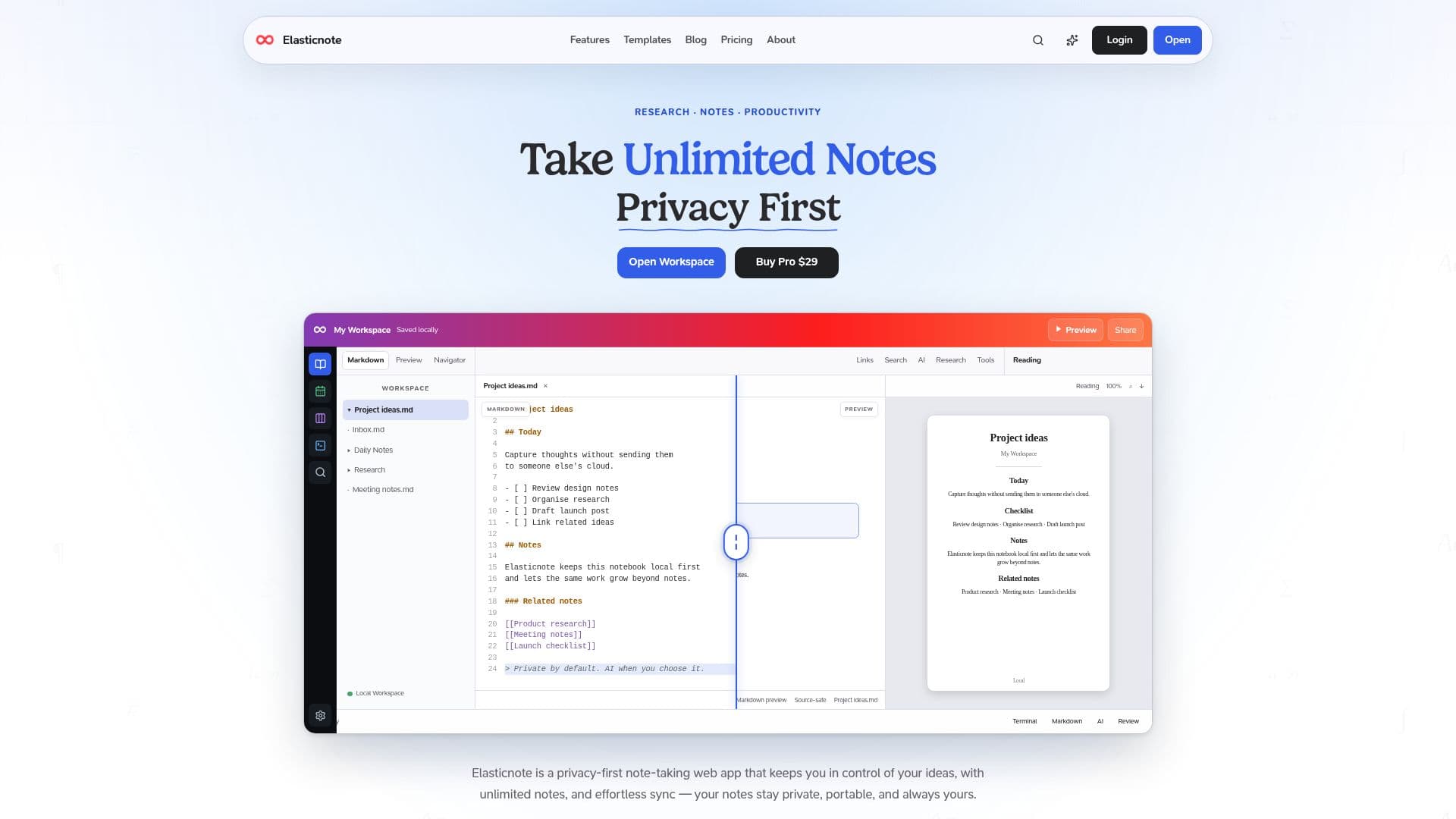
Description
Elasticnote is a comprehensive, privacy-first note-taking and workspace application designed for individuals and teams who prioritize data control and versatile productivity tools. It operates on a local-first principle, meaning your notes and data primarily reside on your device, offering enhanced privacy and portability. The platform supports Markdown and visual writing, allowing for flexible content creation, from quick captures and daily notes to long-form articles and technical documentation.
Read More
The workspace extends beyond basic note-taking, incorporating features like an offline calendar with task management, Kanban boards for visual project organization, and diagramming tools for workflow design. For academic and technical users, Elasticnote provides robust support for LaTeX, PDF publishing, code workflows, and terminal access, making it suitable for research and development projects. It also includes advanced citation and bibliography management, ensuring source-grounded research.
Elasticnote integrates AI assistance, allowing users to draft, rewrite, explain, and summarize text within their project context. This AI functionality can be utilized with local models (Ollama) or connected cloud AI providers using your own API key, giving users explicit control over their AI usage and data. The platform emphasizes data ownership, enabling users to save notes directly to their disk, sync with private Git repositories, or connect their own cloud storage services like Dropbox, Google Drive, GitHub, and OneDrive.
Collaboration features are available for supported workspaces, allowing authenticated users to share projects while maintaining control over their individual files. Elasticnote offers a mindful pricing structure, with essential features available for free, including up to five notebooks, unlimited files, Markdown, LaTeX, code support, PDF export, and basic AI features. Premium plans, available monthly or as a lifetime purchase, unlock unlimited notebooks, full AI features, BYO cloud storage, advanced Pro Tools like AI Review and Research, and priority support. This flexible model ensures users can scale their usage as needed, always retaining control over their project files.
- CategoryAI Note-Taking Apps
- Pricing ModelFreemium
- DeploymentCloud, Local
- PlatformsWeb, Windows, Linux
Elasticnote's Core Features
Private local-first notes and Markdown workspaces
Quick Capture Inbox, Web Clipper, and date-based Daily Notes
Offline Calendar with tasks and Workspace activity
LaTeX, PDF, code, and terminal workflows
Kanban boards and visual diagrams for task and workflow management
Citations and source-grounded research capabilities
Local, Ollama, and BYOK AI for drafting, rewriting, and summarization
Voice capture to local Workspace audio with optional browser transcription
Explicit revocable public note snapshots while local content remains canonical
Permission-controlled MCP document, Kanban task, and Calendar tools
Local Folder and optional connected cloud backing storage (Dropbox, Google Drive, GitHub, OneDrive)
Google and Microsoft Calendar integrations
Version control with private Git repositories
Authenticated collaboration on supported workspaces
Beautiful block editor built on ProseMirror with AI support and syntax highlighting
How to use Elasticnote?
Create a Workspace: Open Elasticnote and choose to create a new Workspace, which can be stored locally in your browser.
Choose a Format: Select the appropriate format for your work, such as Markdown or LaTeX, to start a new project.
Capture and Organize Notes: Use Quick Capture, Web Clipper, or Daily Notes to record thoughts, and organize them with tags, searches, and project structures.
Utilize Productivity Tools: Manage tasks with Kanban boards, design workflows with diagrams, and integrate with your Google or Microsoft Calendar.
Leverage AI Assistance: Access local AI, Ollama, or connect your own cloud AI to draft, rewrite, explain, or summarize content within your Workspace.
Connect Storage (Optional): For enhanced portability and backup, connect your own cloud storage like Dropbox, Google Drive, GitHub, or OneDrive.
Collaborate (Optional): Invite others to supported collaborative workspaces for shared document editing and project review.
Export and Share: Export portable files, ZIP archives, or Calendar .ics files, and create explicit public note snapshots when needed.
Elasticnote's Use Cases
- Research Note-Taking
- Project Planning
- Technical Documentation
- Daily Journaling
- Collaborative Writing
- Content Creation
- Academic Writing
- Personal Knowledge Management