Description
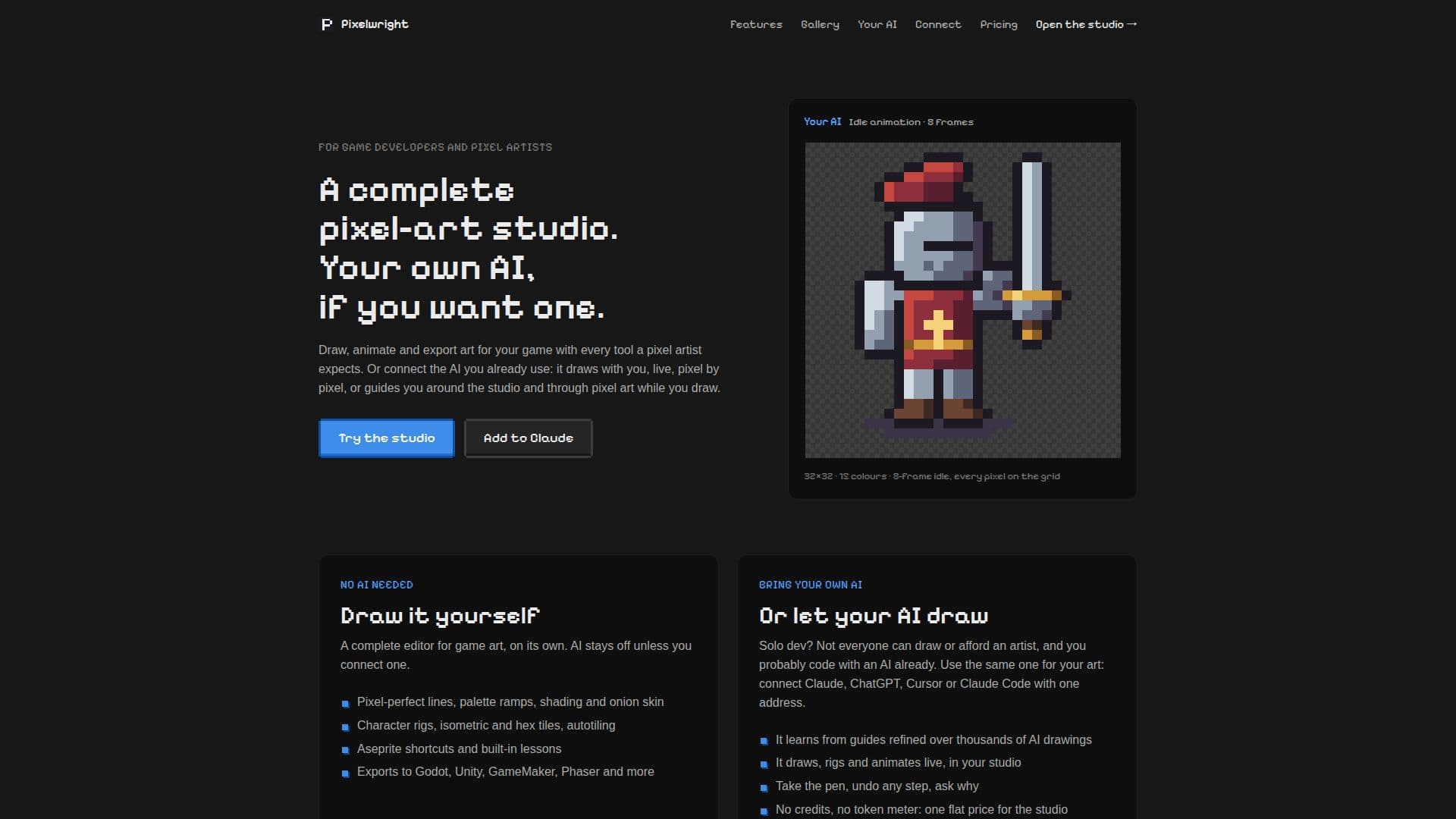
Pixelwright is a complete pixel-art studio tailored for game developers and pixel artists, providing a robust set of tools for creating game art. The platform supports essential pixel art functionalities including pixel-perfect drawing tools, custom palettes, shading ramps, layers, frames, and onion skinning for animation. Artists can create rigged characters by drawing parts once and then posing and animating them, as well as design tilesets with autotiling capabilities for various map types like square, isometric, and hexagonal.
Read More
A standout feature of Pixelwright is its unique integration with popular AI models. Users can connect their own Claude, ChatGPT, Cursor, or Claude Code instances via MCP (Multi-Agent Communication Protocol) to have the AI draw directly within the studio, live and pixel by pixel. This allows for collaborative art creation where the AI can assist with drawing, rigging, and animating, with every pixel remaining editable by the user. The platform emphasizes user control, allowing artists to take over at any point, undo steps, or ask the AI for explanations on artistic choices.
Pixelwright also serves as an educational tool, with AI models capable of providing guided tours and pointing to real buttons in the studio to explain pixel art concepts like shading or posing. The AI learns from extensive pixel-art guides refined over thousands of AI-drawn pieces, ensuring it follows established artistic principles. This makes it an invaluable resource for solo developers or those who may not have drawing skills or access to an artist.
The studio supports exports to a wide range of game engines and art tools, including Godot, Unity, GameMaker, Phaser, PixiJS, Defold, Spine, Aseprite, and Tiled, ensuring compatibility with existing workflows. Pricing is structured with a free tier offering daily AI sessions and cloud assets, and paid plans providing unlimited AI drawing, more cloud assets, and advanced export options. Pixelwright operates on a "bring your own AI" model, meaning users leverage their existing AI subscriptions without additional token meters or credit systems from Pixelwright itself. The platform also ensures transparency by recording who drew what and generating disclosures.
- CategoryAI Game Development Tools
- Pricing ModelFreemium
- DeploymentCloud
- PlatformsWeb
Pixelwright's Core Features
Pixel-perfect drawing tools, palettes, and shading ramps
Layers, frames, onion skin, and animation tags for detailed work
Rigged characters: draw parts once, then pose and animate them
Tilesets with autotiles for square, isometric, and hex maps
Exports to Godot, Unity, GameMaker, Phaser, PixiJS, Defold, Spine, Aseprite, and Tiled
Connect Claude, ChatGPT, Cursor, or Claude Code for live AI drawing
AI provides guided tours and points to real buttons for learning
No AI credits or token meters; use your existing AI plan
Full editor available for hand-drawing without AI connection
Aseprite shortcuts and built-in lessons
Recolor entire characters and animations with one-click palette swaps
Import palettes from Lospec and images
AI learns from refined pixel-art guides and checks its own art
Full version history for all projects
Supports drawing by hand in browser with unlimited asset limits
How to use Pixelwright?
Create Account: Sign up for a free Pixelwright account using your email or GitHub.
Start a Project: Begin a new pixel art project in the studio, either drawing by hand or preparing for AI assistance.
Connect AI: Add Pixelwright to your chosen AI app (Claude, ChatGPT, Cursor, Claude Code) by following the provided connection steps and signing in once.
Instruct AI: Ask your connected AI to draw, animate, or teach within the studio using plain language prompts.
Collaborate & Edit: Watch your AI draw live, take control to edit pixels, undo steps, or ask for explanations.
Export Art: Export your finished pixel art, animations, or tilesets to your preferred game engine or art tool.
Pixelwright's Use Cases
- Game Art Creation
- Character Animation
- Tileset Design
- Palette Management
- AI-Assisted Drawing
- Pixel Art Learning
- Engine-Ready Exports
- Solo Game Development