Description
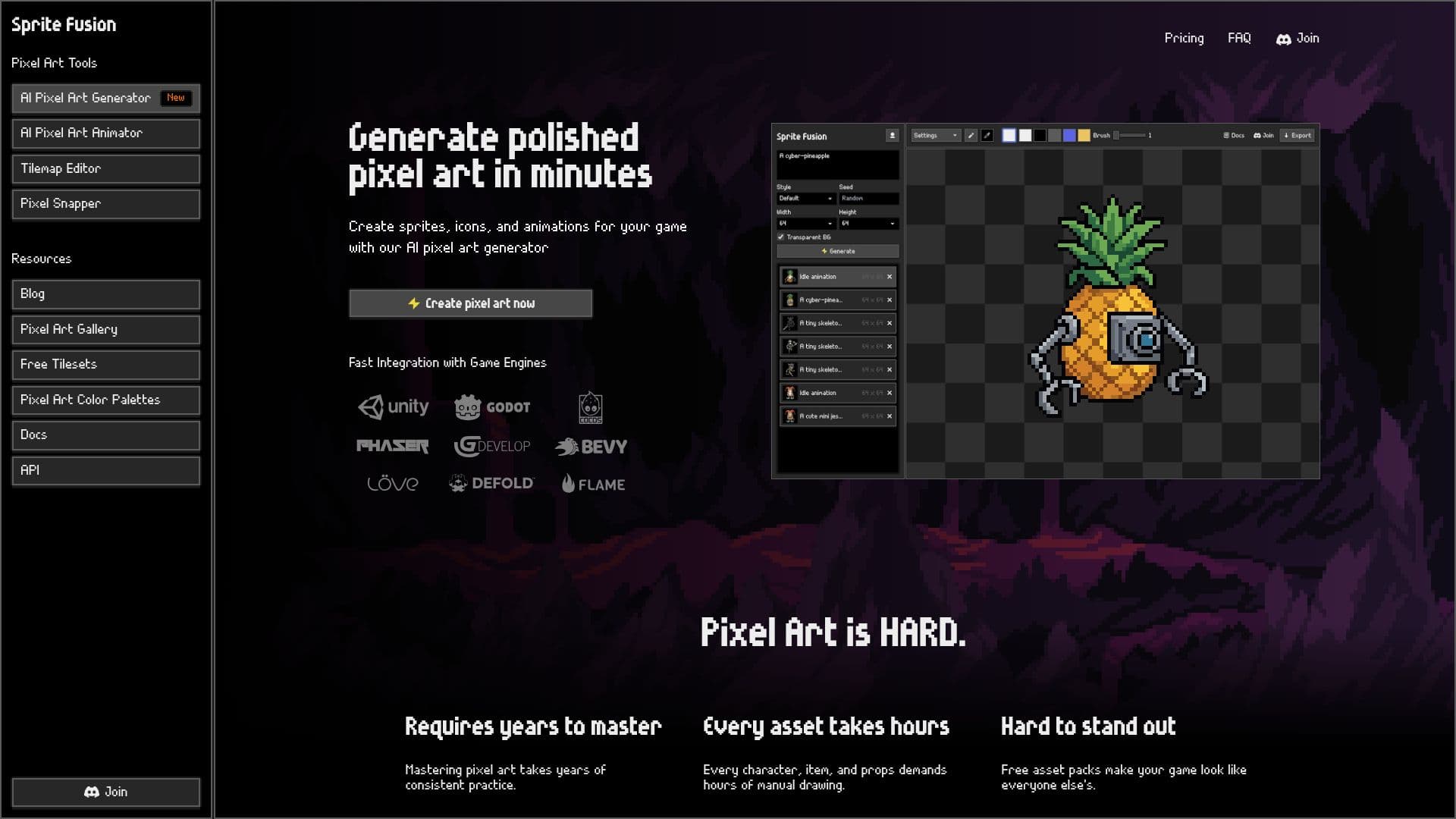
Sprite Fusion is an AI-driven tool designed to simplify the creation of professional pixel art for game developers. It allows users to generate pixel art sprites and animations at precise sizes such as 16x16, 32x32, and 64x64. The tool is particularly beneficial for those who find pixel art challenging, as it eliminates the need for years of practice by enabling users to create polished art with just a prompt.
The platform offers fast integration with popular game engines like Unity and Godot, allowing users to export assets directly into their projects. Sprite Fusion's AI model is specifically built for generating clean, game-ready assets that adhere to the visual constraints of true pixel art. Users can create sprites, icons, and animations, and even generate eight-directional views for top-down and isometric games.
Sprite Fusion includes a built-in pixel art editor, enabling users to tweak colors, change details, and export without switching tools. The tool also supports importing existing pixel art for further editing or animation. With flexible pricing plans, Sprite Fusion caters to indie developers and larger game projects alike, offering commercial use of generated assets.
The platform supports API integration, allowing coding agents like Codex and Claude Code to generate and edit pixel art as part of a workflow. Sprite Fusion is designed for creating authentic pixel-art-style assets, not just pixelated versions of regular images. It provides a comprehensive solution for game developers looking to streamline their asset creation process.
Sprite Fusion's Core Features
AI-powered pixel art generation
Exact size control for 16x16, 32x32, 64x64
Built-in pixel art editor
Integration with Unity and Godot
API available for automation
Eight-directional sprite generation
Style consistency with reference sprites
Commercial use of generated assets
Flexible pricing plans
Sprite sheet and animation creation
Transparent background support
Manual pixel editing
Import and animate existing pixel art
Batch processing with Pixel Snapper
Tilemap Editor for level design
How to use Sprite Fusion?
Describe your vision: Enter a prompt for the desired pixel art.
Generate unique assets: Use the AI to create detailed sprites.
Export your assets: One-click export to game engines.
Edit and refine: Use the built-in editor for final touches.
Sprite Fusion's Use Cases
- Game Asset Creation
- Indie Game Development
- Animation Production
- Style Matching
- Educational Use
- Top-Down Games
- Isometric Games
- Retro Game Development
- Level Design
- AI Workflow Integration