Description
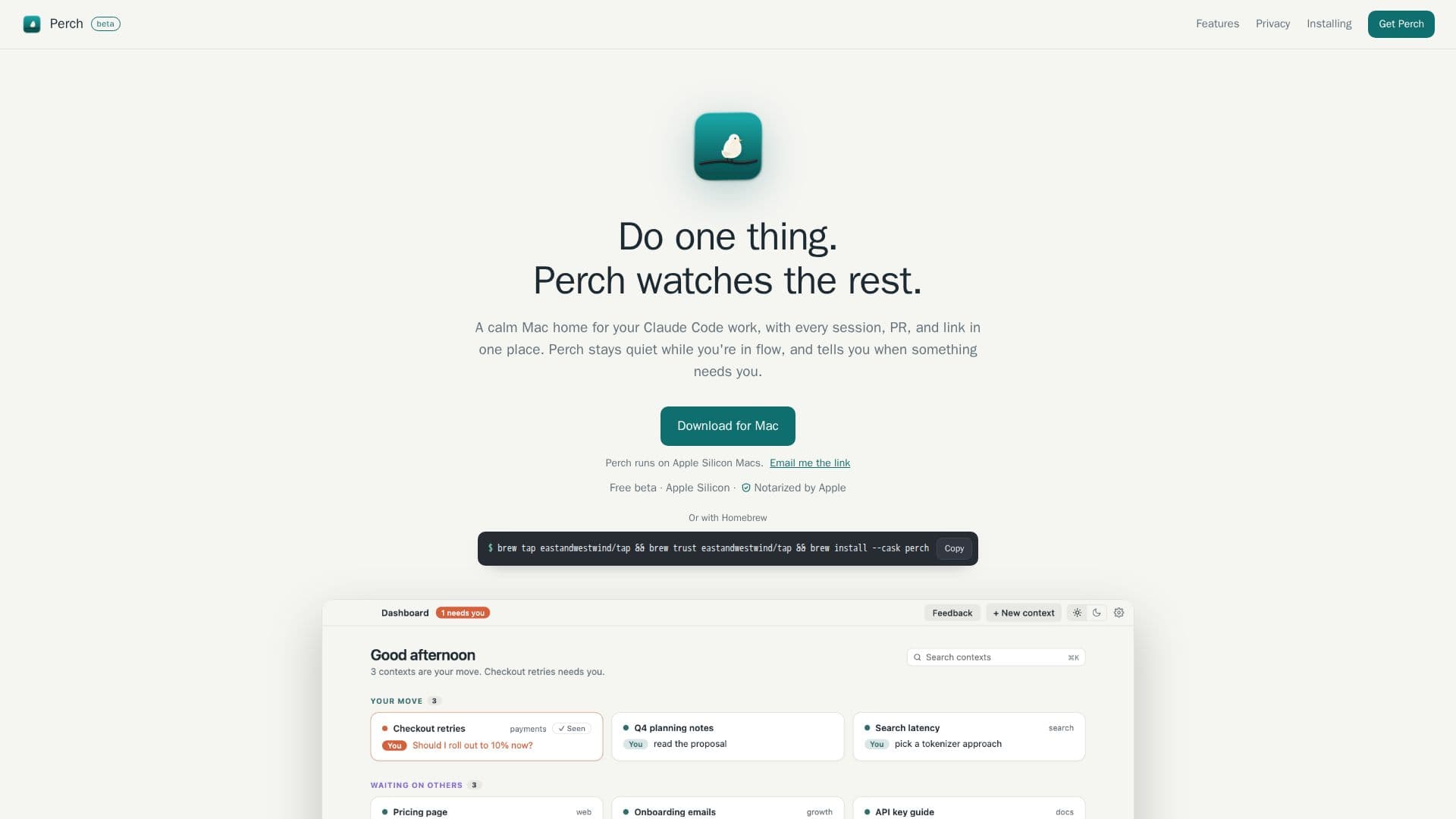
Perch is a dedicated Mac application that serves as a calm and organized home for your Claude Code development work. It allows users to run multiple Claude Code sessions concurrently, presenting them side by side for easy management. The core functionality of Perch revolves around keeping all elements of a project—sessions, pull requests (PRs), links, and notes—consolidated in a single interface.
Read More
The application features a dashboard that groups work items based on whose action is required, ensuring users always know what needs their attention. Perch is designed to be unobtrusive, providing notifications only when a specific session, reviewer, or continuous integration (CI) process demands intervention. This selective notification system helps maintain focus by reducing unnecessary alerts.
Users can interact with Claude through a chat view or directly via the real Claude Code terminal. Perch automatically tracks PRs across various repositories and worktrees, integrating with platforms like GitHub and GitLab to display review states, CI statuses, and identify who is holding up progress. It also connects with project management tools such as Jira and Azure Boards to show ticket statuses and new comments.
Beyond code and project management, Perch intelligently pins relevant links that emerge during Claude conversations, providing readable titles for easy reference. These links can include documents from Slack, Confluence, Google Docs, Notion, Figma, Linear, and Loom. The app ensures that sessions continue to run even across restarts and updates, and it allows for the import of existing Claude Code sessions.
Perch emphasizes privacy and security, operating entirely on your Mac. All contexts, notes, and statuses are stored in a local database, with no account creation or data leaving your machine. It includes no analytics or usage tracking, and crash reports are opt-in. API keys and sign-in tokens remain in your macOS Keychain or environment variables, never read, stored, or sent by Perch. The application is notarized by Apple, ensuring it is signed with an Apple Developer ID and checked for malware.
- CategoryAI Coding Assistants
- Pricing ModelFree
- DeploymentRuns locally
- PlatformsmacOS (Apple Silicon)
Perch's Core Features
Run Claude Code sessions side by side
Dashboard grouped by action required
Selective notifications for sessions, reviewers, or CI
Integrated chat view and real Claude Code terminal
Automatic PR tracking across repos and worktrees
Deep focus mode to mute other contexts
Sessions persist across restarts and updates
Import existing Claude Code sessions
Integrates with GitHub for PR reviews and CI
Integrates with GitLab for merge requests and approvals
Integrates with Jira for ticket status and comments
Integrates with Azure Boards for work item status
Pins relevant links from conversations with readable titles
Local-only data storage for privacy
No tracking or analytics
API keys and tokens remain on user's Mac
Notarized by Apple for security
How to use Perch?
Download and Install: Download the disk image and drag Perch to your Applications folder.
Sign In: Open Perch and sign in to your Claude Code account.
Connect Integrations: Connect GitHub, GitLab, Jira, or Azure Boards immediately or at a later time.
Enable Notifications: Allow notifications to receive alerts when action is needed.
Import Work: Bring over existing Claude chats or Claude Code sessions to resume your work.
Perch's Use Cases
- Streamlined Claude Code Workflow
- Project Oversight
- Focused Development
- PR and Merge Request Tracking
- Task and Ticket Management
- Contextual Link Management