
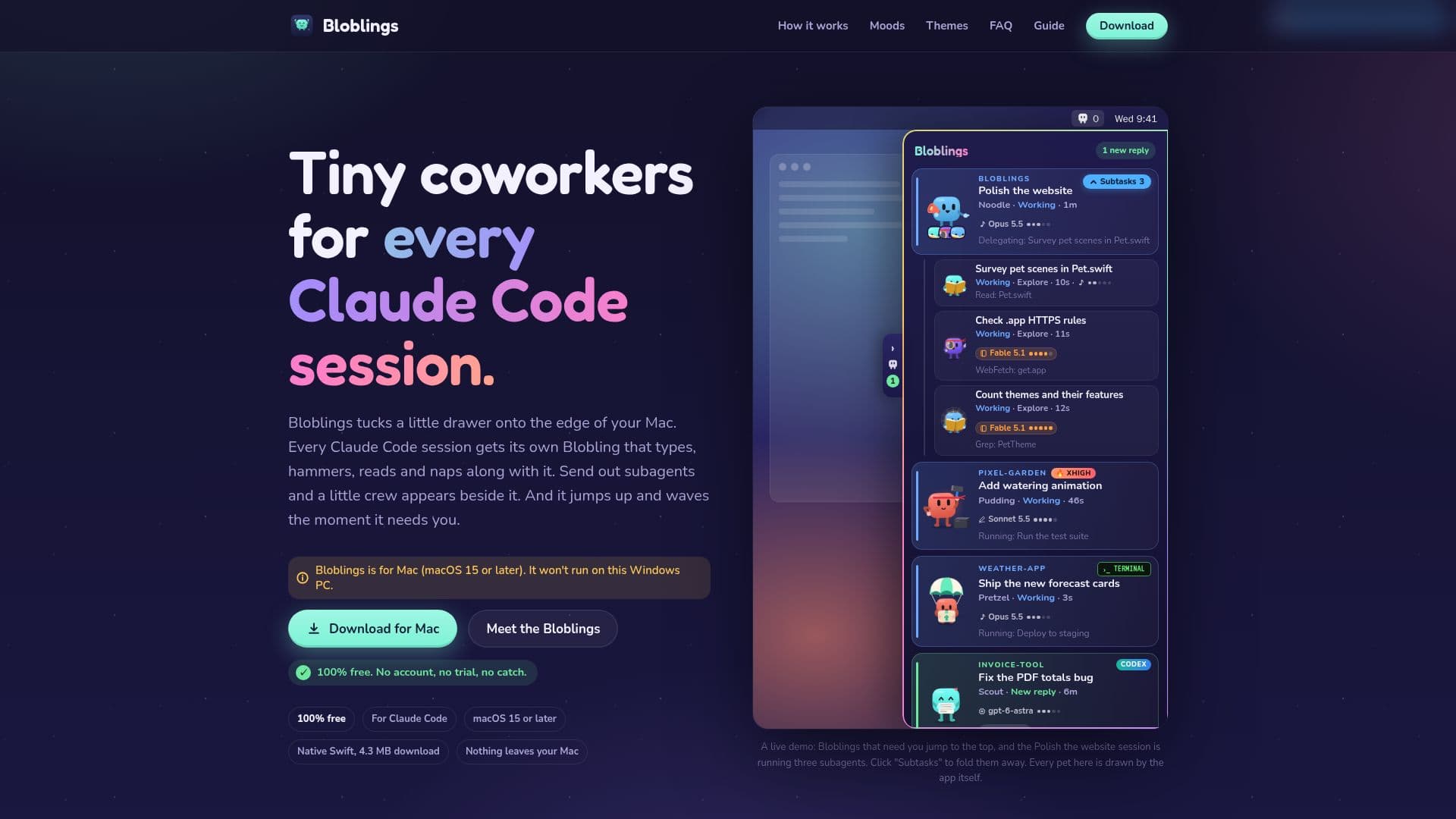
Description
Bloblings is a unique macOS application designed to enhance the experience of using Claude Code by providing a visual companion for each session. This free tool operates entirely on your Mac, ensuring that no data leaves your device. Each Claude Code session is assigned a Blobling, a small animated pet that visually represents the session's activities and alerts you when your attention is required.
Read More
The application is particularly beneficial for users who manage multiple coding sessions simultaneously, as it helps keep track of each session's status. Bloblings integrates seamlessly with Claude Code, adding a small hook to its settings without interfering with existing configurations. It reads session titles, logs, and other relevant data to provide accurate visual feedback.
Bloblings is easy to install and use. Simply download the application, drag it into your Applications folder, and connect it to Claude Code. The app is signed and notarized by Apple, ensuring a smooth installation process without warnings. Once set up, Bloblings operates in the background, providing a non-intrusive way to monitor your coding sessions.
The app is entirely free, with no hidden costs, ads, or trials. Users can optionally support the project through donations on Ko-fi, but this does not unlock any additional features. Bloblings is an independent project and is not affiliated with Anthropic, the creators of Claude Code.
Bloblings is designed for developers and coders who frequently use Claude Code and want a fun and interactive way to manage their sessions. It offers a clean uninstall process, ensuring that all settings and data are removed if the user decides to stop using the app.
- CategoryAI Coding Assistants
- Pricing ModelFree
- DeploymentNative
- PlatformsmacOS
Bloblings's Core Features
Visual representation of Claude Code sessions
Operates entirely on macOS
No data leaves your Mac
Free to use with no ads or trials
Easy installation and setup
Seamless integration with Claude Code
Clean uninstall process
Optional support through Ko-fi donations
How to use Bloblings?
Download: Get Bloblings.dmg from the website.
Install: Drag Bloblings into the Applications folder.
Connect: Open Bloblings and connect it to Claude Code.
Use: Run Claude Code sessions and interact with Bloblings.
Bloblings's Use Cases
- Session Management
- Coding Companion
- Data Privacy
- Free Tool
- Developer Support