
Description
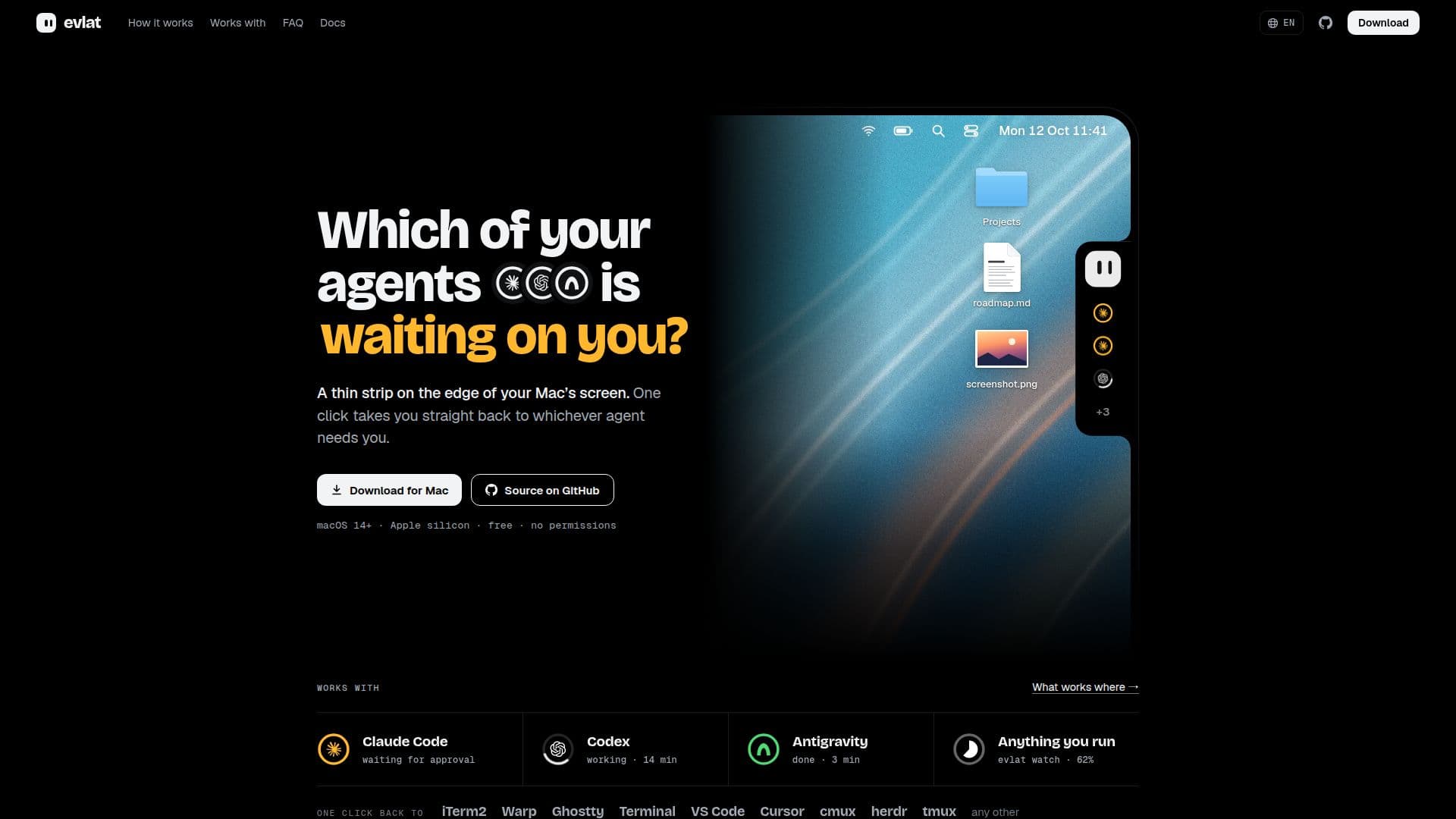
Evlat is a macOS application designed to streamline the management of AI coding sessions by docking a thin black strip on the edge of your screen. This strip provides real-time updates on which of your AI agents, such as Claude Code, Codex, or Antigravity, requires your attention. By displaying a ring for each session and an amber pulse when a response is needed, Evlat ensures you never miss a critical update.
Read More
The tool is compatible with macOS 14 and later, specifically on Apple silicon devices, and operates without requiring any permissions. It integrates seamlessly with various terminals and editors, including iTerm2, Warp, Ghostty, Terminal, VS Code, Cursor, cmux, herdr, and tmux. This integration allows users to manage their sessions efficiently, whether they are running locally or on remote servers accessed via SSH.
Evlat's functionality extends to running commands through 'evlat watch' and 'evlat signal', which can be used to track the progress of tasks such as builds, test runs, and deployments. The tool is designed to operate quietly, using native macOS technologies like Swift, AppKit, and SwiftUI, ensuring minimal resource usage.
Evlat is free to use, with its source code available on GitHub under the Functional Source License (FSL-1.1-ALv2). It does not require an account, and no telemetry data is collected, ensuring user privacy. The tool updates itself by checking GitHub for new versions every hour, using Sparkle for secure updates.
For users seeking to enhance their workflow without compromising on privacy or system performance, Evlat offers a robust solution for managing AI coding sessions efficiently.
- CategoryAI Coding Assistants
- Pricing ModelFree
- DeploymentLocal
- PlatformsmacOS 14+
Evlat's Core Features
Real-time session updates
Integration with Claude Code, Codex, and Antigravity
Support for macOS 14+ on Apple silicon
No permissions required
SSH integration for remote servers
Command tracking with evlat watch and signal
Free and open-source
Automatic updates via GitHub
How to use Evlat?
Install: Download and drag Evlat into Applications
Configure: Right-click the mascot to install hooks
Use: Monitor sessions via the status strip
Optimize: Use evlat watch for task tracking
Evlat's Use Cases
- AI Session Management
- Remote Server Monitoring
- Command Progress Tracking
- Privacy-Conscious Development
- Seamless Terminal Integration