
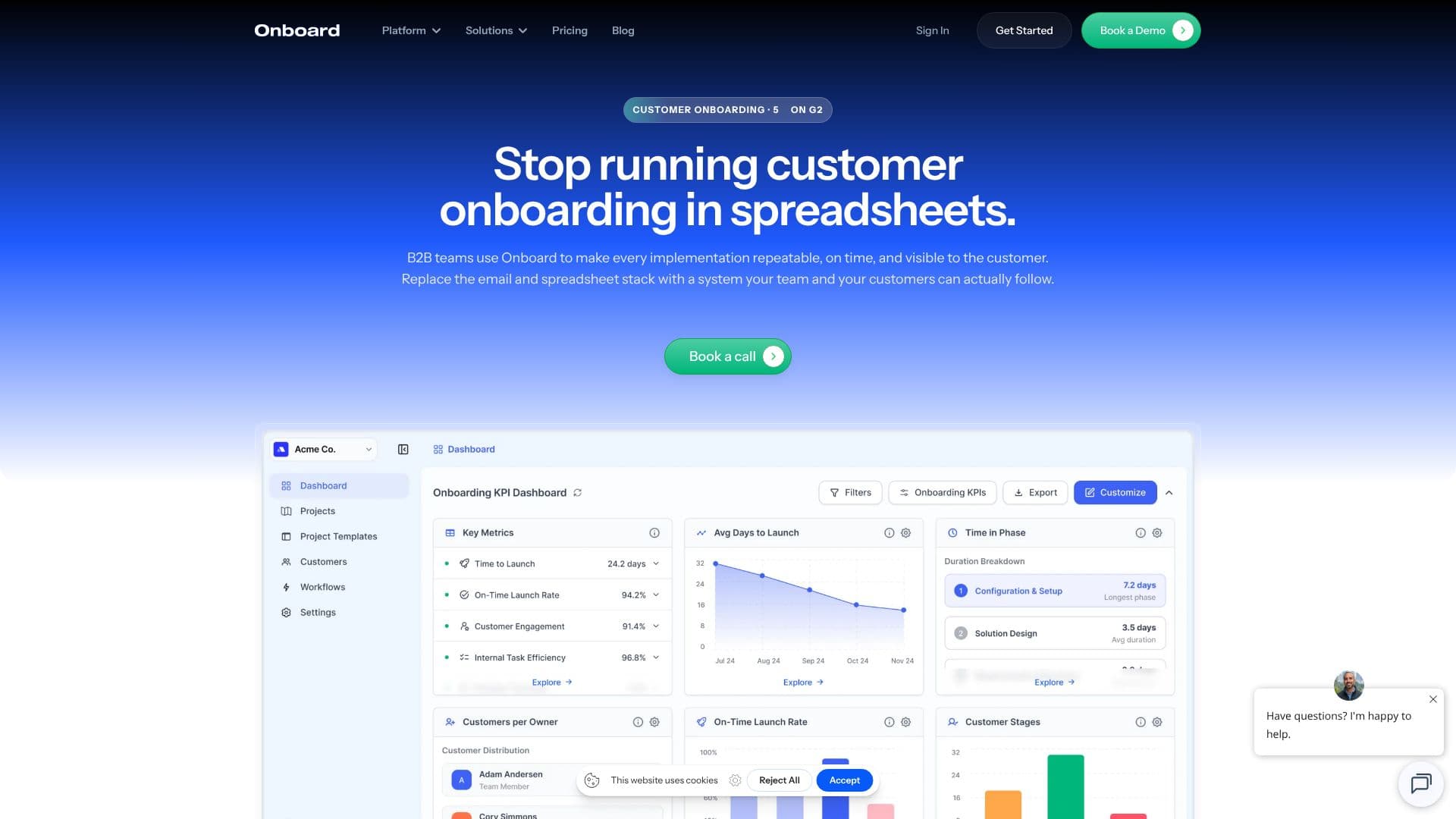
Description
Onboard.io is a dedicated customer onboarding software designed to help B2B success teams manage client implementations efficiently. It aims to eliminate the risks associated with traditional onboarding methods like spreadsheets and scattered email threads, which can lead to hidden issues, delayed launches, and fuzzy ownership.
Read More
The platform provides integrated interfaces to bring clarity and visibility to the entire onboarding process. Key features include a Customer Portal, allowing clients to view tasks, complete forms, upload files, and ask questions directly. A Project Dashboard offers a shared view of project status, identifies blockers, and keeps teams aligned. The KPI Dashboard provides real-time insights into onboarding health, enabling teams to configure metrics and track performance across all active customers.
Onboard.io focuses on creating onboarding experiences that are both powerful and scalable, while remaining easy to use for both internal teams and customers. It enables teams to track progress in a single view, launch clients with minimal friction, and gain total visibility over every client launch. By automating onboarding from day one with repeatable workflows, teams can shorten setup times, reduce errors, and cut down on manual administration, allowing them to focus on execution.
The software is designed to work out of the box, offering purpose-built workflows that reduce the need for expensive and time-consuming configuration of generic project tools. It comes with easy-to-use templates, global tasks, multi-user project plans, and an intuitive customer portal with custom branding options. Magic link logins eliminate the need for customers to create new accounts or remember passwords. Onboard.io also offers integrations with popular CRM and productivity tools, including Salesforce, HubSpot, Slack, and Zapier, to connect with existing workflows.
Onboard.io is committed to security and compliance, being SOC 2 compliant with enterprise-grade security measures. They offer comprehensive training and support, including live sessions during implementation and ongoing assistance. Free trials are available for their Essentials and Starter plans, allowing users to test the platform with real projects before committing. The pricing structure includes Starter, Essentials, and Pro plans, all offering unlimited customers and options for annual billing discounts.
- CategoryCustomer Success & Onboarding
- Pricing ModelTiered (Starter, Essentials, Pro)
- DeploymentCloud
- PlatformsWeb
Onboard's Core Features
Customer Portal for client task management and communication
Project Dashboard for shared status visibility and blocker identification
KPI Dashboard for real-time onboarding health tracking
Repeatable workflow automation for scalable onboarding
Automated template, task, and timeline generation
Customizable customer portal with branding options
Magic link login for customer access
Integrations with CRM and productivity tools
SOC 2 compliant with enterprise-grade security
Purpose-built onboarding workflows requiring minimal setup
Multi-user project plans with task reassignment
Free trial options available
How to use Onboard?
Configure: Set up purpose-built onboarding templates and workflows.
Integrate: Connect with your CRM and other essential tools.
Launch: Auto-generate projects for new clients with populated data.
Manage: Track progress via dashboards and the customer portal.
Collaborate: Engage customers through the dedicated portal.
Automate: Leverage repeatable workflows to reduce manual tasks.
Optimize: Use KPI dashboards to monitor and improve onboarding health.
Onboard's Use Cases
- Client Implementation Management
- Customer Success Workflow Automation
- Reducing Onboarding Time-to-Value
- Improving Customer Onboarding Transparency
- Scaling Onboarding Processes
- Cross-functional Team Alignment
- Reducing Onboarding Failures