Description
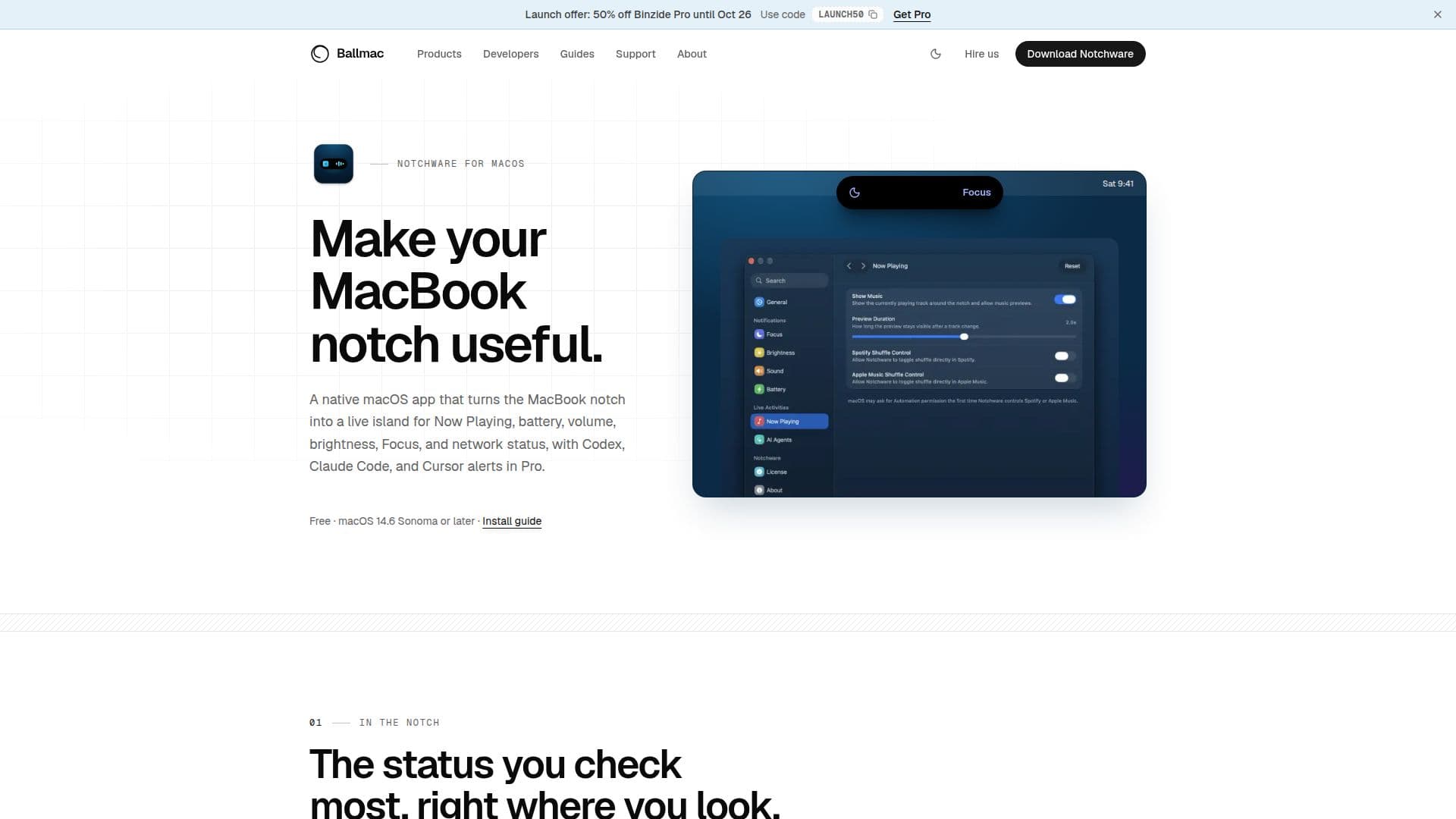
Notchware is a native macOS application that enhances the functionality of the MacBook notch by turning it into a live display for various statuses and controls. Compatible with macOS 14.6 Sonoma or later, Notchware provides users with Now Playing controls, battery and charging status, volume and brightness indicators, and network status updates directly in the notch area. The app is particularly useful for those who frequently check these statuses, as it places them conveniently in the user's line of sight.
Read More
The application offers a Pro version that includes additional features such as AI agent alerts for Codex, Claude Code, and Cursor, as well as Lock Screen music controls. These AI alerts notify users when an agent requires approval or completes a task, providing optional sound notifications. The Pro version is available for a one-time purchase of $3.99, with a 14-day money-back guarantee.
Notchware is designed with privacy in mind, operating entirely locally without requiring user accounts or analytics. It only makes network requests to activate or check a Pro license and to update the software when prompted by the user. The app is built using SwiftUI for macOS, ensuring a lightweight and native experience on both Apple silicon and Intel Macs.
Users can customize the display settings, choose which indicators appear, and adjust the width of the live island around the notch. Notchware also offers transparency in its AI agent hooks, allowing users to review each command before installation. This ensures that the app writes only status events without accessing user prompts or responses.
Overall, Notchware is ideal for MacBook users who want to maximize the utility of their device's notch, providing both essential and advanced features in a user-friendly package.
- CategoryProductivity
- Pricing ModelFreemium
- DeploymentLocal
- PlatformsmacOS 14.6+
Notchware's Core Features
Now Playing controls in the notch
Battery and charging status display
Volume and brightness indicators
Network status updates
AI agent alerts for Codex, Claude Code, and Cursor
Lock Screen music controls
Customizable display settings
Privacy-focused with no account or analytics
How to use Notchware?
Install: Download and install Notchware from the website
Configure: Set up your preferred indicators and display settings
Use: Monitor statuses and control music directly from the notch
Upgrade: Purchase and activate Pro for AI alerts and Lock Screen features
Notchware's Use Cases
- Music Control
- Battery Monitoring
- AI Agent Alerts
- Network Status
- Privacy-Conscious Users