Description
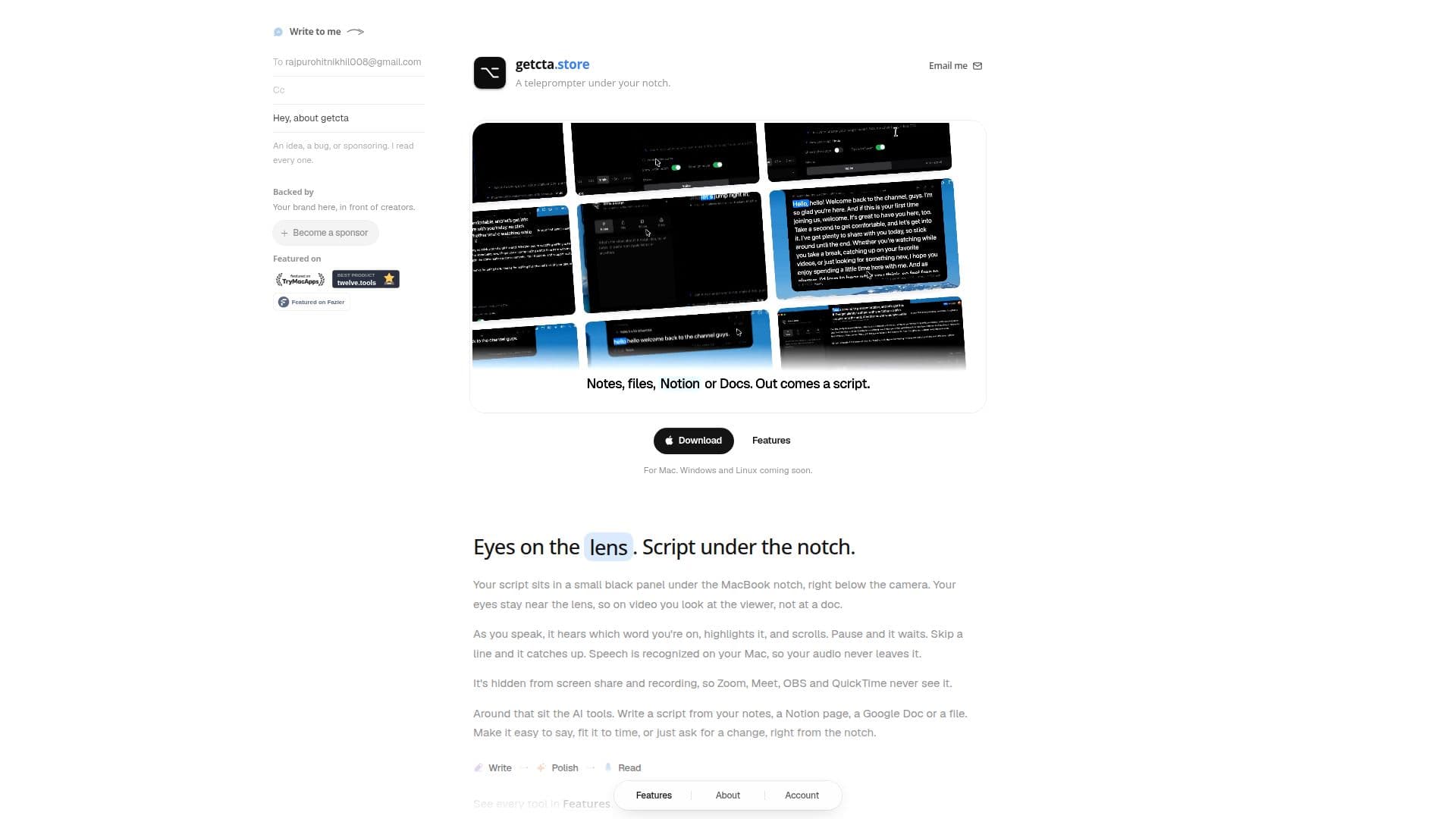
Getcta is a teleprompter designed specifically for macOS users, positioning itself under the MacBook notch to maintain eye contact with the camera during video recordings. This tool is ideal for YouTubers, course creators, and anyone presenting on Zoom or Meet, ensuring a professional and engaging video presence.
Read More
The teleprompter follows your voice as you read, highlighting words and scrolling automatically. It pauses when you stop and catches up if you skip lines, with speech recognition occurring locally on your Mac to ensure privacy. The prompter remains hidden during screen sharing and recordings, making it invisible to platforms like Zoom, Meet, OBS, and QuickTime.
Getcta offers a free tier that includes the basic prompter features, while the Pro tier, priced at $9 per month, unlocks advanced AI tools. These tools allow users to generate scripts from notes, Notion pages, Google Docs, or files, and refine them to fit specific time constraints or stylistic preferences. The Pro tier includes 60 AI credits per month, with additional credits available for purchase.
The AI tools include script generation, spoken rewrite, fitting scripts to time, and personalized adjustments based on a Creator Profile. This profile ensures scripts match your channel's tone and audience, with the ability to undo any AI changes. Getcta supports various file formats and integrates with Notion and Google Drive for seamless script creation.
Currently available for macOS, Getcta plans to expand to Windows and Linux soon. It is sold directly from the website, not through the Mac App Store, and requires macOS 13 Ventura or later.
- CategoryProductivity
- Pricing ModelFreemium
- DeploymentLocal
- PlatformsmacOS
Getcta's Core Features
Notch teleprompter
Voice-follow
AI script generation
Spoken rewrite
Fit to time
Creator Profile
Undo AI changes
Integration with Notion and Google Drive
Free and Pro pricing tiers
Local speech recognition
How to use Getcta?
Download: Install Getcta via Terminal
Connect: Sign in on the website
Write: Create or import scripts
Record: Use the teleprompter under the notch
Optimize: Utilize AI tools for script refinement
Getcta's Use Cases
- Video Recording
- Online Presentations
- Script Writing
- Content Creation
- Educational Videos