
Description
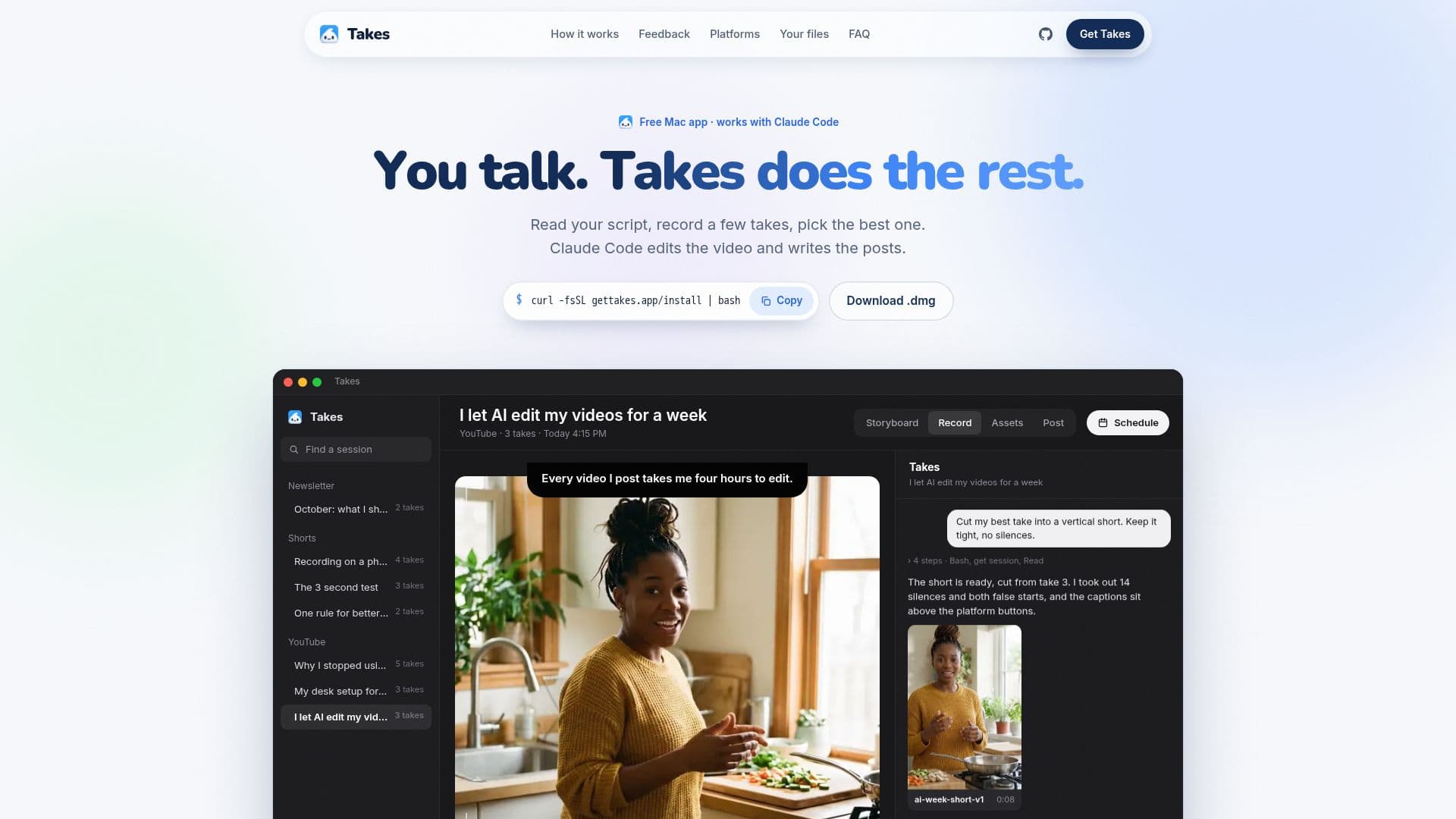
Takes for Mac is a versatile application tailored for creators who want to produce talking-head videos without the need for technical expertise. The app provides a teleprompter that follows your voice, allowing you to read scripts seamlessly while recording. Once you've captured your takes, the app uses Claude Code to storyboard the video, cut edits, and draft posts for platforms like LinkedIn, X, YouTube, and Shorts.
Read More
The app is designed to be user-friendly, requiring no coding skills. Installation involves a simple command in Terminal, after which you can work entirely within the app. Takes ensures privacy by storing all video files locally on your Mac, with no account creation or data sharing required. The AI functionalities operate through your own Claude account, ensuring that Takes never accesses your API keys or incurs additional costs.
Takes is free to use, but a paid Claude plan is necessary for the AI features. The app supports integration with various agents like Codex and Cursor, enhancing its flexibility. Although primarily a Mac app, an iPhone version is available for those who can build it themselves.
The app's capabilities include camera and screen recording, AI-driven edits from plain-language requests, and platform-specific post previews. It also allows for feedback on edits, improving future versions based on user input. Takes is ideal for creators looking to streamline their video production process while maintaining control over their content.
- CategoryAI Video Editors
- Pricing ModelFree
- DeploymentLocal
- PlatformsmacOS
Takes for Mac's Core Features
Teleprompter that follows voice
AI-driven storyboarding
Local file storage
No account or data sharing
Integration with Claude Code
Free to use
Camera and screen recording
Platform-specific post previews
How to use Takes for Mac?
Install: Paste one line in Terminal
Record: Use teleprompter to capture takes
Edit: Use AI to storyboard and cut edits
Post: Draft and preview posts for platforms
Takes for Mac's Use Cases
- Video Content Creation
- Social Media Posting
- AI-Driven Editing
- Teleprompter Use
- Local Video Storage