Description
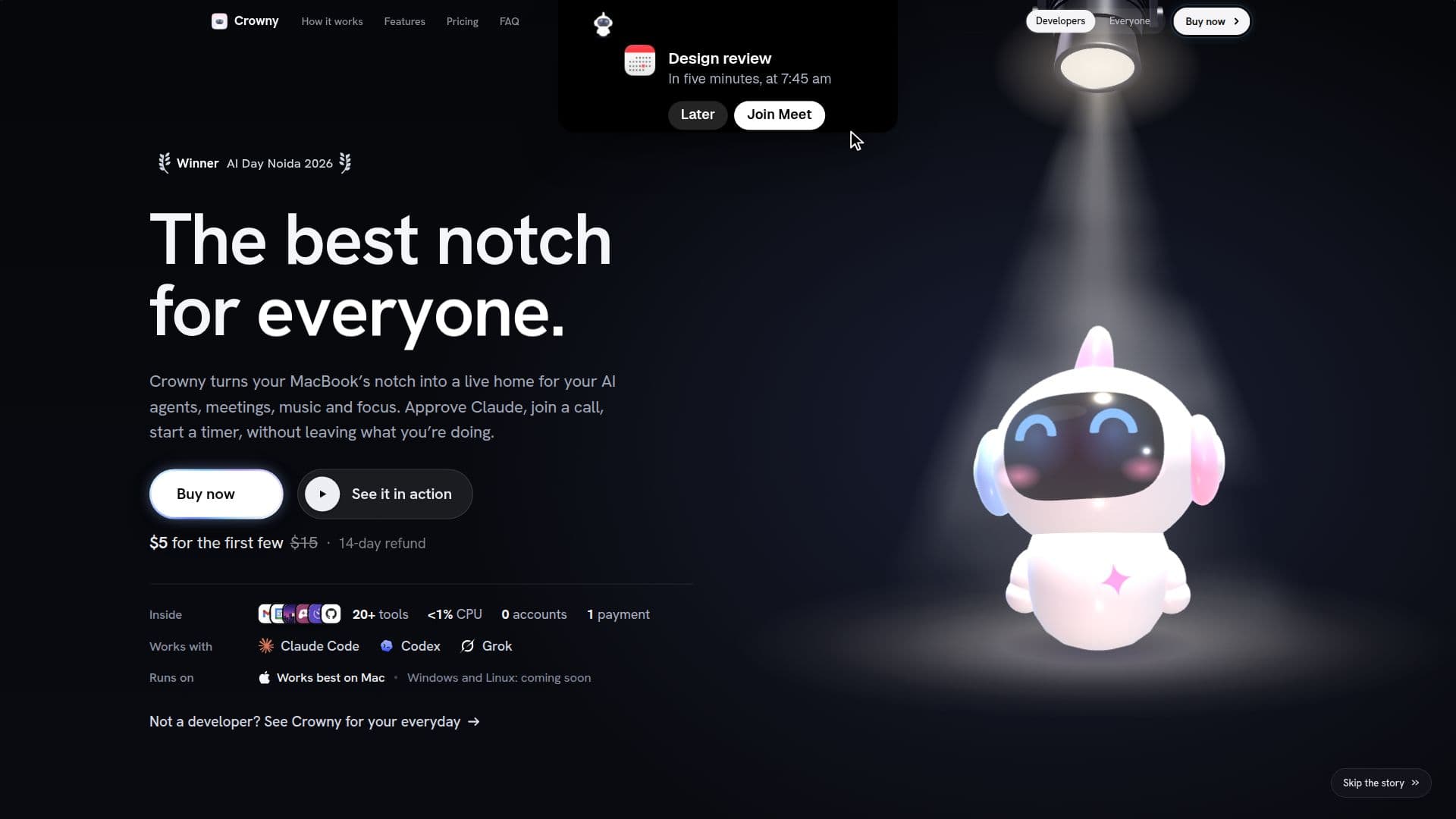
Crowny is a unique application designed to transform the MacBook's notch into a multifunctional command center. It integrates various daily utilities such as music, timers, calendar, reminders, and clipboard management, all accessible with a glance. Additionally, Crowny supports AI agents like Claude Code, Codex, and Grok, providing real-time notifications and interactions directly from the notch.
Read More
The application is particularly beneficial for users who rely heavily on multitasking and need quick access to information without switching windows. Crowny allows users to approve AI agent prompts, join meetings, and manage tasks seamlessly. It also includes fun elements like games (Snake, Tetris, 2048, and Flappy) to keep users entertained during breaks.
Crowny is available for a one-time payment of $19, with a launch price of $14. This purchase model includes all updates for version 1, ensuring users do not have to worry about subscriptions or recurring fees. The application is designed to work best on MacBooks with a notch, but support for Windows and Linux is planned for the future.
Privacy is a key focus for Crowny; it operates entirely on the user's Mac, with no data leaving the device except for license activation and update checks. The application is lightweight, using less than 1% CPU at rest, ensuring it does not slow down the user's device.
Crowny's target audience includes professionals who need efficient task management and quick access to AI tools, as well as those who appreciate having all their daily utilities in one accessible location. The application is a practical solution for enhancing productivity and focus, making it a valuable tool for anyone looking to optimize their workflow.
- CategoryProductivity
- Pricing ModelOne-time purchase
- DeploymentDesktop
- PlatformsmacOS
Crowny's Core Features
Transforms MacBook notch into a command center
Integrates music, timers, calendar, and reminders
Supports AI agents like Claude Code, Codex, and Grok
One-time purchase with free updates for version 1
Includes games like Snake, Tetris, 2048, and Flappy
Privacy-focused: data stays on the Mac
Lightweight: uses <1% CPU at rest
Designed for MacBooks with a notch
How to use Crowny?
Purchase: Buy Crowny from the website
Install: Download and install on your Mac
Activate: Enter your license key
Configure: Set up permissions and preferences
Use: Access features from the notch
Optimize: Customize settings for your workflow
Crowny's Use Cases
- Task Management
- AI Agent Integration
- Meeting Notifications
- Music Control
- Focus Sessions